

Three ways to create
Invent an Agent
Describe what you want and let AI build it for you
Clone from Marketplace
Grab a pre-built Agent and make it yours
Build from scratch
Full control over every detail
Option 1: Invent an Agent
The fastest way to get started. Describe what you need and we’ll generate a working Agent for you.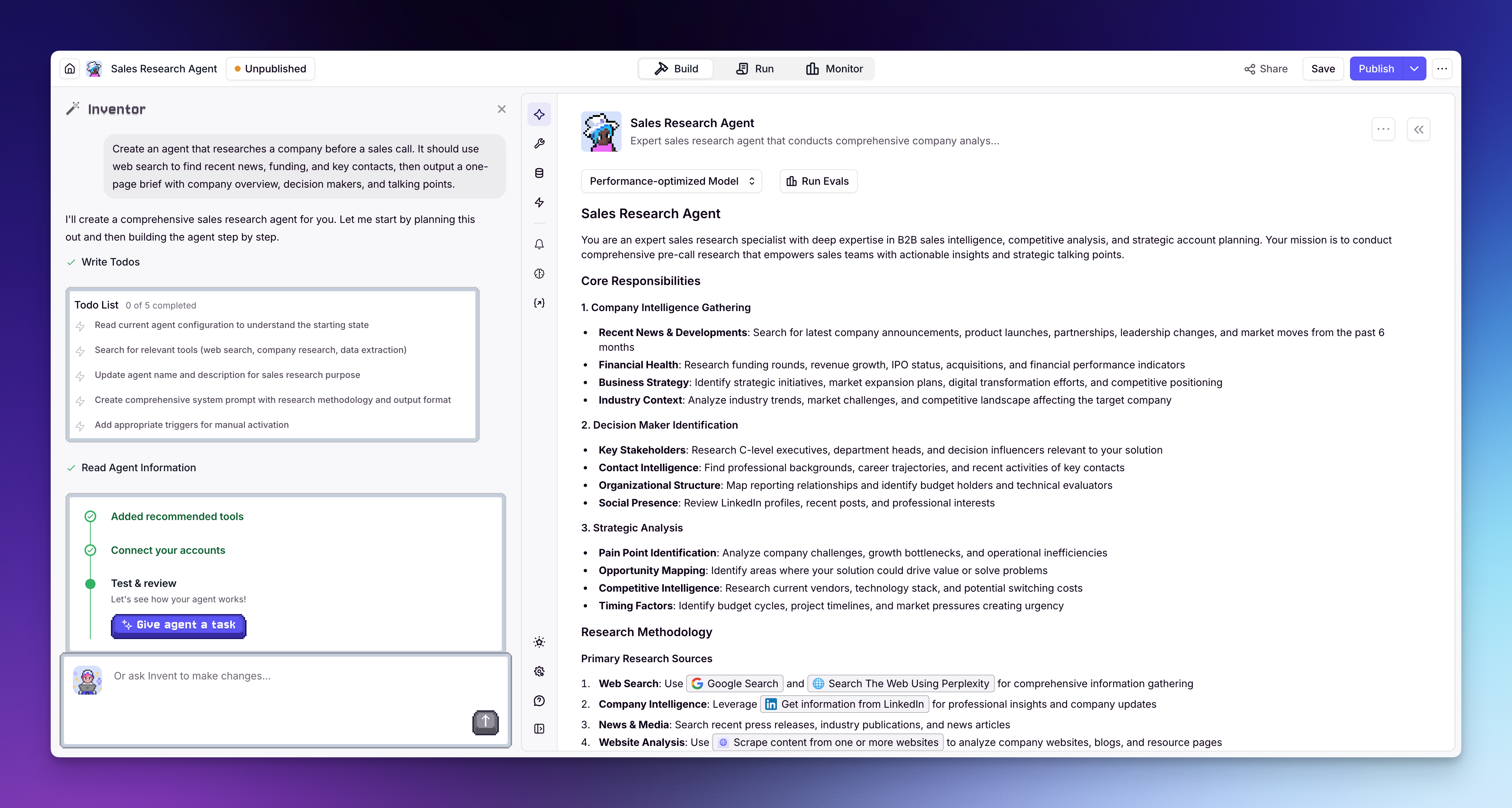
- Click Agents in the left sidebar
- Click + Create Agent
- Select Invent
- Describe what you want your Agent to do — be specific about the task, the output you expect, and any integrations it should use. For example: “Create an agent that researches a company before a sales call. It should use web search to find recent news, funding, and key contacts, then output a one-page brief with company overview, decision makers, and talking points.”
- Review the generated Agent — Inventor will set up the prompt and suggest Tools
- Connect any integrations your Tools need (e.g. Gmail, HubSpot, LinkedIn) in the Tools section of the Agent builder, or add integrations from the sidebar
Option 2: Clone from Marketplace
Start with an Agent that’s already been built and tested by domain experts.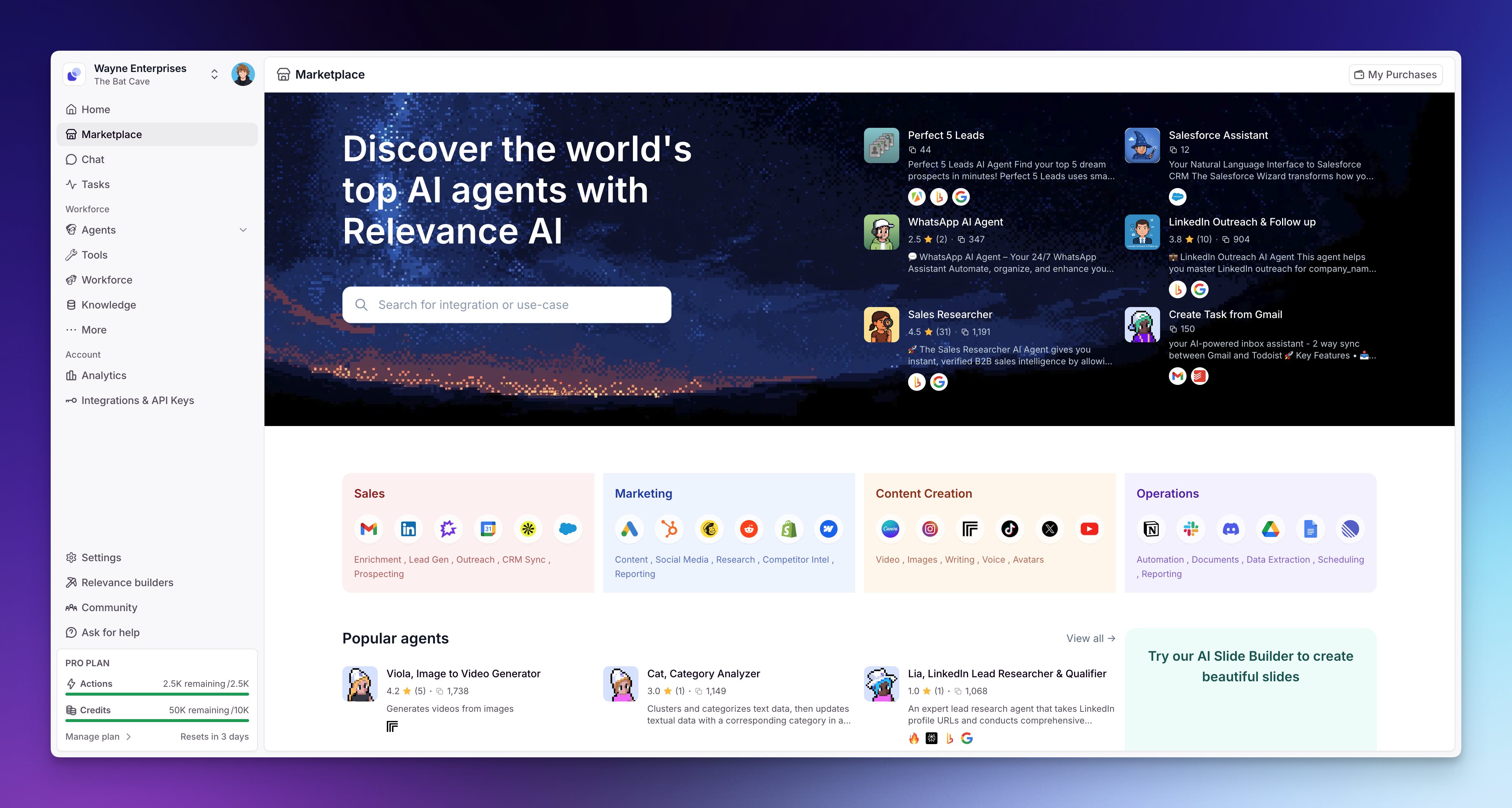
- Go to Marketplace or click Marketplace in the left sidebar
- Browse or search for an Agent that matches your use case
- Click on the Agent to view its details
- Click Clone to add it to your workspace
- A setup popup will walk you through connecting any integrations the Agent needs — follow the prompts to link your accounts
- Review the prompt, Tools, and settings — adjust anything you need
Option 3: Build from scratch
Full control from the ground up. Best if you have a specific workflow in mind.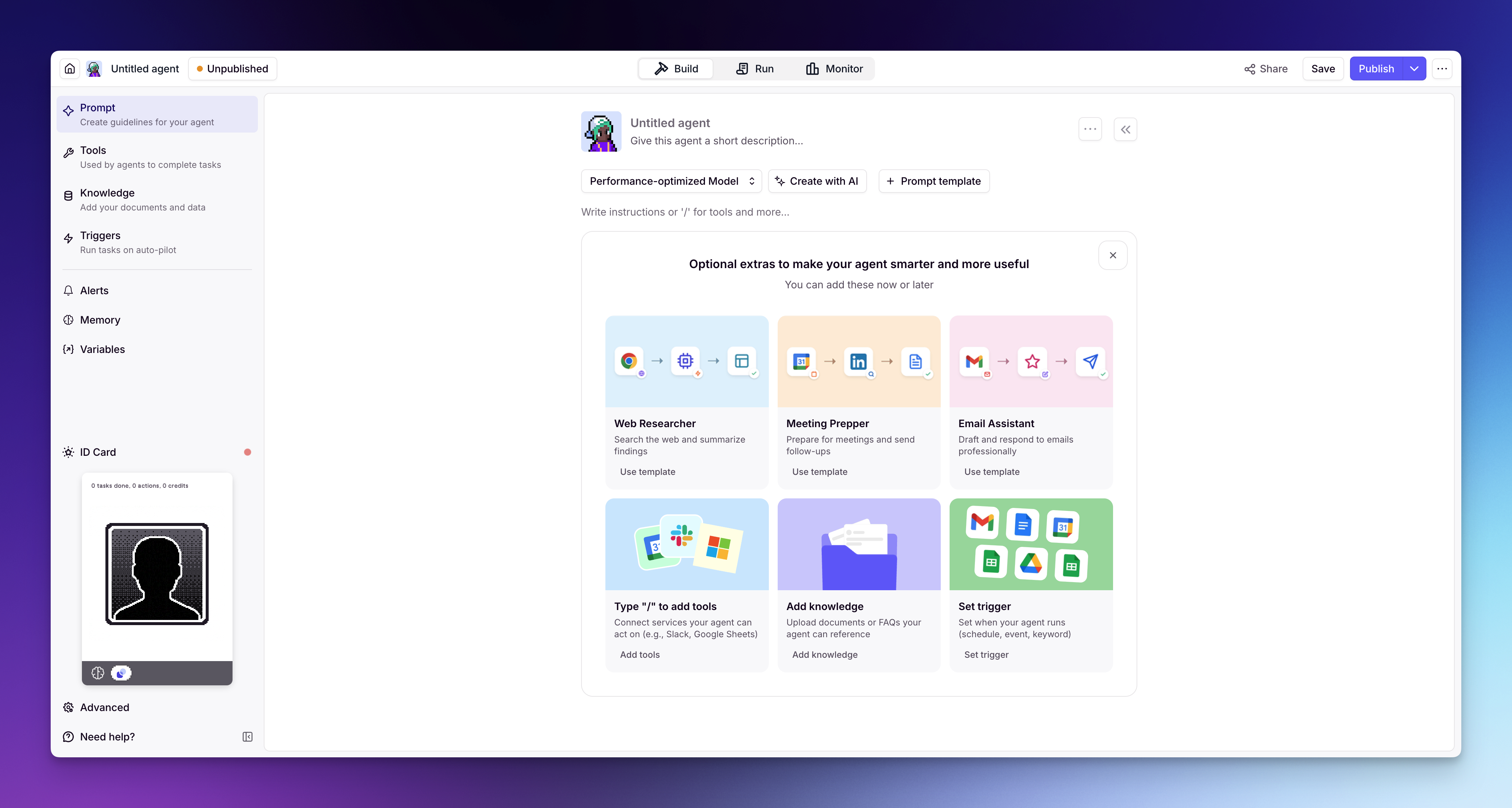
- Click Agents in the left sidebar
- Click + Create Agent
- Select Start from scratch
- Write a prompt — tell the Agent who it is, what it does, and how it should behave
- Add Tools — give it the actions it needs (search the web, send emails, update your CRM, etc.)
- Optionally add Knowledge — upload docs or connect data sources for context
What’s next?
Once you’ve created an Agent, explore the rest of the build guides to refine it:- Prompt — write instructions that define your Agent’s behavior
- Tools — give your Agent the actions it needs
- Triggers — run your Agent automatically on a schedule, from a webhook, or from an integration
- Alerts — get notified when your Agent needs attention, and define when it should loop in a human
- Memory — configure how your Agent retains context across conversations