

Get started with Workforce — learn how to create visual Agent workflows.
Create your first Workforce
- Click Workforce in the left sidebar
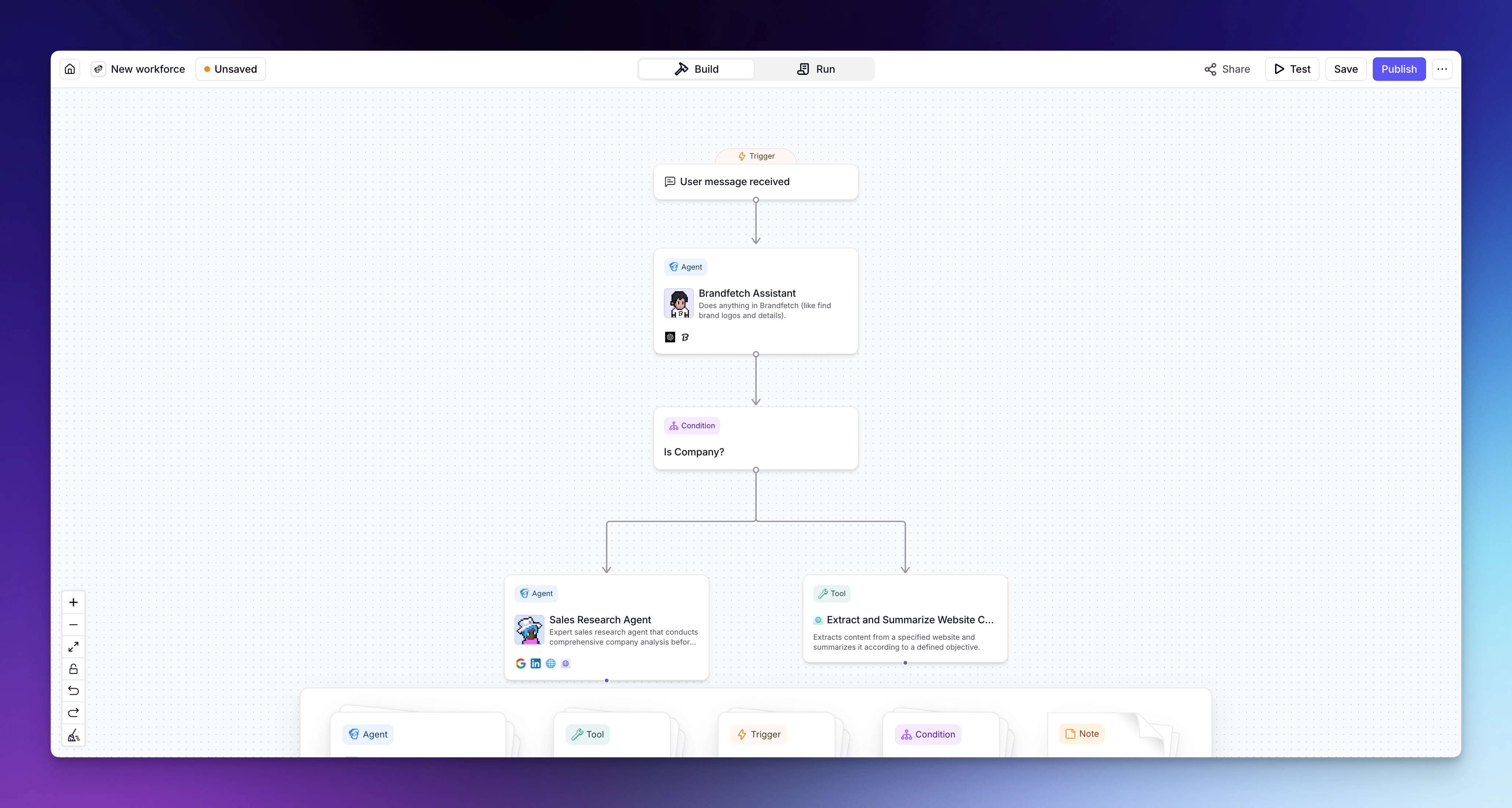
- Click + New Workforce to open the visual canvas
- Add your Agents to the canvas by dragging them from the sidebar
- Connect your Agents by drawing lines between them
- Configure each connection — choose between an AI connection (the Agent decides when to hand off) or a next step (mandatory transition)
- Add Tools to your workflow as needed
- Set up any conditional logic for routing
- Save your Workforce
What’s next?
Once you’ve created a Workforce, explore the rest of the build guides to refine it:- Add triggers — configure what starts your Workforce (manual, integration, or scheduled)
- Introduction to nodes — understand the building blocks of your Workforce canvas
- Add Agents — add and configure Agents on the canvas
- Add Tools — connect Tools directly within your workflow
- Add conditions — create routing rules for smarter workflows
- Edge settings — configure how connections between nodes behave
- Version history — every save creates a snapshot you can restore, so you can experiment without losing working versions