

Documentation Index
Fetch the complete documentation index at: https://relevanceai.com/docs/llms.txt
Use this file to discover all available pages before exploring further.

Other improvements
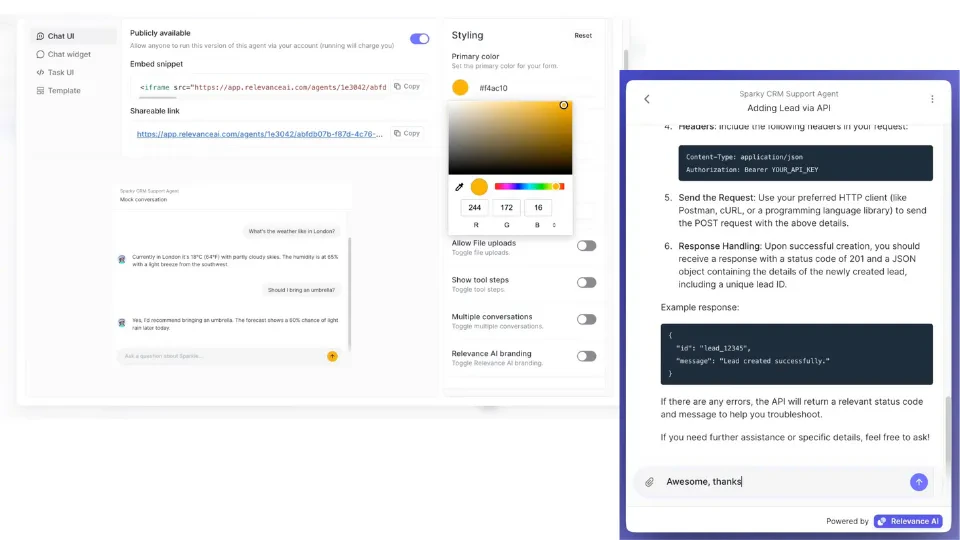
The Notion-like slash menu is launched!- This menu allows us to surface all of our powerful prompt features (with more on the way!)
- Now available in agent system prompts, LLM tool step prompts — anywhere you can reference a tool, variable, or write markdown.
Other improvements
Text editor experience
- Ever notice a “flash of red unknown reference” when loading your system prompt? Notice it no more! We now have a more gentle loading state.
- Performance improvements! The editor should be snappier especially for long prompts when adding new tools.
- And minor bug fixes.
Other improvements
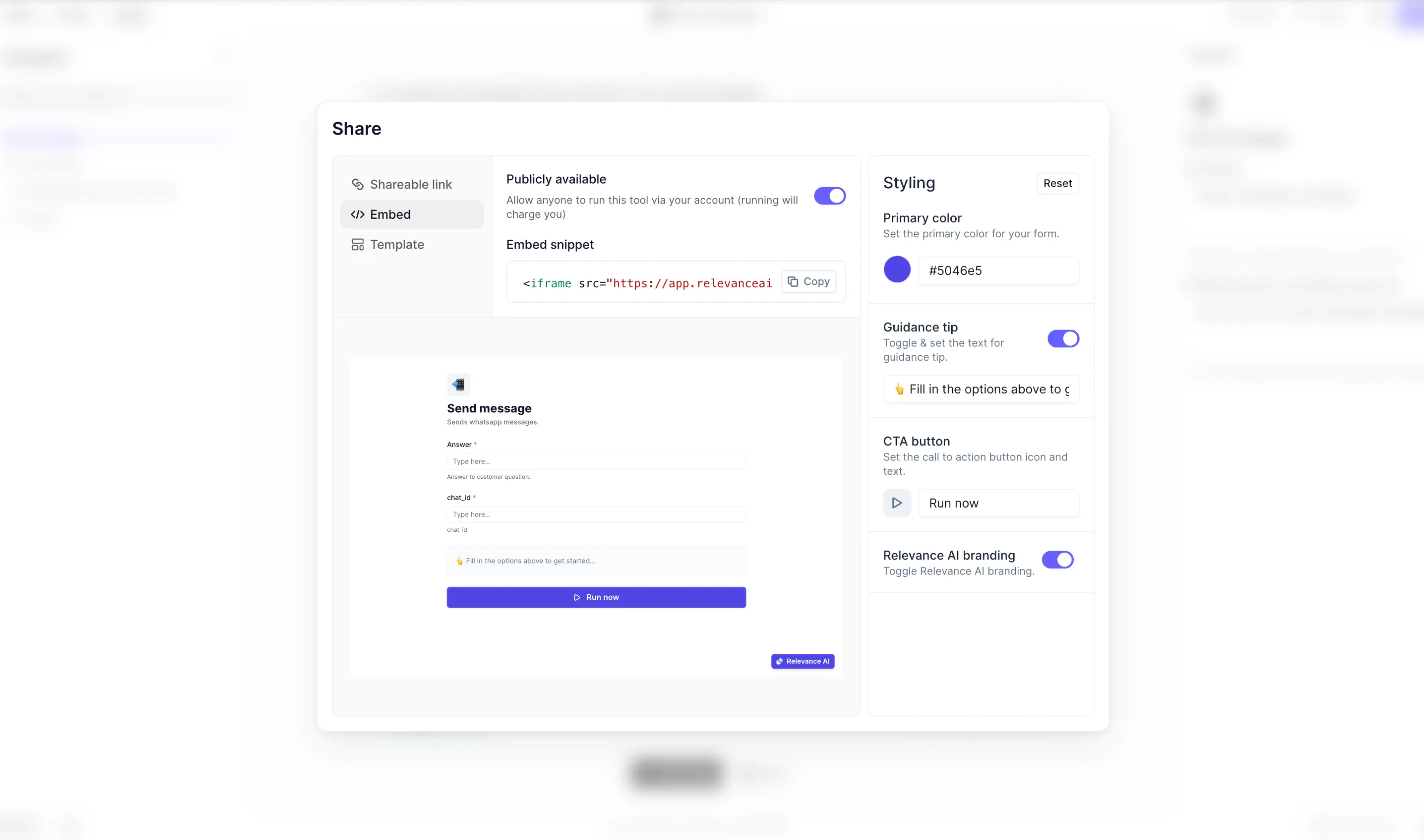
Webhook Trigger Improvements 🔗
We’re excited to announce a major upgrade to our webhook trigger system!We’ve made it easier to trigger actions with webhooks by offering more flexible configuration. This means you can now integrate third-party systems and automate tasks without needing native support.When setting up your custom webhook, you’ll be given a unique URL to send requests that will trigger actions.You also have full control over your payload format. Customize inputs easily using the message template with double brackets, or include your entire document with {{$}}. For example, you can personalize your message like this: “Hello {{first_name}}, thanks for your order!”Additionally, on the custom webhook edit page, you can map a Thread ID or a Unique ID to your payload:A Thread ID is used when you want to continuously send new information to the same agent conversation, such as in a chatbot use case. Simply map the request body key to be used as the Thread ID.A Unique ID prevents processing the same event multiple times. If an event with the same Unique ID is received again, it will be ignored, ensuring that duplicate events are not processed.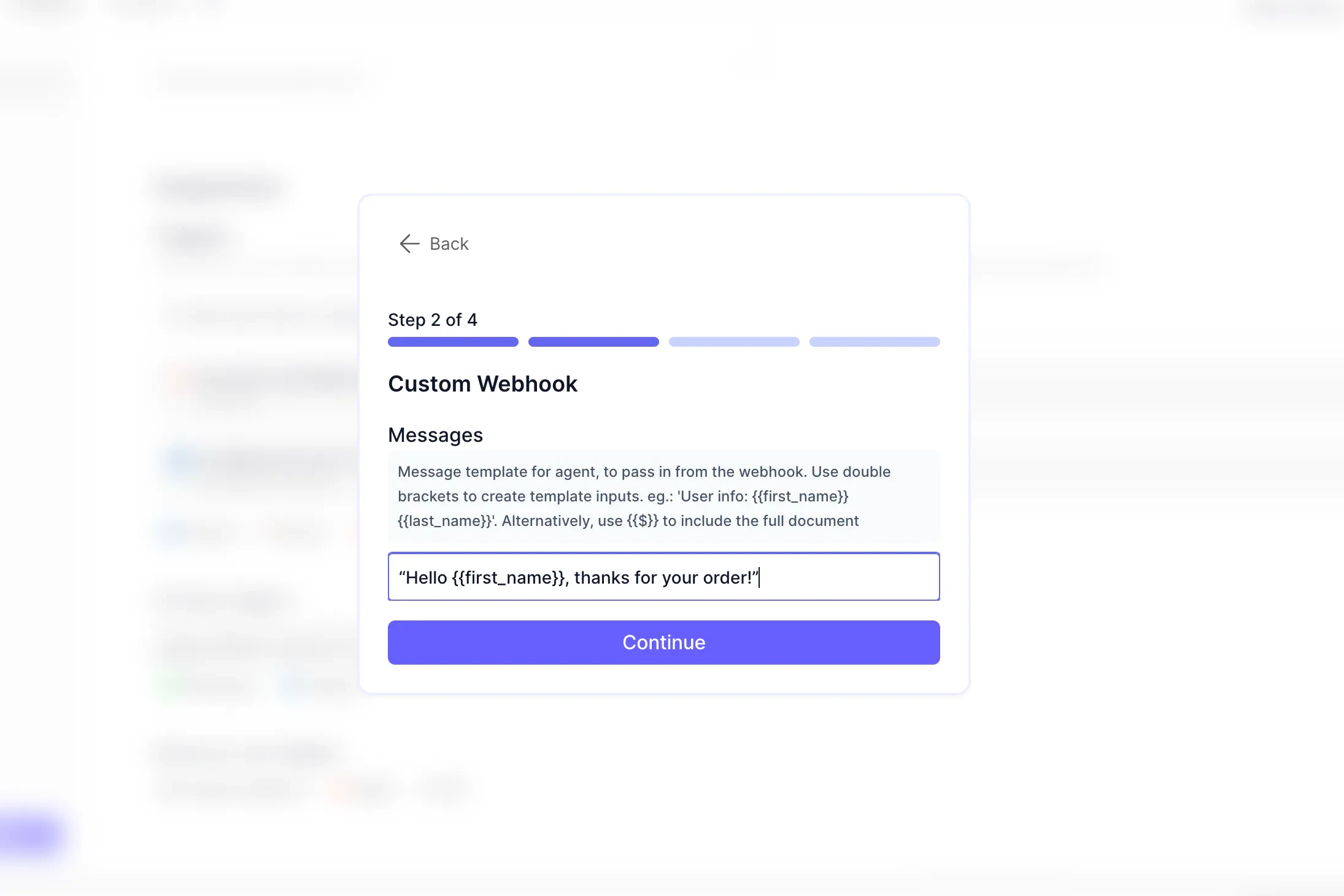
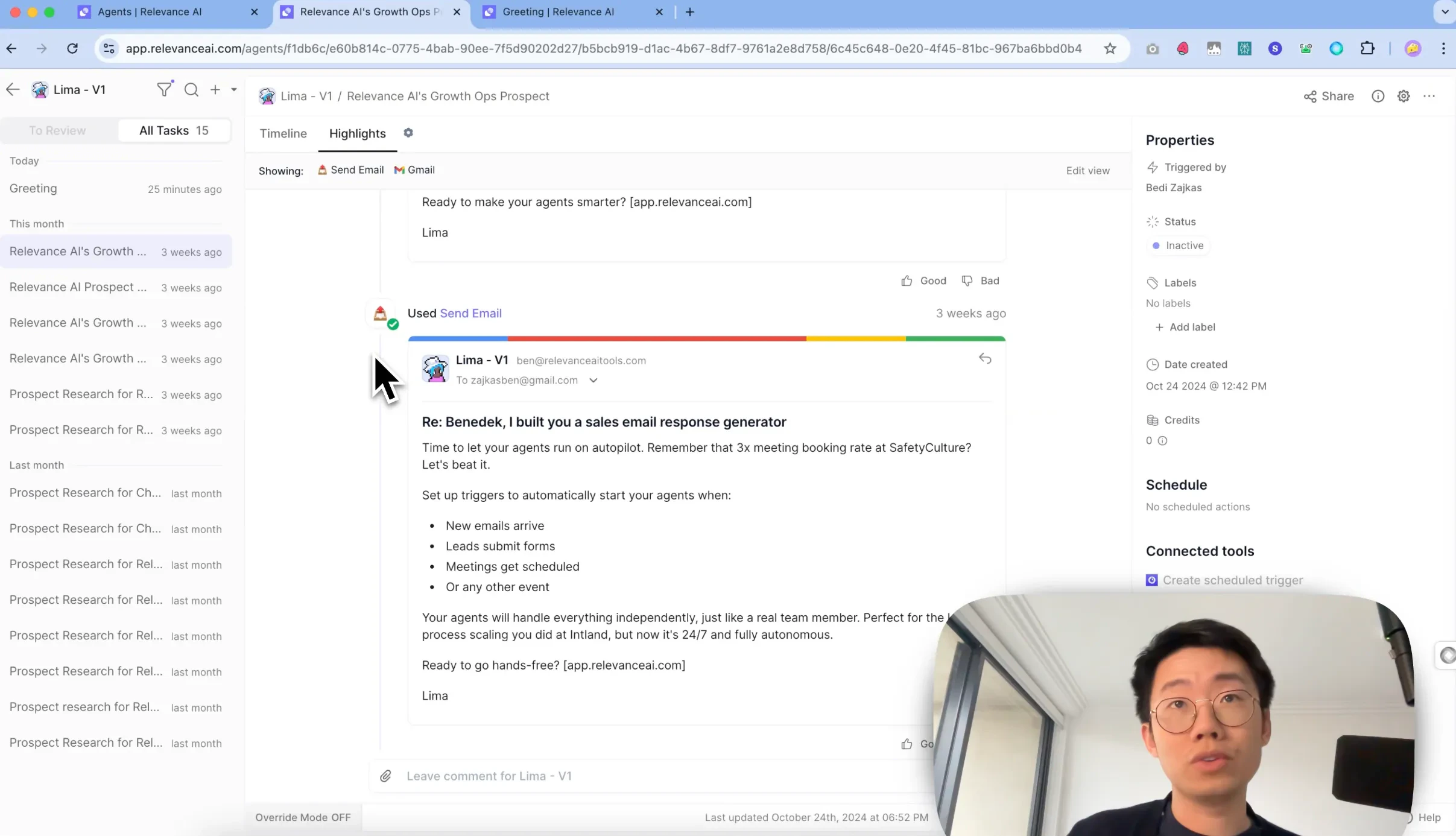
Custom Task Views
We introduced a new feature to customize agent task views, enabling better review and monitoring of agent activities.Key Features
- Customizable Task Views: Create tailored views to focus on specific aspects of an Agentic workflow.
- View Filter Settings:
- Ability to create multiple custom views
- Filter by tools and triggers
- Name and save custom views
Benefits
- Reduces noise in task review process
- Improves client review experience
- Creates customizable command center UI
- Simplifies approval and escalation processes
Example Use Cases
- Email Communications View
- Quick overview of prospect communications
- Streamlined review of email threads
- Research View
- Easy validation of prospect research
- Focused view of research reports
Other improvements
Agent Building Improvements
Direct Tool Integration
- New: Add any project tool directly in agent’s core instructions
- Previous: Required connecting tools to agent beforehand
- Impact: Streamlined tool integration process
In-Line Tool Creation
- Create new tools directly within agent’s core instructions
- Enables “behavior-first” approach to agent development
- Benefits:
- Perfect logic and flow
- Add technical details later
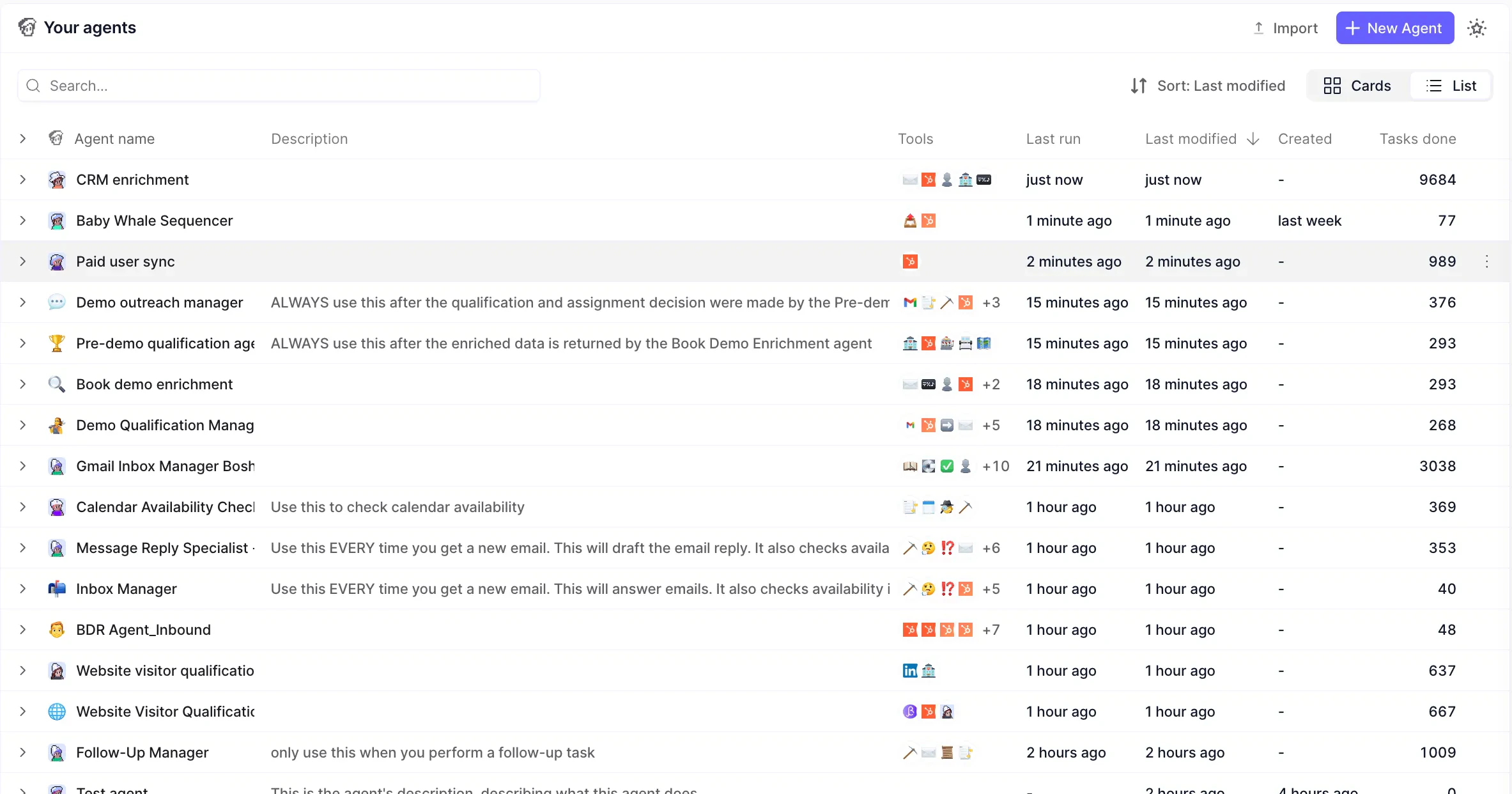
New Agents List View
We’ve added a new list view for Agents.Key Improvements:- 📊 Unified View: Manage all agents in one streamlined view
- 🔍 Enhanced Details: Expand each agent to view connected tools and integrations
- 🔄 Smart Sorting: Order by last run, modified date, or completed tasks
- 📈 Performance Metrics: Track agent productivity.
Other improvements
🔌 New Messaging Integrations (Teams Plan+)
LinkedIn Integration
Connect your AI agents directly with LinkedIn to streamline your professional networking:- 🔔 Auto-trigger agents from LinkedIn activities
- 💬 Post comments through your agents
- 🤝 Send connection invitations automatically
- 📱 Initiate new conversations
WhatsApp Personal Integration
Building on our WhatsApp Business success, we’re introducing personal account integration:- 📱 Trigger agents directly from personal WhatsApp
- 💬 Send automated messages
- 🔄 Start new conversations seamlessly
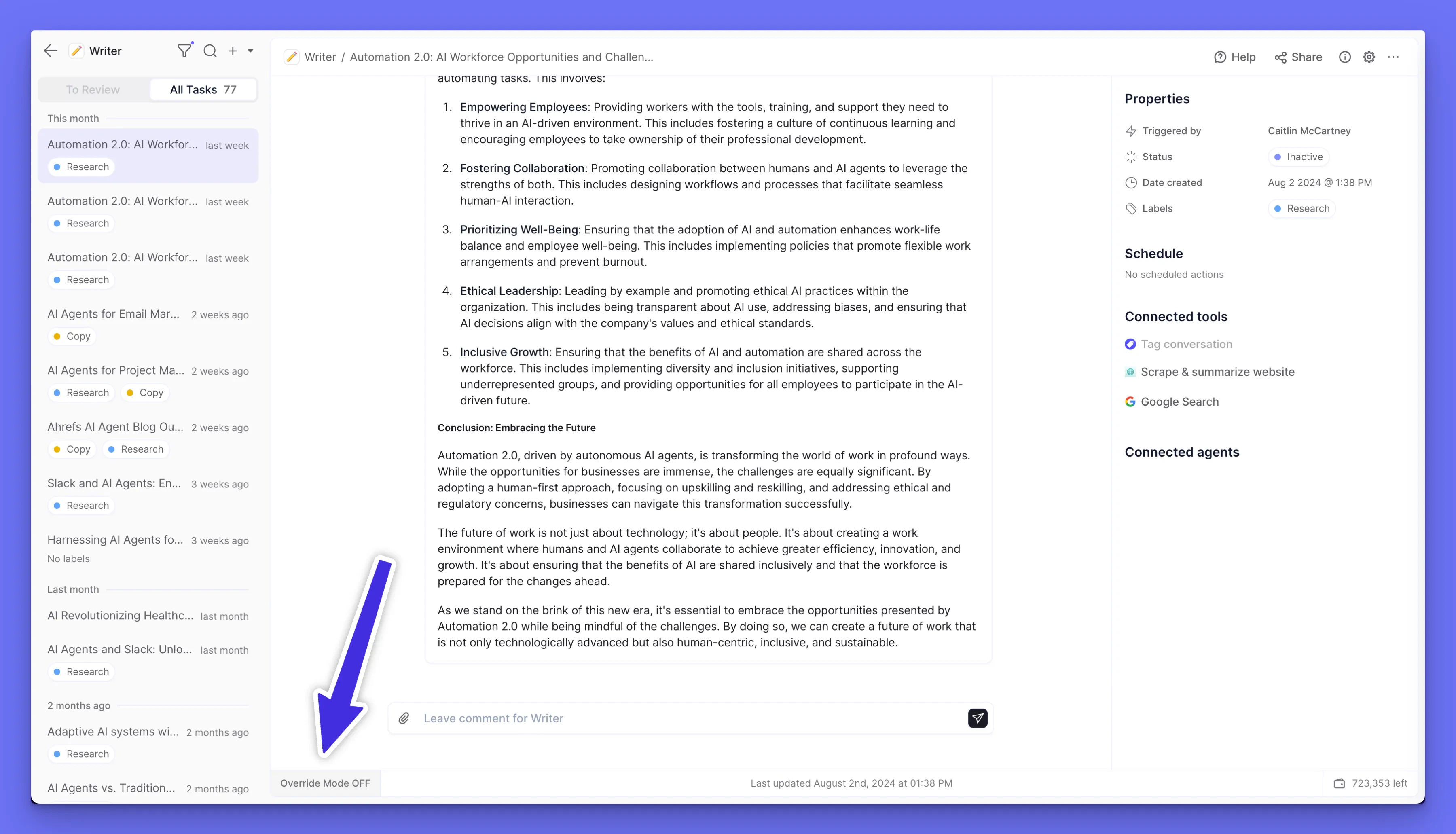
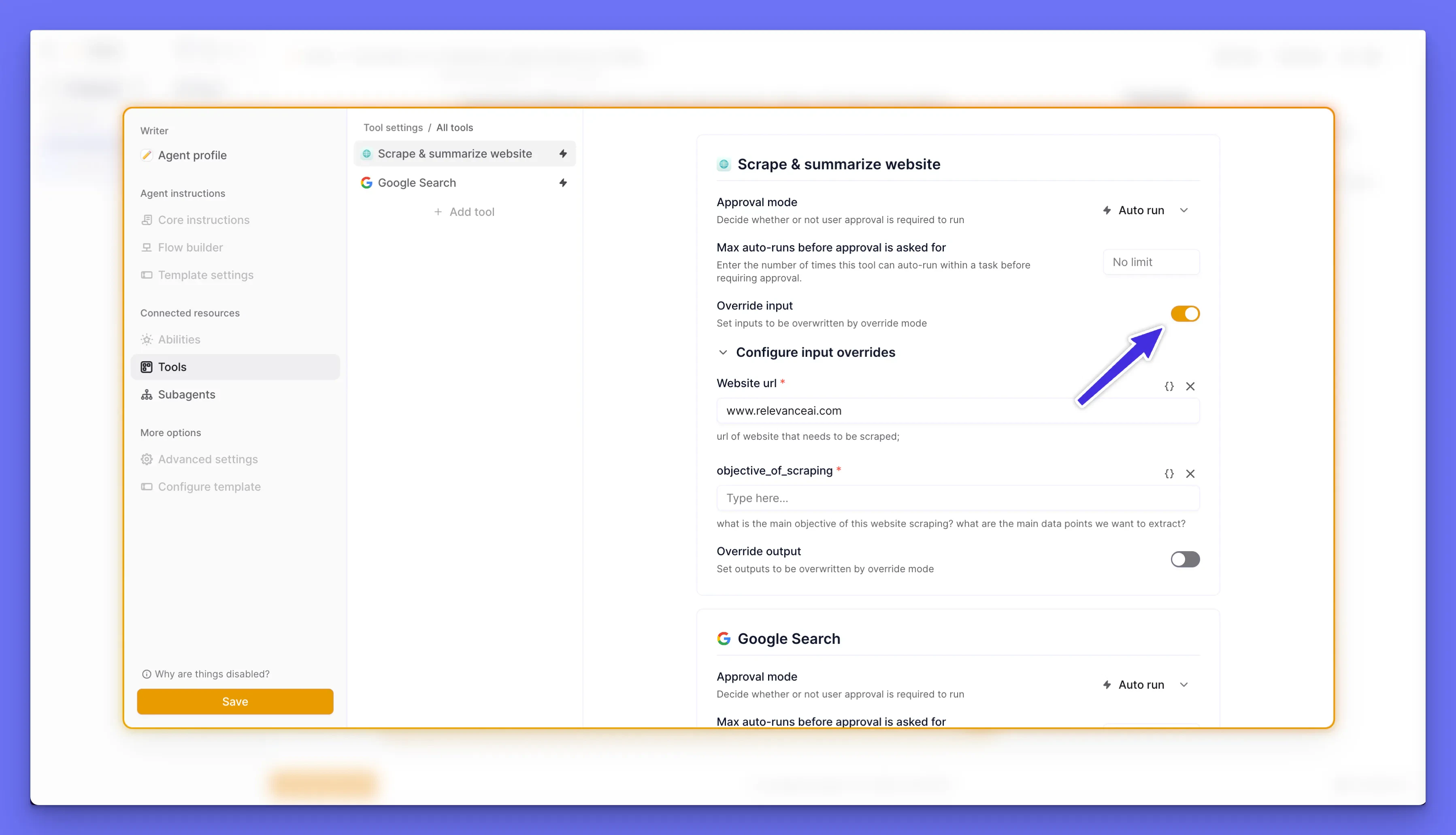
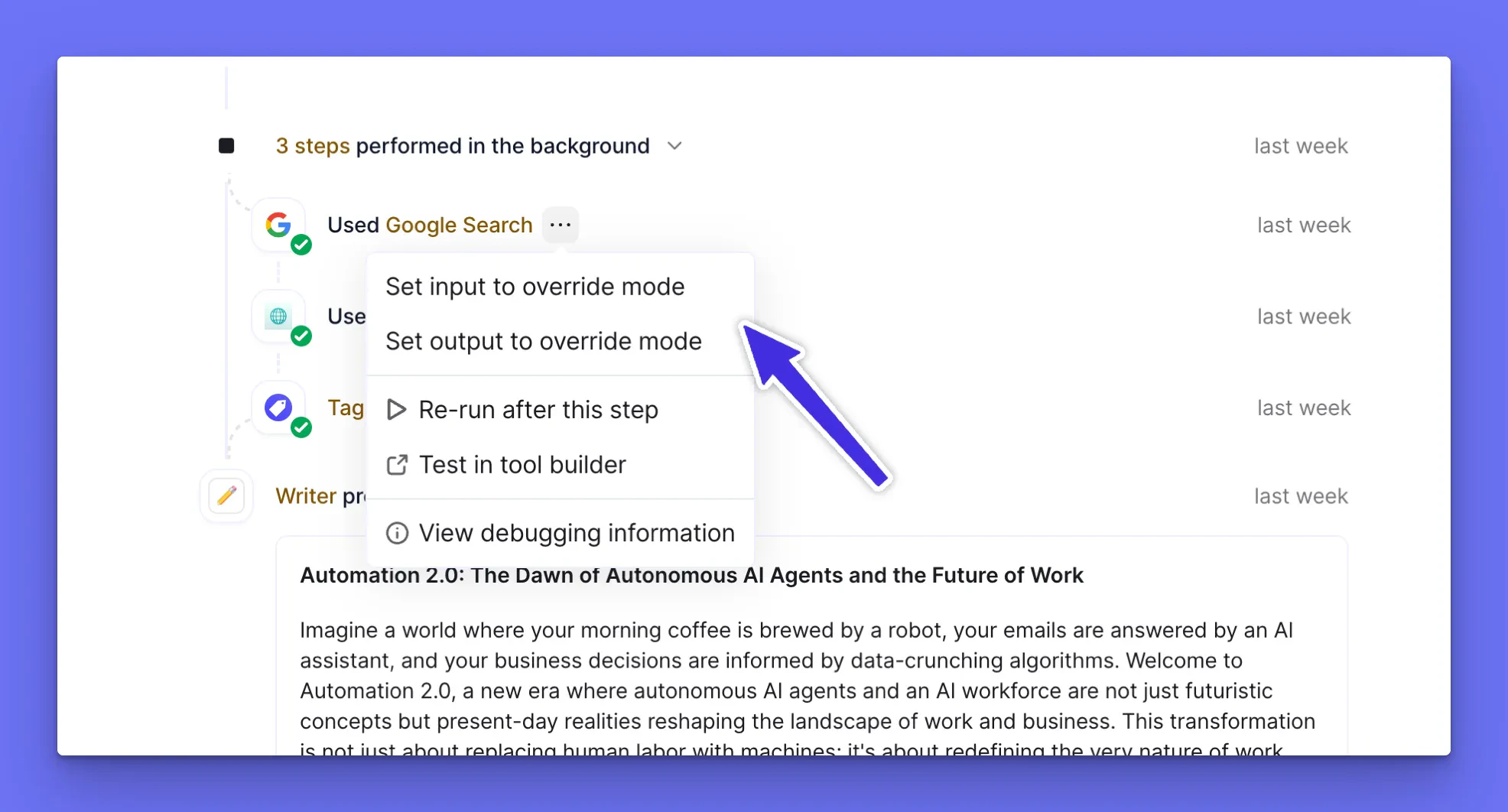
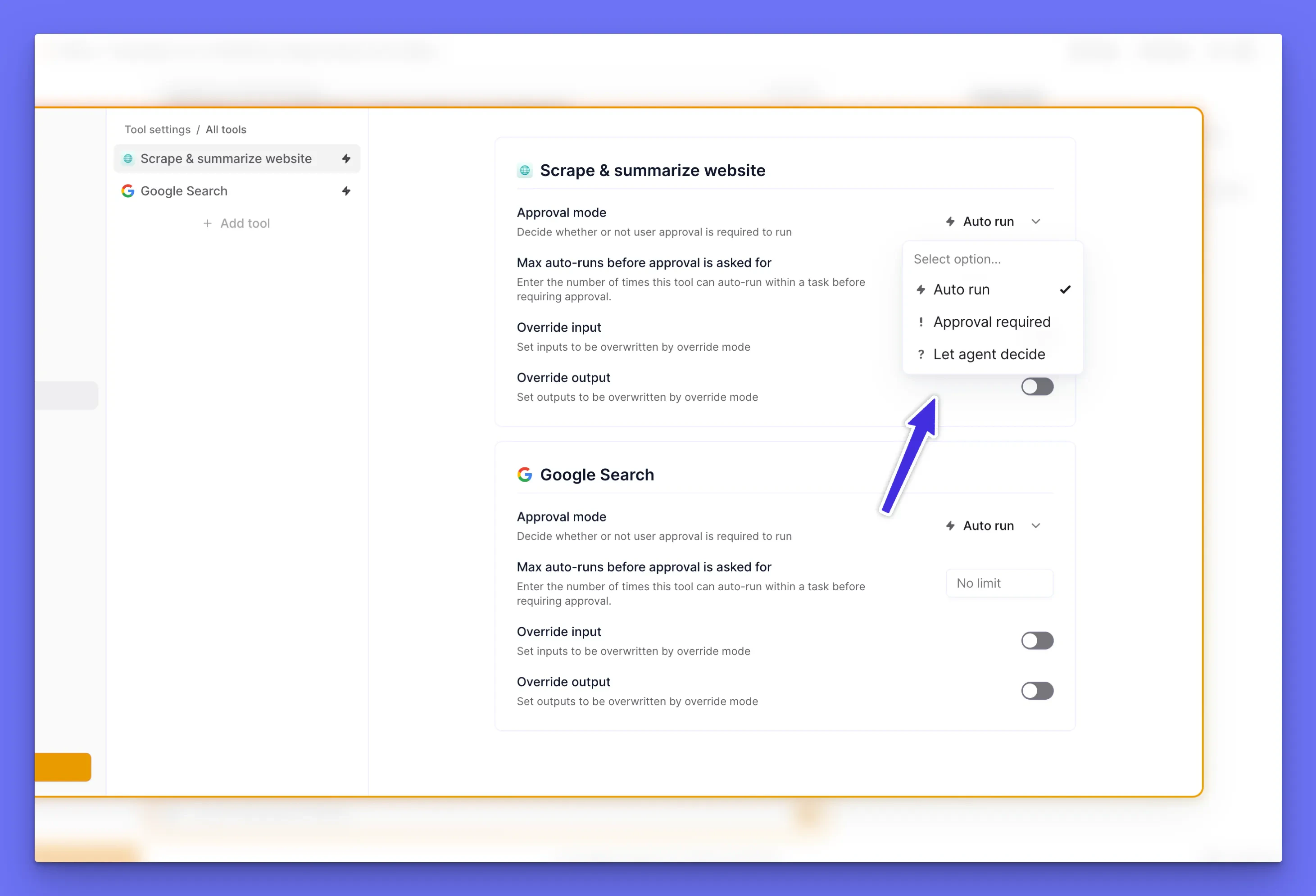
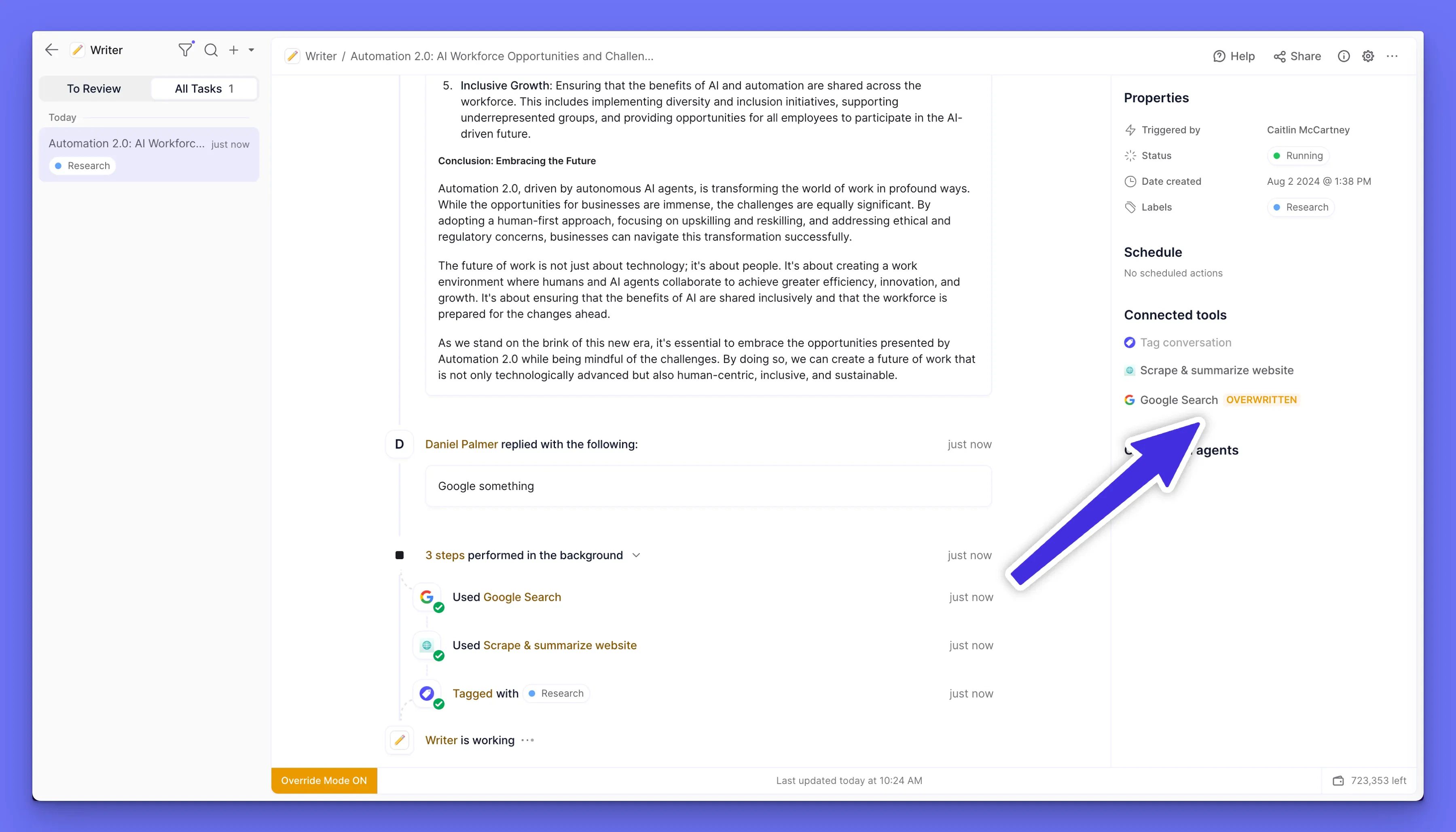
Advanced agent debugging with Override Mode
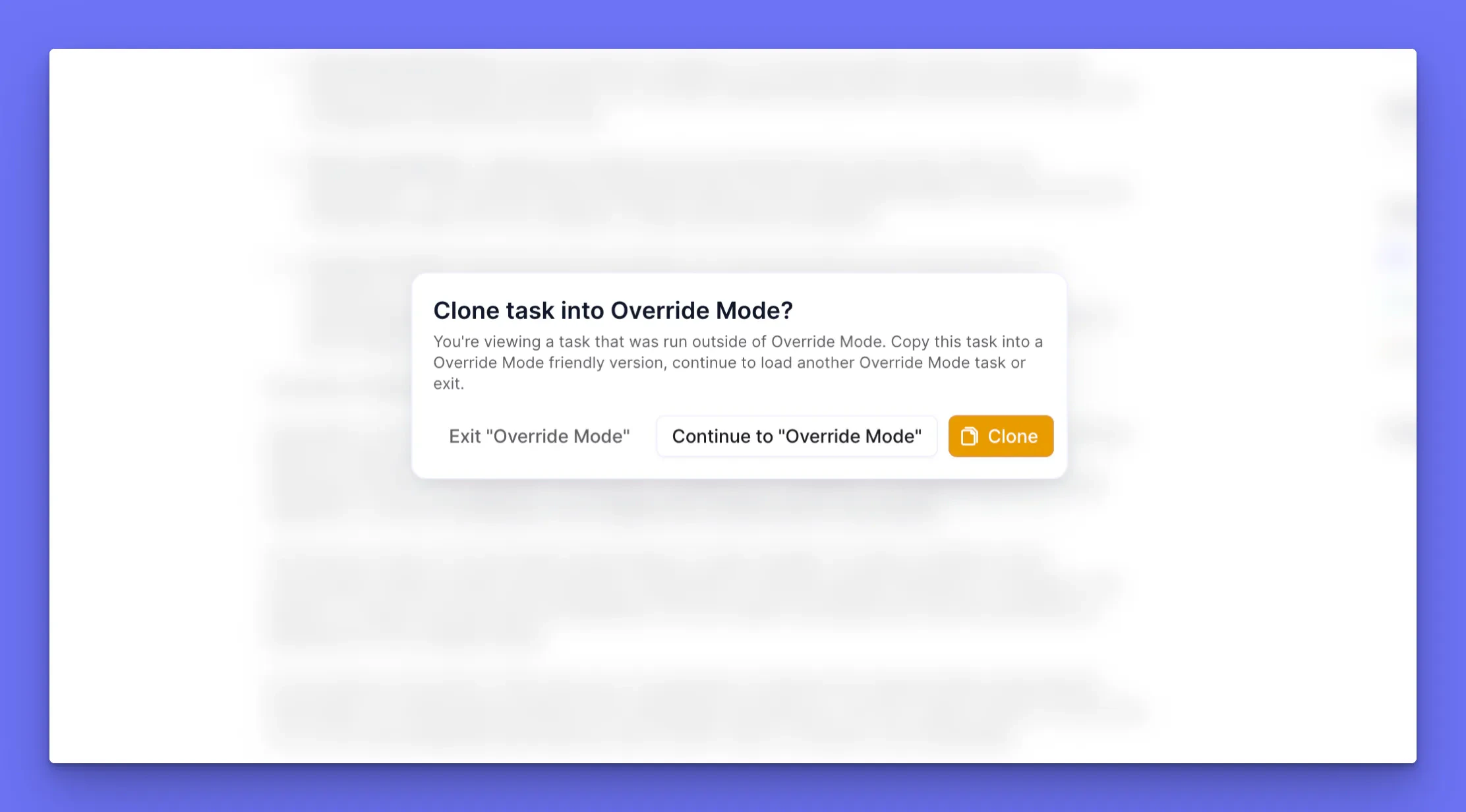
When building advanced multi-agent systems, it’s important that you’re able to test your agents efficiently.We noticed, when observing our internal agent building squad, that this involves re-running certain tasks over and over as you make tweaks to your agent’s instructions.This takes up a lot of time and sucks up credits, running through tools that you aren’t even testing. To help with this debugging experience, we’ve built what we call Override Mode!Override Mode allows you to mock inputs and outputs for any of your tools or subagents. If an output is mocked, the tool or subagent won’t actually run, saving on credits and time!You can toggle any agent into Override Mode: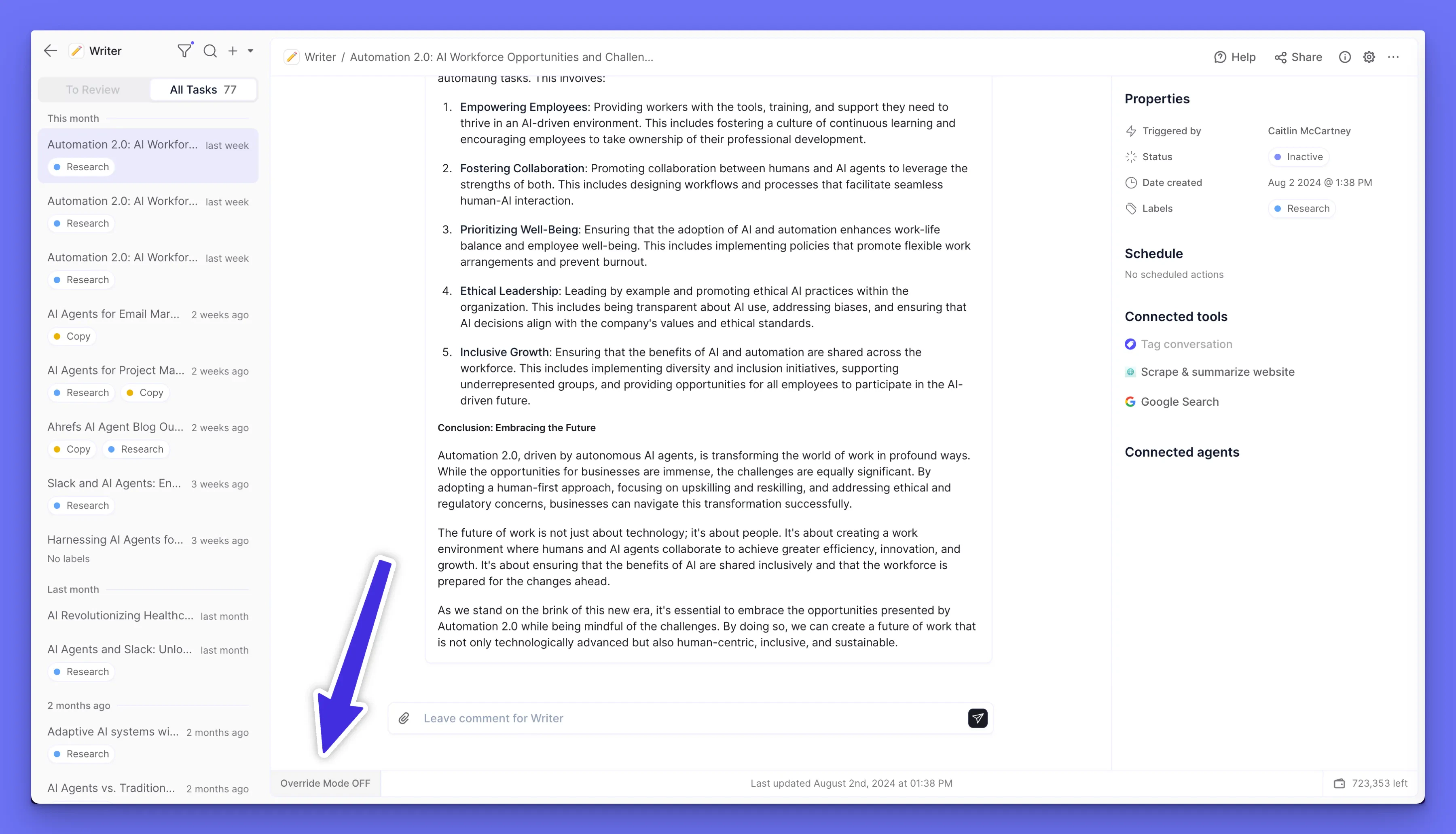
Other improvements
A buttery smooth agent task view
While you’re checking out Override Mode, you may notice that our Task View experience is feeling snappier than ever.We’ve invested time into the internals of this part of our platform to iron out bugs and make it faster to navigate between tasks.We wouldn’t usually dedicate an entire changelog section to an optimization like this, but after our work here, the experience of viewing your agent’s tasks feels seriously better.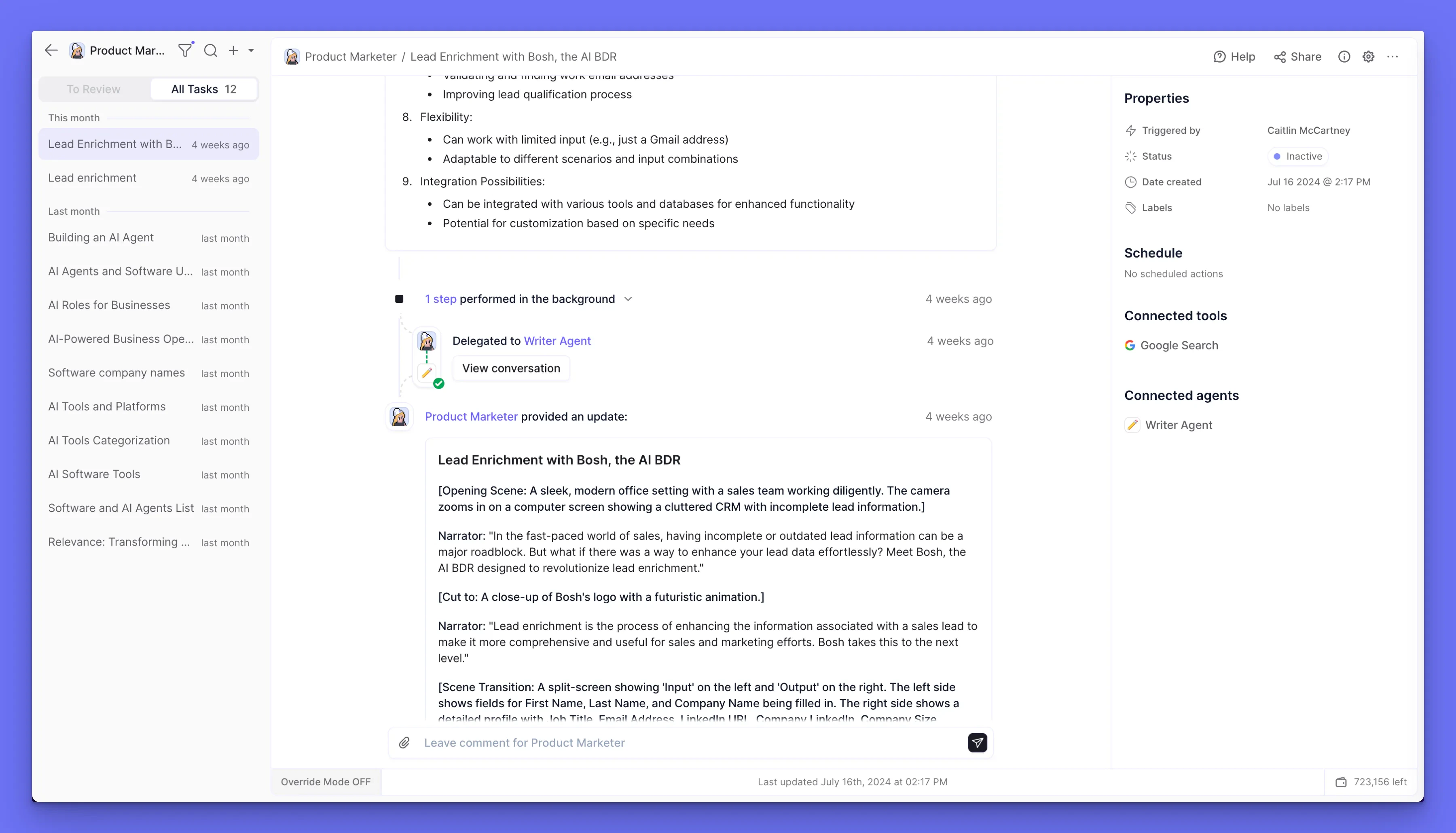
Other improvements
- New “Help” buttons with access to our docs
- We’ve migrated our auth to a new provider that should log you in faster
- Warning if you try to exit agent editing without saving
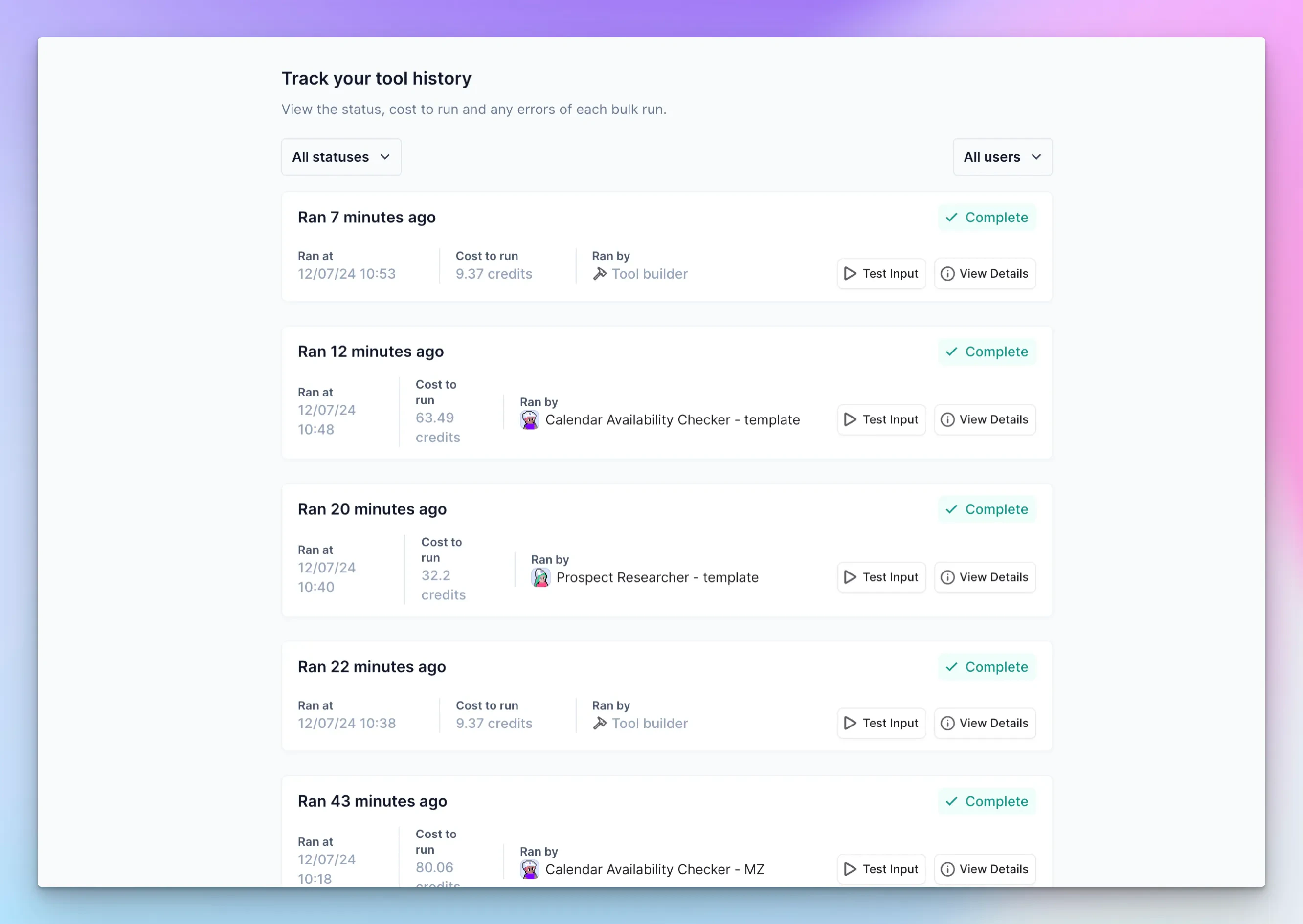
Iterate on your agent’s tools with better logging
When you are working on a tool for your agent, you will often want to test the tool with inputs that your agent provided it.Previously you could do this one by one, by clicking on the tool execution and then “Test in tool builder”. However, when wanting to test the tool against a lot of test cases, agent builders found this process extremely time consuming.We’ve shipped a feature that will make this process much easier! In the “Logs” tab in the Tool Builder, you will now see tool executions from agents.Click the “Test Input” button and it will prefill your tool with the same inputs that the agent used, making for easy testing!Other improvements
Mark tasks as done
We are slowly introducing the concept of “completion” for tasks in Relevance. We’re starting off by allowing you to mark a task as completed.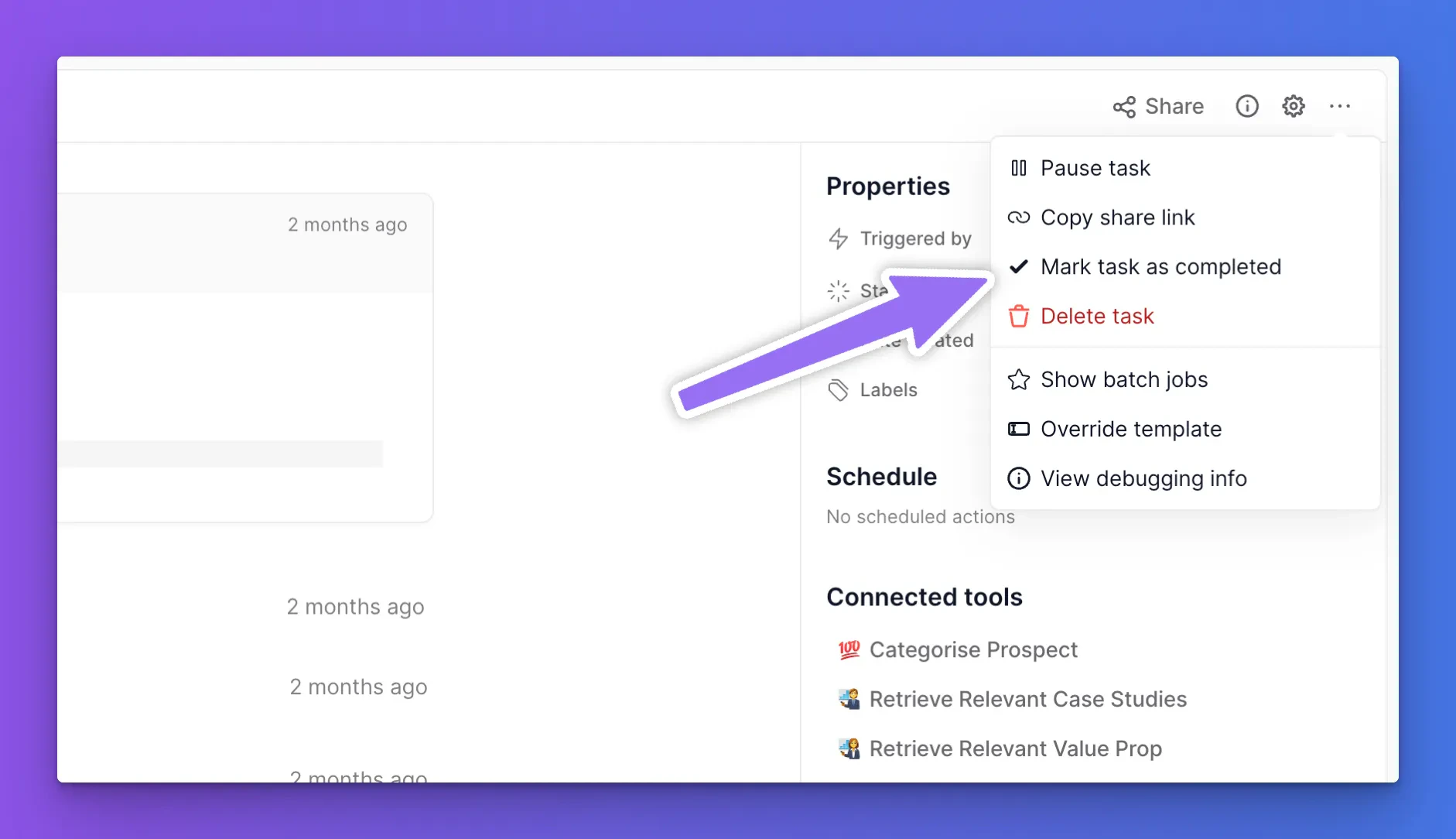
Other updates:
- You can now filter tasks by email tracking opens, if you have used our Send Email tool step with email tracking enabled.
- Fixed a series of bugs with our new login and sign up flow.
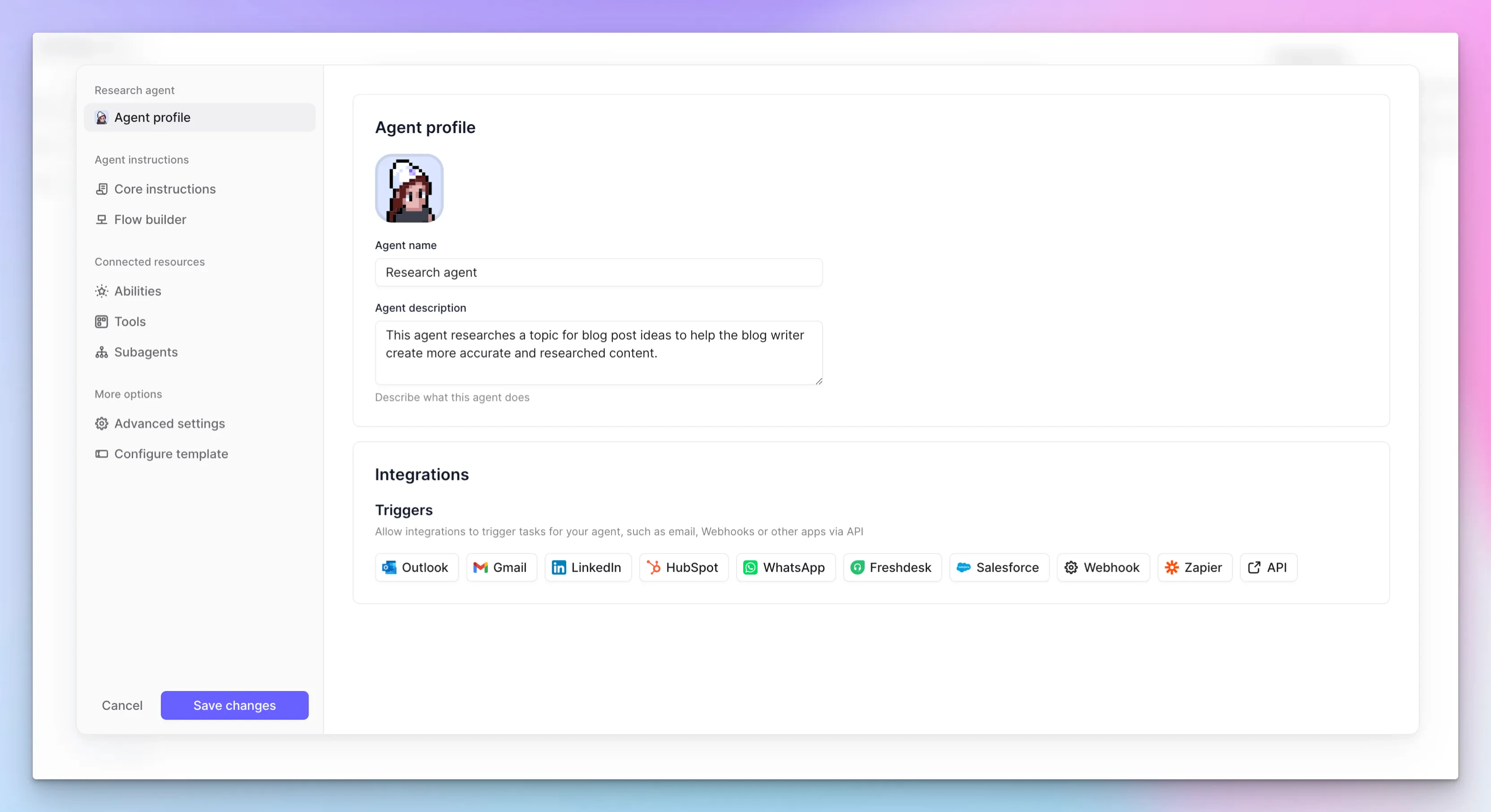
Agent Builder glow up
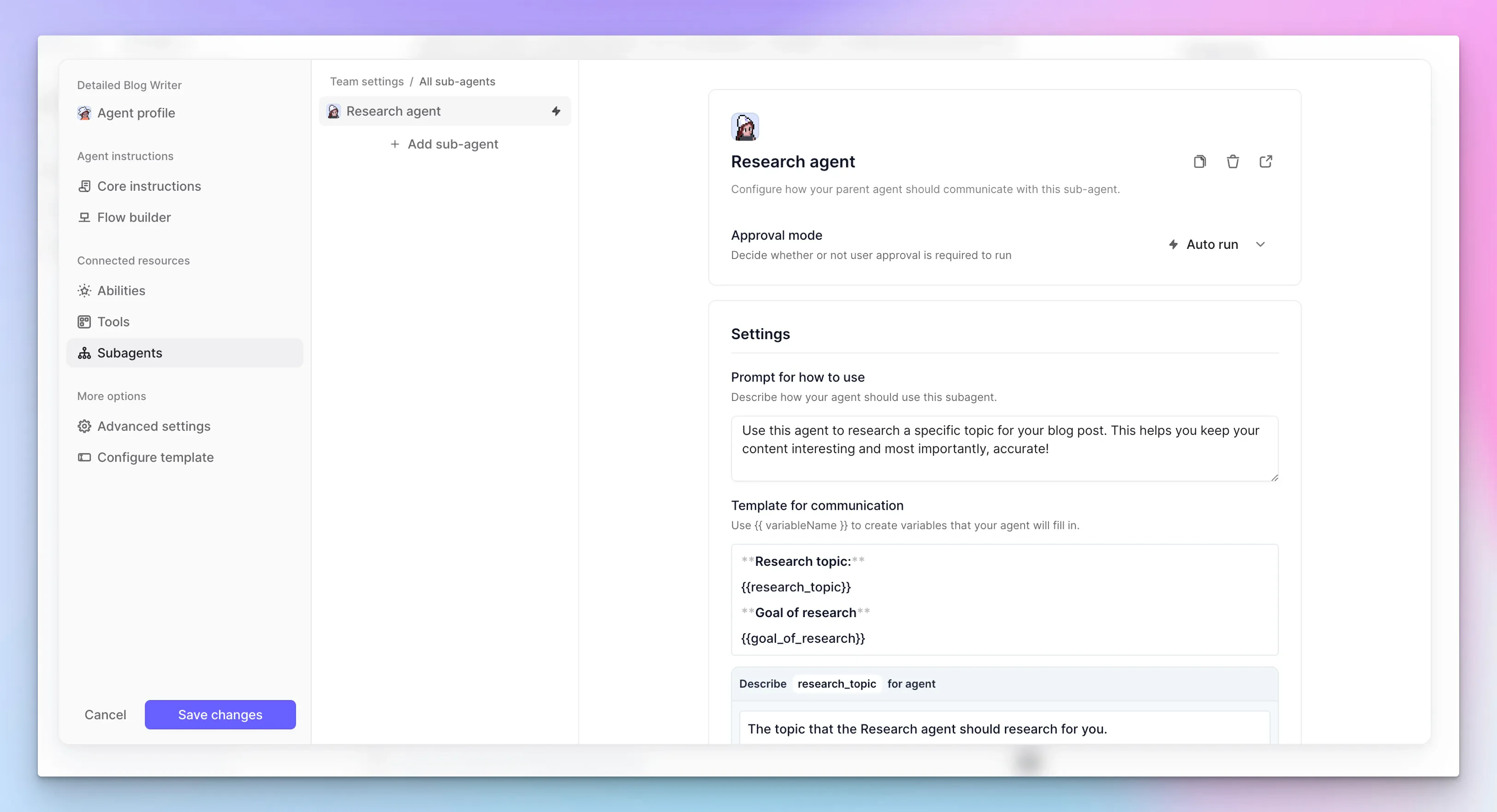
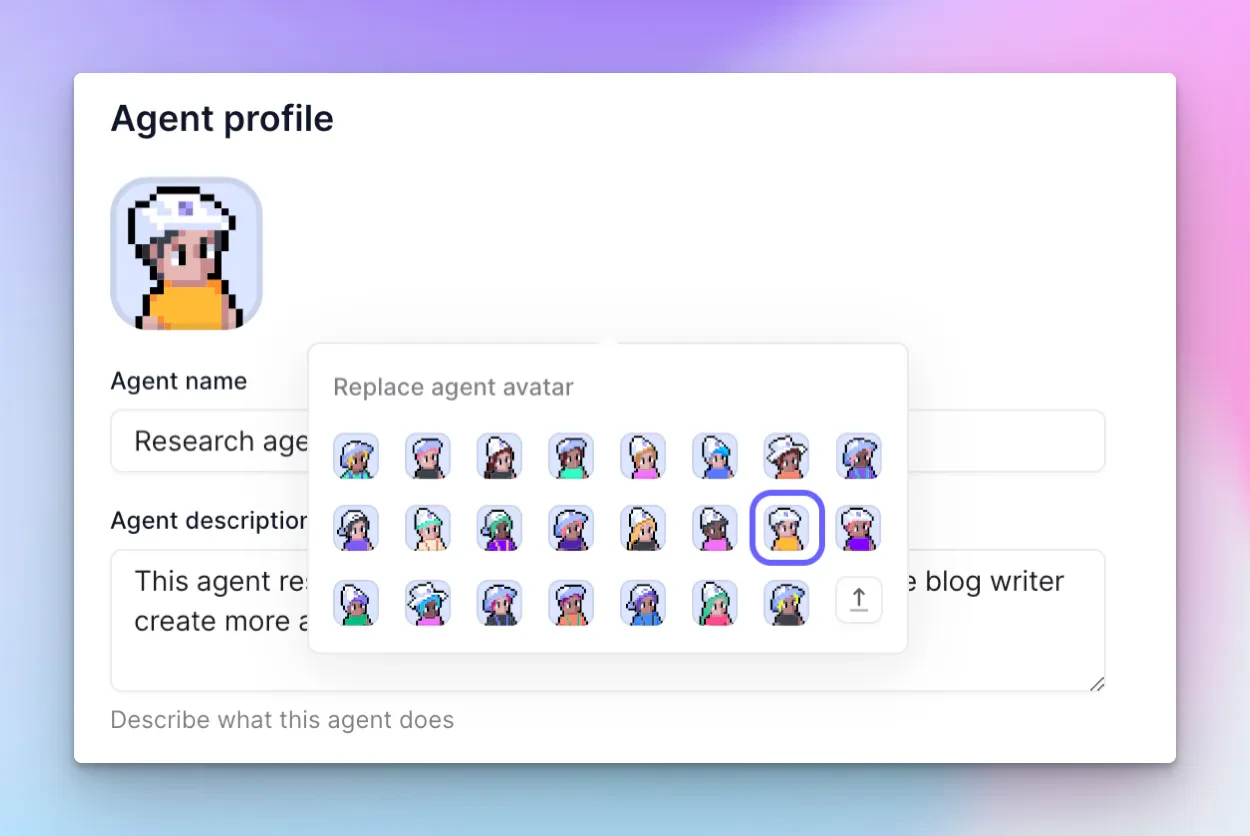
We’ve overhauled the user experience for building an agent in Relevance, making it easier to find what you need and understand how to customise it.Everything you previously had access to is there, but just organised within a new sidebar.For example, we’ve broken up your resources in to three categories: your tools, subagents and abilities. Abilities are built in agent powers, such as task labelling, message scheduling and escalation.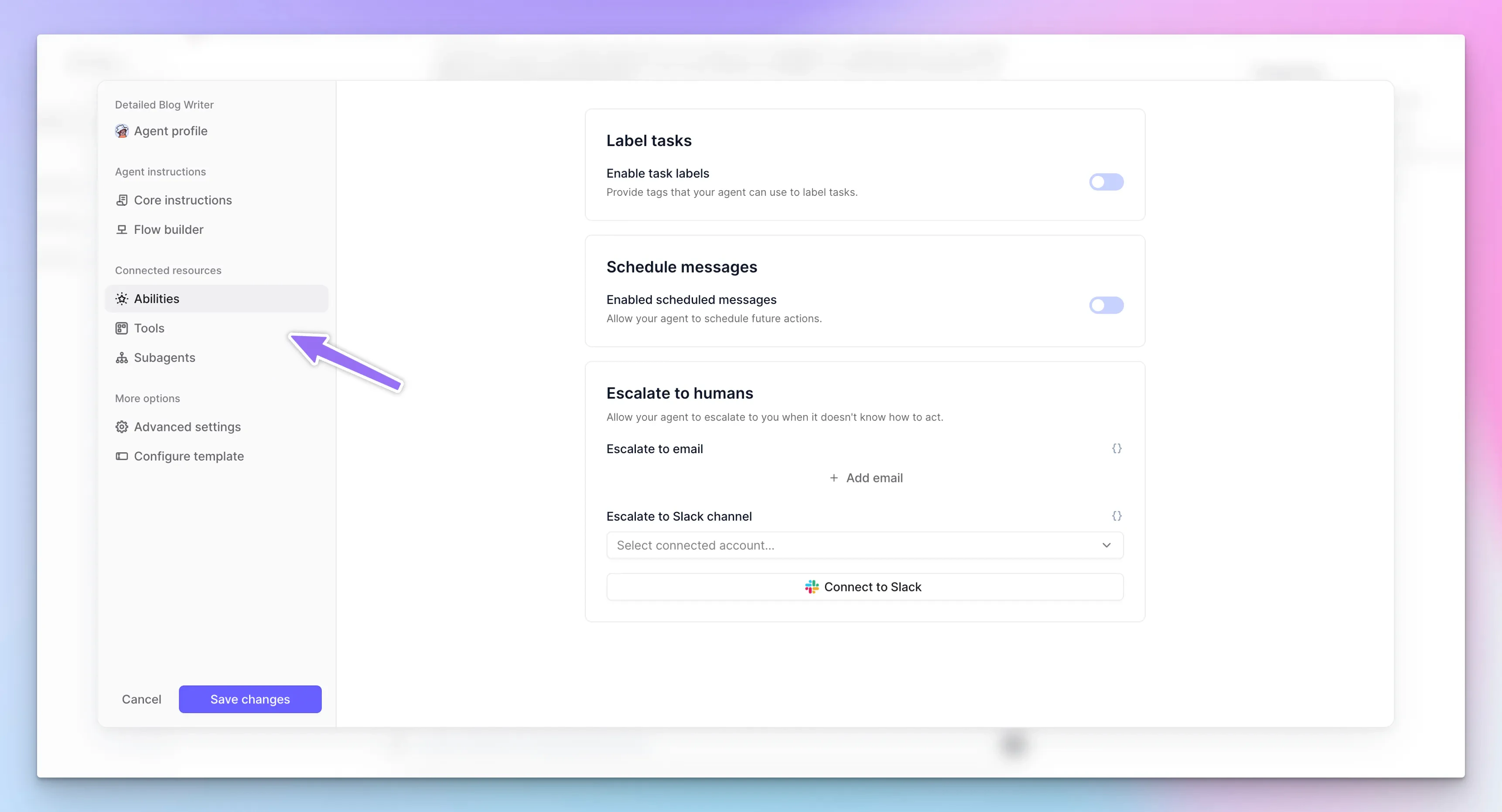
See before/after when you edit agent approvals
Now you can see a log of what you changed when an agent asks for approval to run a tool, and you update the proposed inputs.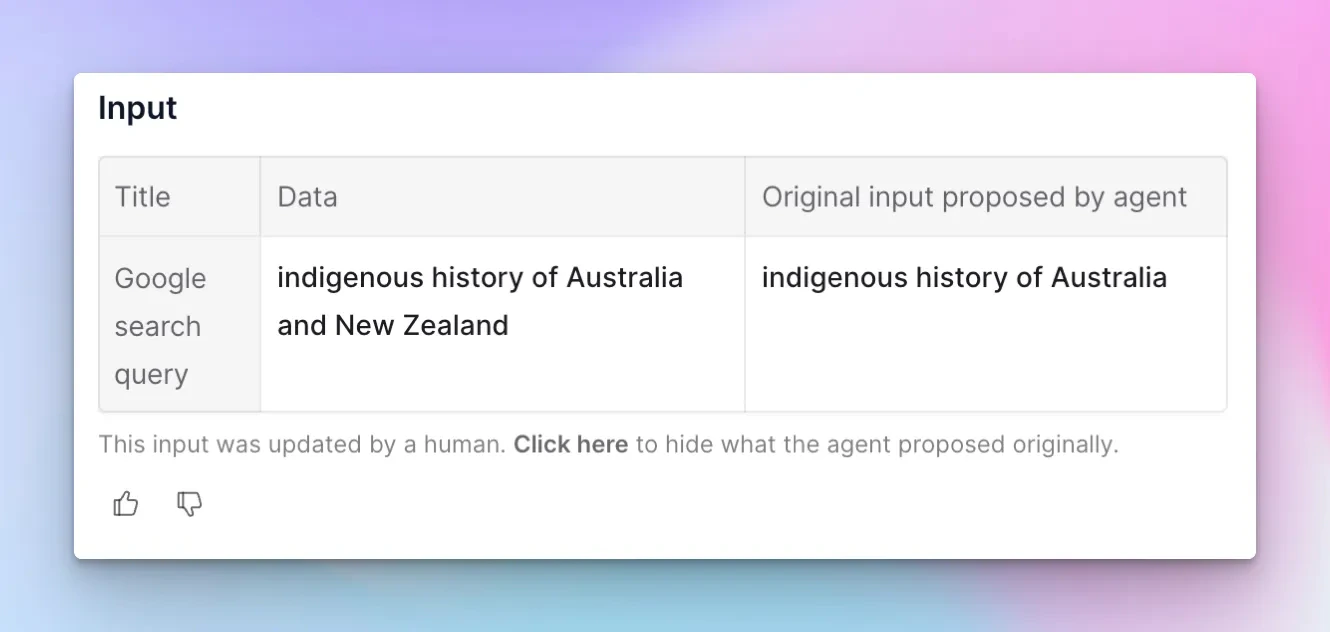
Pause your tasks
We’ve implemented a feature to pause tasks. This means that the task will no longer be able to receive any new messages from yourself, triggers or API.Note, that this will not stop it finishing what it is currently doing - but gives you a way to stop it from doing anything else moving forward!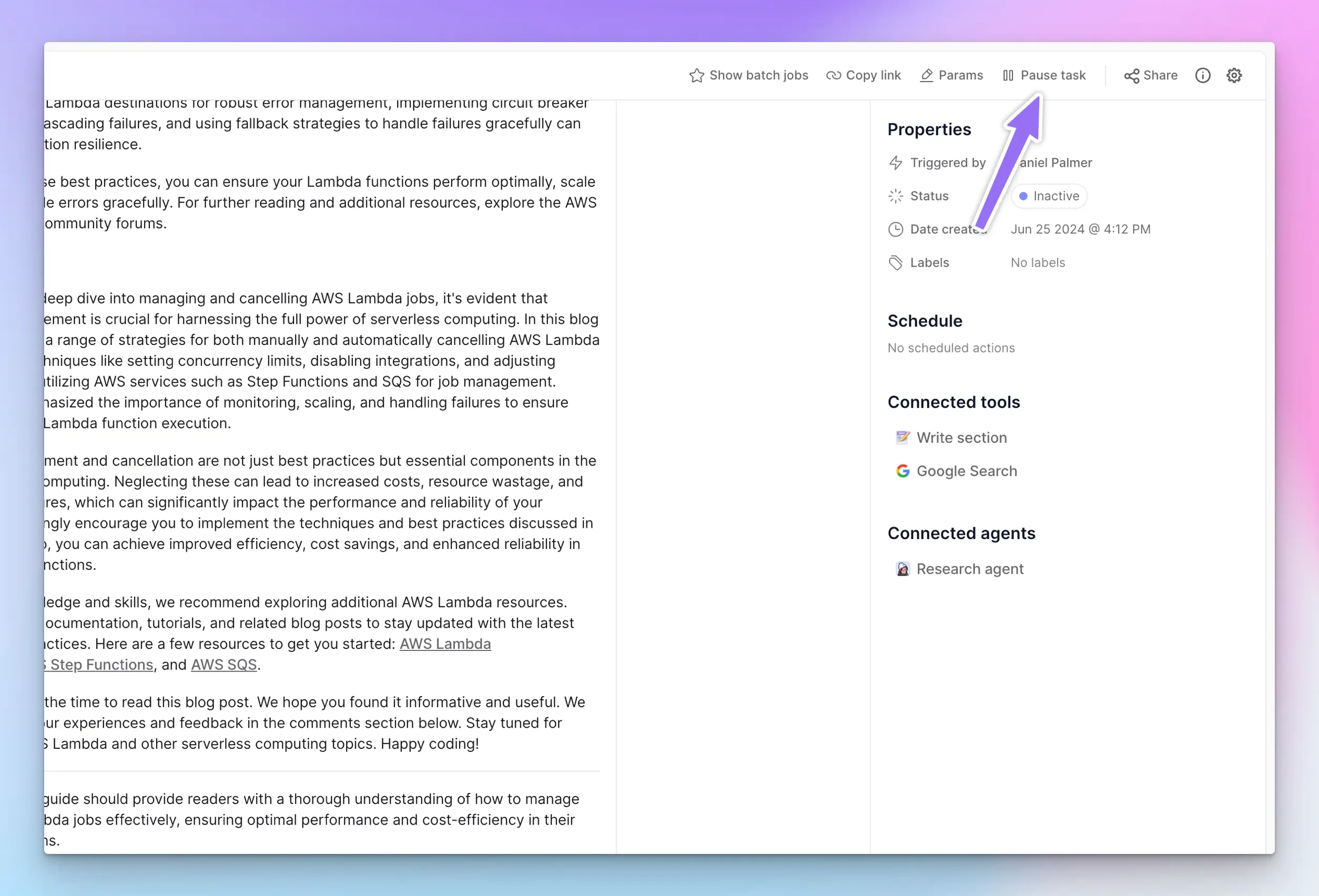
Other improvements
Detach a tool template
A handy feature for debugging and customising your agents: the ability to instantly detach any templated tool attached to your agent.What do we mean by detach? It will clone the template in to your account, and then add it back to your agent with all the same configuration. Now you own the tool and can customise it!For example, here we have an agent that has our “Website scraping” tool template attached: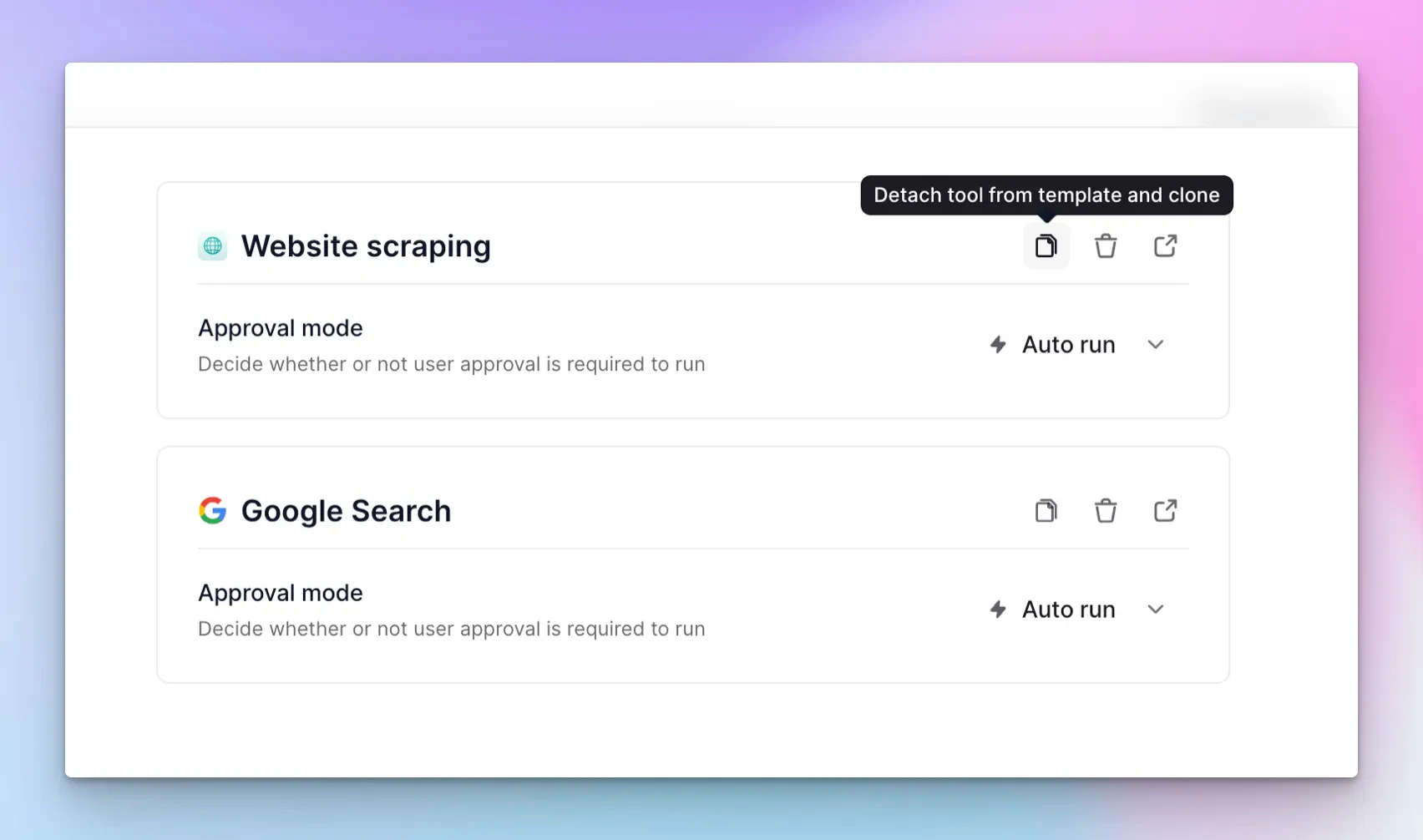
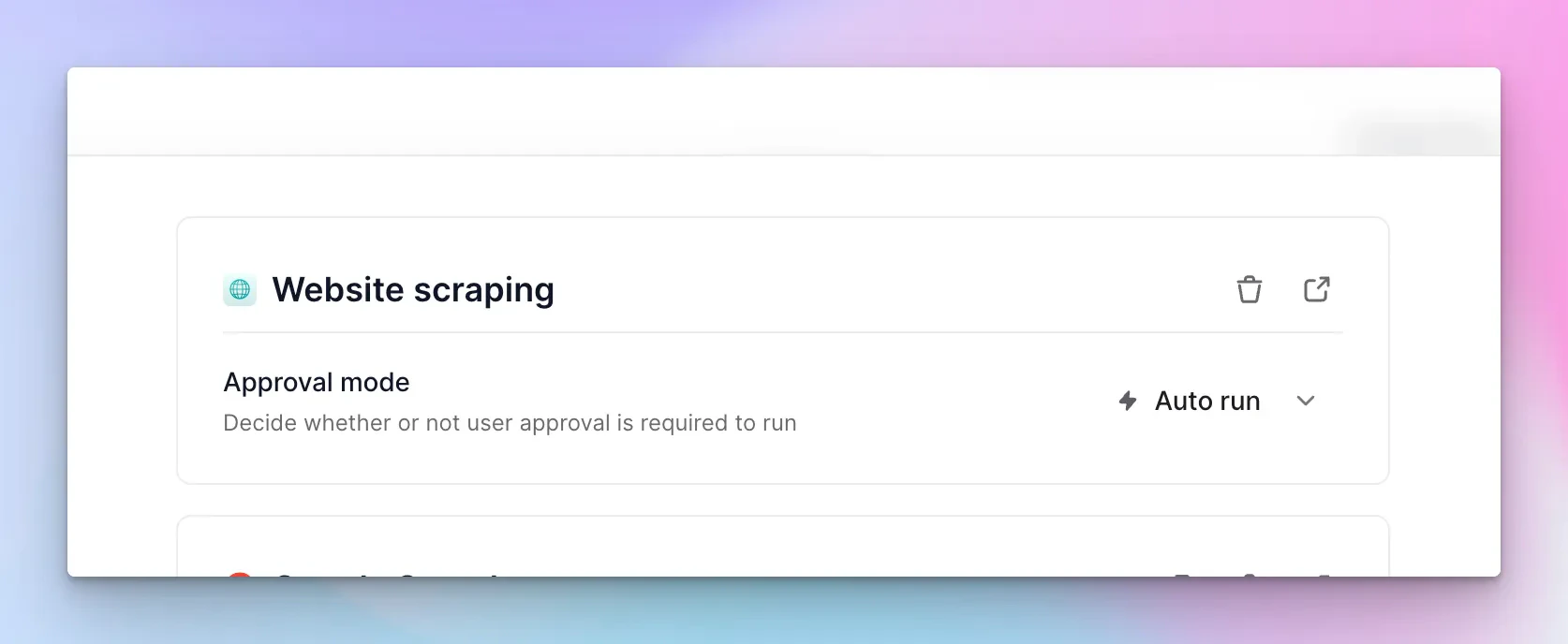
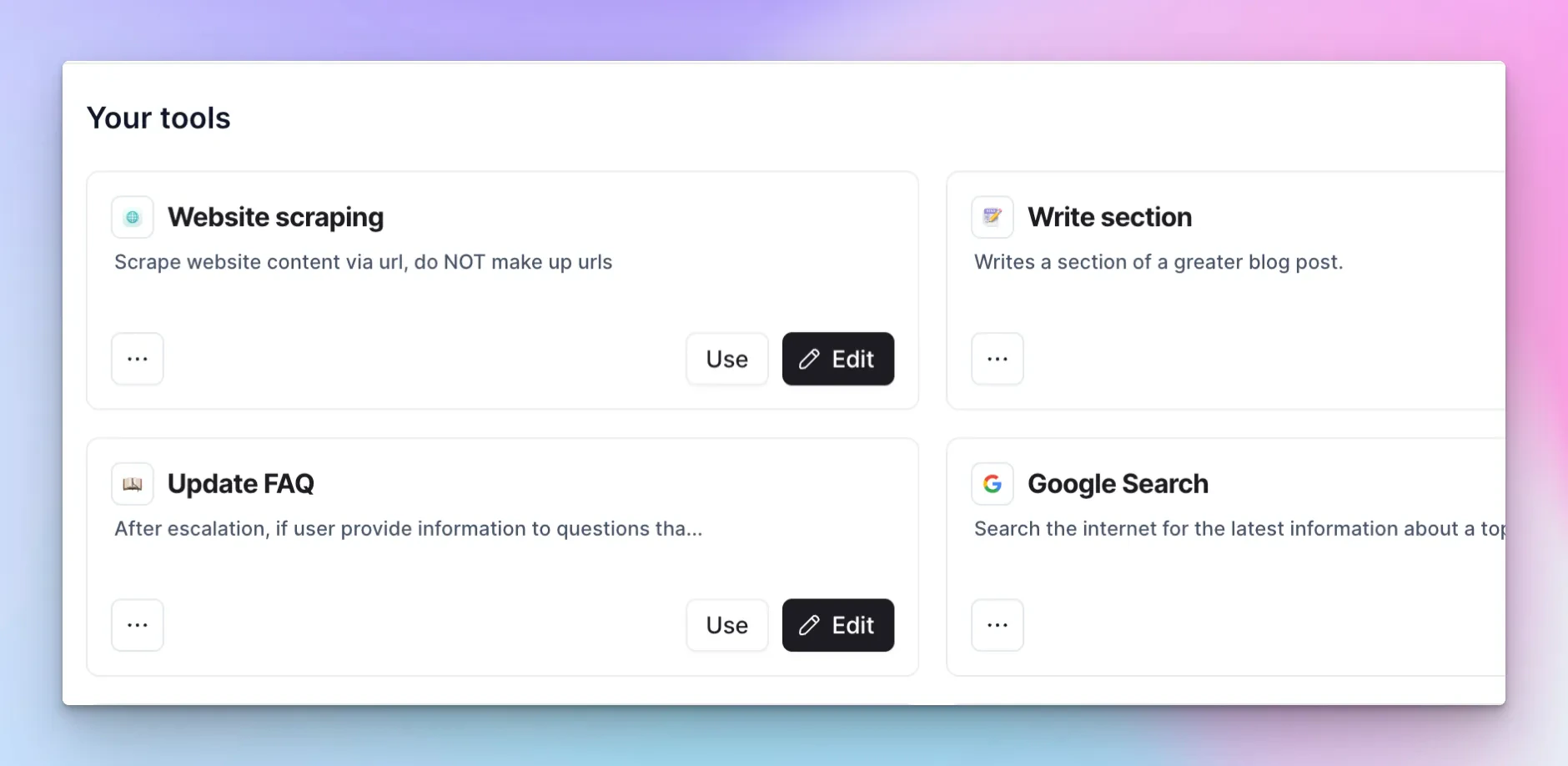
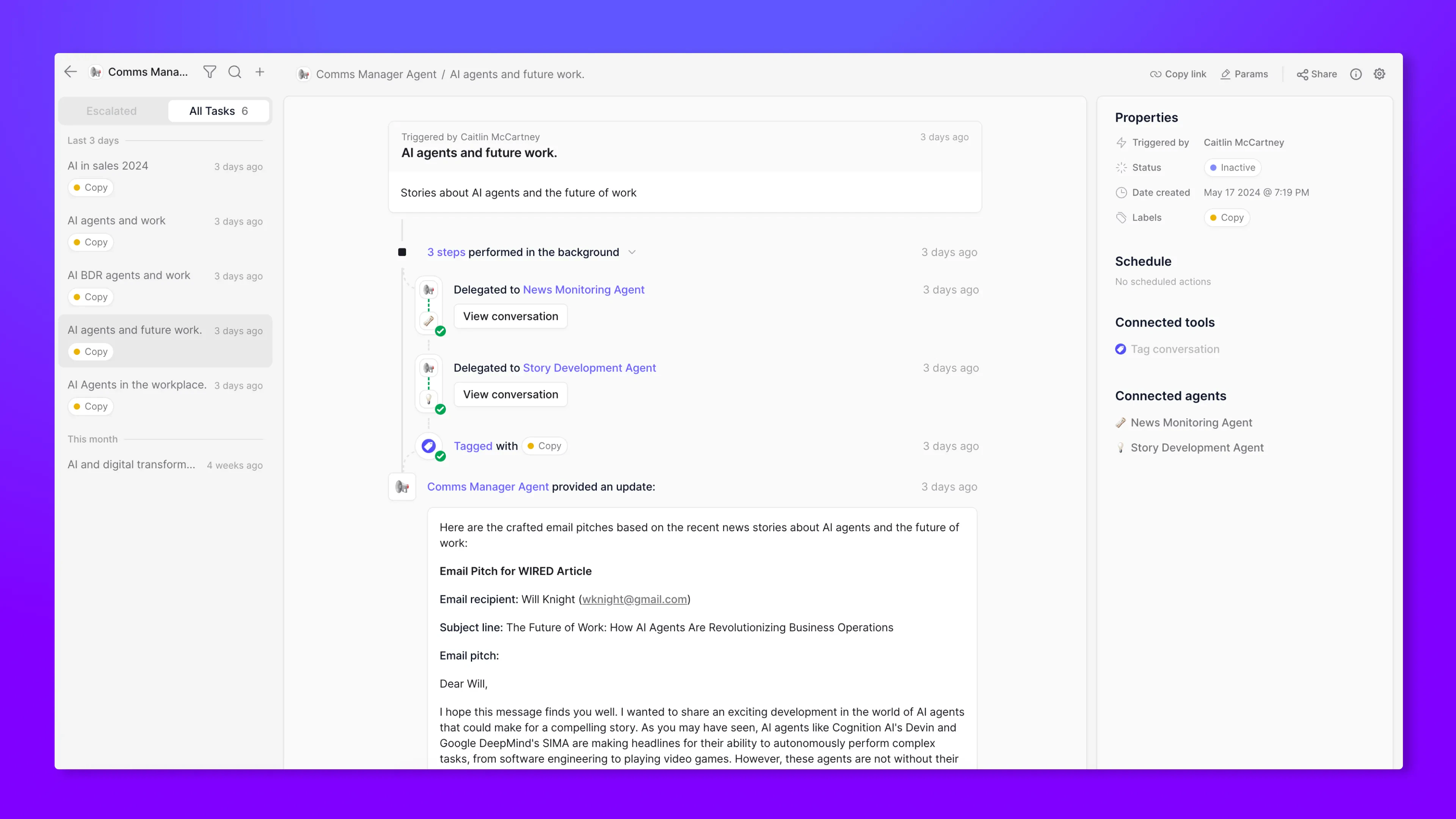
New UI for viewing your agent’s tasks
What: We’ve revamped the task UI to give you an intuitive, clean design for viewing and managing your agent’s tasks.Why: The UI offers a streamlined layout that reduces information overload and makes it easier to understand what your agents have been working on.Other improvements
A new sidebar in tool builder
What: A dedicated left sidebar that houses the navigator and your tool’s settings in one convenient place.Why: We’ve made it easier to find and manage your tool settings, while keeping the right sidebar for the advanced tool step settings focused on your selected step.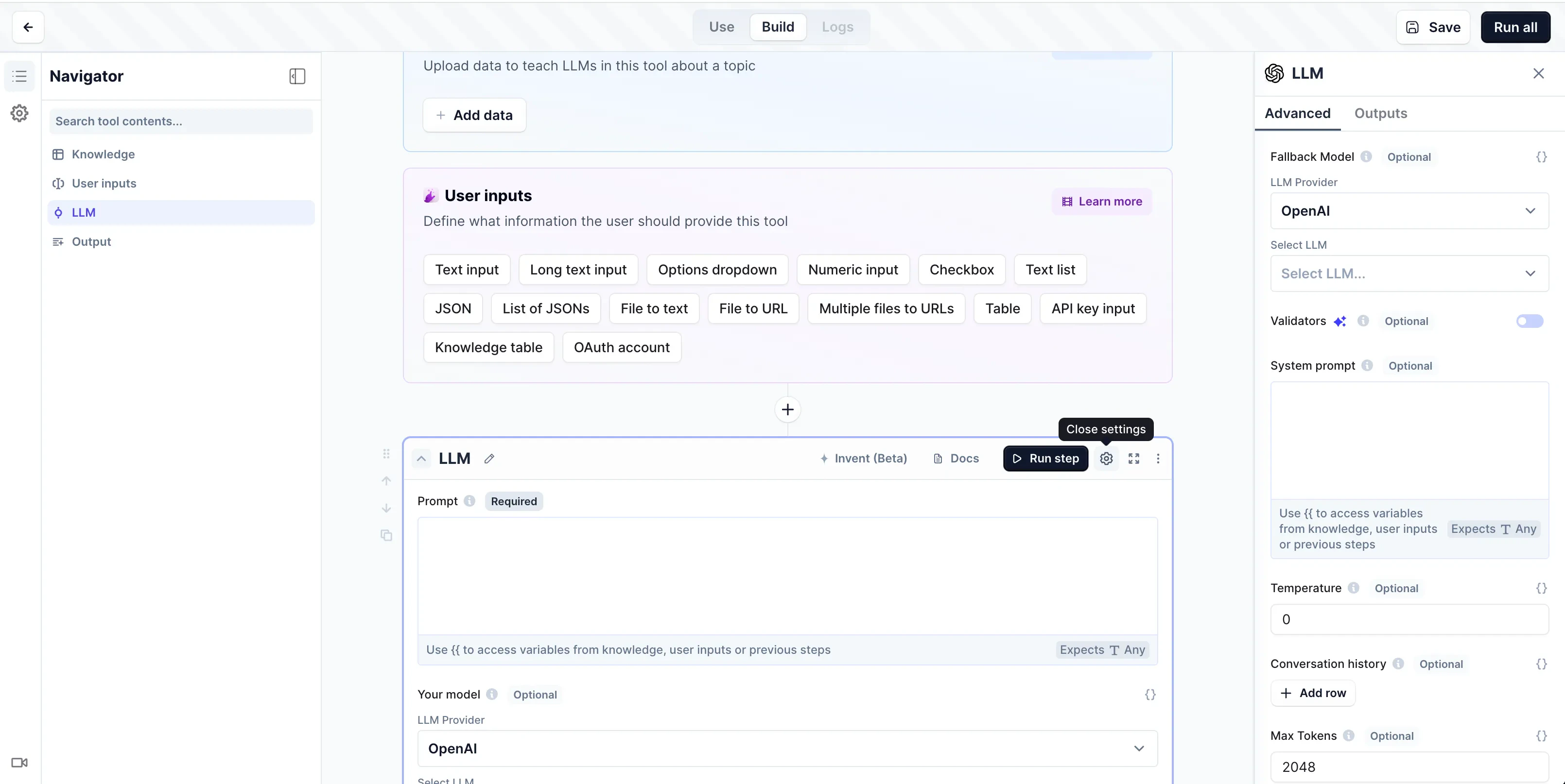
Re-arranged your tool step selector
What: We’ve introduced more logical categories in the “Add Tool Step” dropdown menu.Why: Now you can easily find the capability you need and discover new step options.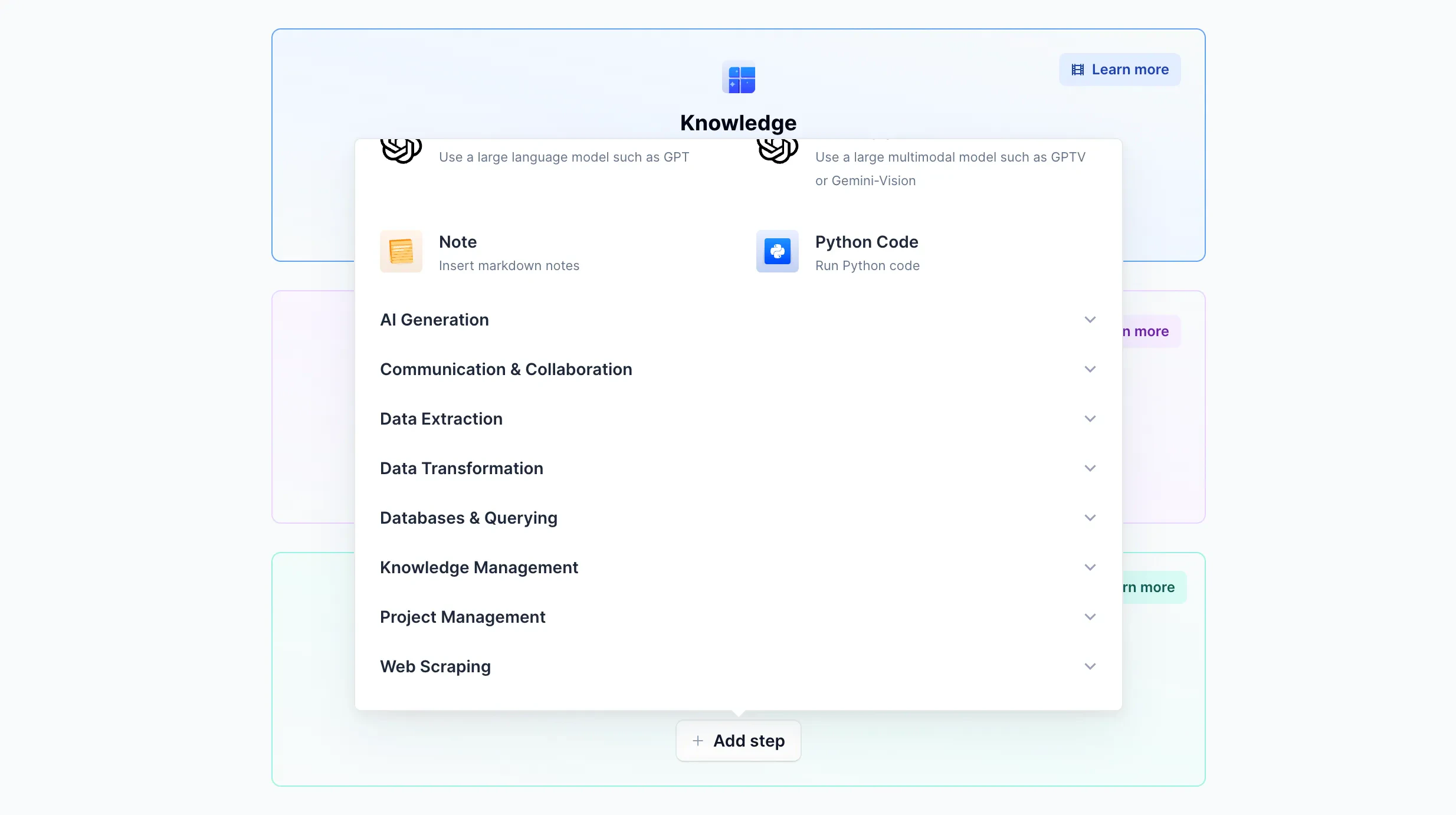
Access key insights with the Analytics Dashboard [business+ only]
What: A new dashboard for viewing high-level activity and performance of your AI workforce.Why: Get a real-time pulse on your agents’ output across your organization by monitoring their performance and activities.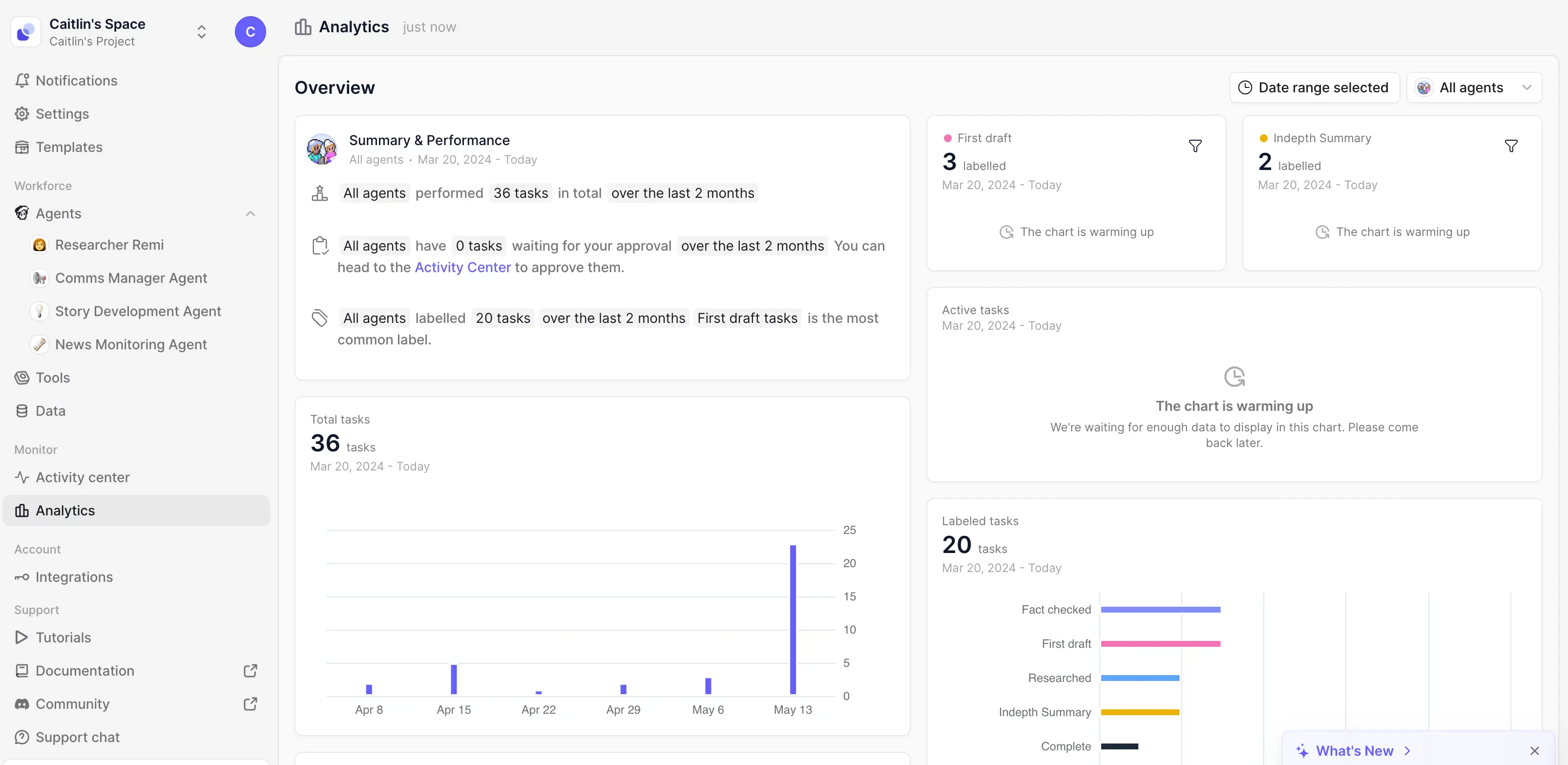
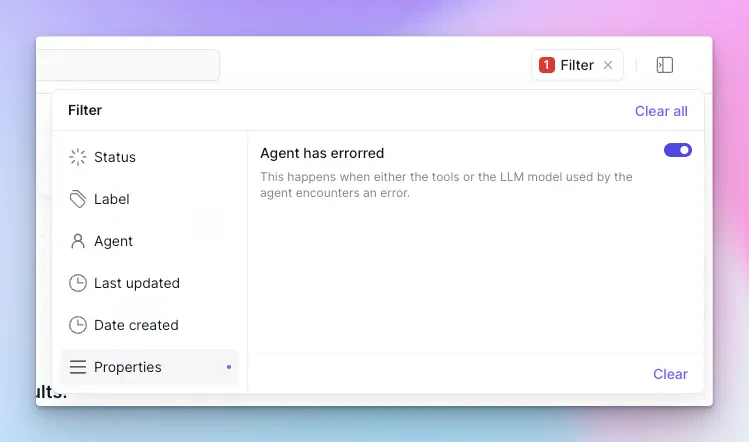
Find anywhere your agent encounters an error
What: We have a new filter type in the Activity Center, where you can filter down to tasks where an error has occurred. This means, at any point, a tool run by the agent or the agent’s LLM errored.Why: This allows you to identify problem sessions and resolve any issues, or use that as a means of improving your agent.Other improvements
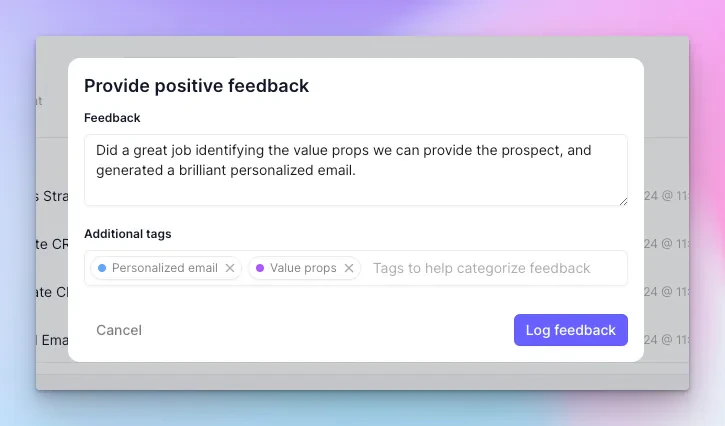
More detailed task feedback
What: Use the thumbs up or down buttons to give feedback about your agent’s performance in a task. You can leave a comment and add tags.Why: This does two things:- It will create a Knowledge table with your feedback, for each agent. You can export this data or use it however you like!
- We will use this feedback data to help fine tune a model that can be used to optimize your agent’s performance. This will be coming later in the year!
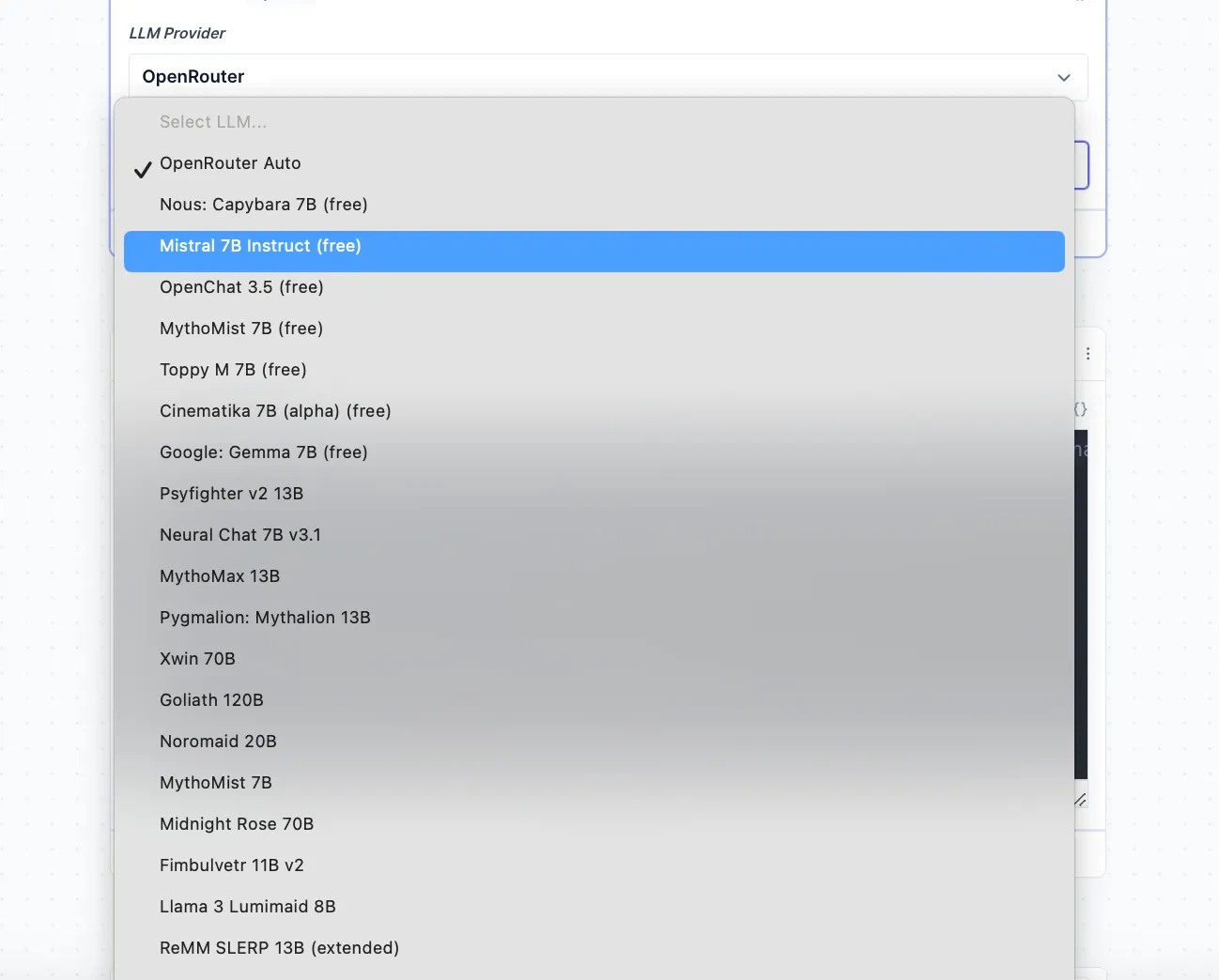
New LLM Models Added to Tool Builder
We’ve expanded the selection of LLMs available for use in our tool builder, some of which include:- Llama v3 via Groq
- Claude v3 Haiku
- Openrouter (New Provider)
Provide a schema for your JSON tool inputs
Want your agents to provide JSON to a tool in more bulletproof way? Add a JSONSchema to the input and this will be communicated to the agent, making sure they pass data through more deterministically. Click the settings cog in the bottom right of the input to set up.Agent triggers are now open to all
Every use now has access to setting up any agent trigger! This includes integrations like email, Hubspot and Whatsapp - but also you can communicate with your agent via Webhooks or API.Export/import an agent’s config
There’s now an export and import button for agents, so you can backup/share your agents via your file system!Advanced inputs for your agent settings
Making a templatized agent? You can now add all input types as settings that you can add to a tool! This includes JSON, number, sentence list inputs and more.
Enhanced Import and Export for Tools
What: You can now export tools into a .rai file and import them when creating a new tool.Why: This allows for seamless sharing and backing up of custom tools locally, streamlining collaboration and tool management workflows.Other improvements
Expanded Step View in Tool Builder
What: The tool builder now offers a full-screen mode for individual steps, giving users more workspace real estate.Why: This feature is especially useful when working on complex code blocks or lengthy LLM prompts, providing a distraction-free, focused environment for detailed tool development.Send email tools no longer auto-added by email triggers
What: We’ve changed the trigger integration behavior - email triggers (like Gmail or Outlook) no longer automatically add a ‘send email’ tool to your agent. Users now manually create their email sending tool.Why: We’ve made this change to help avoid confusion and give users enhanced control over their email tool setups.Kill Switch for Running Tools
What: Users can now access a kill button to cancel the execution of a tool.Why: This lets you quickly stop a tool from running, helping save wasted credits and time.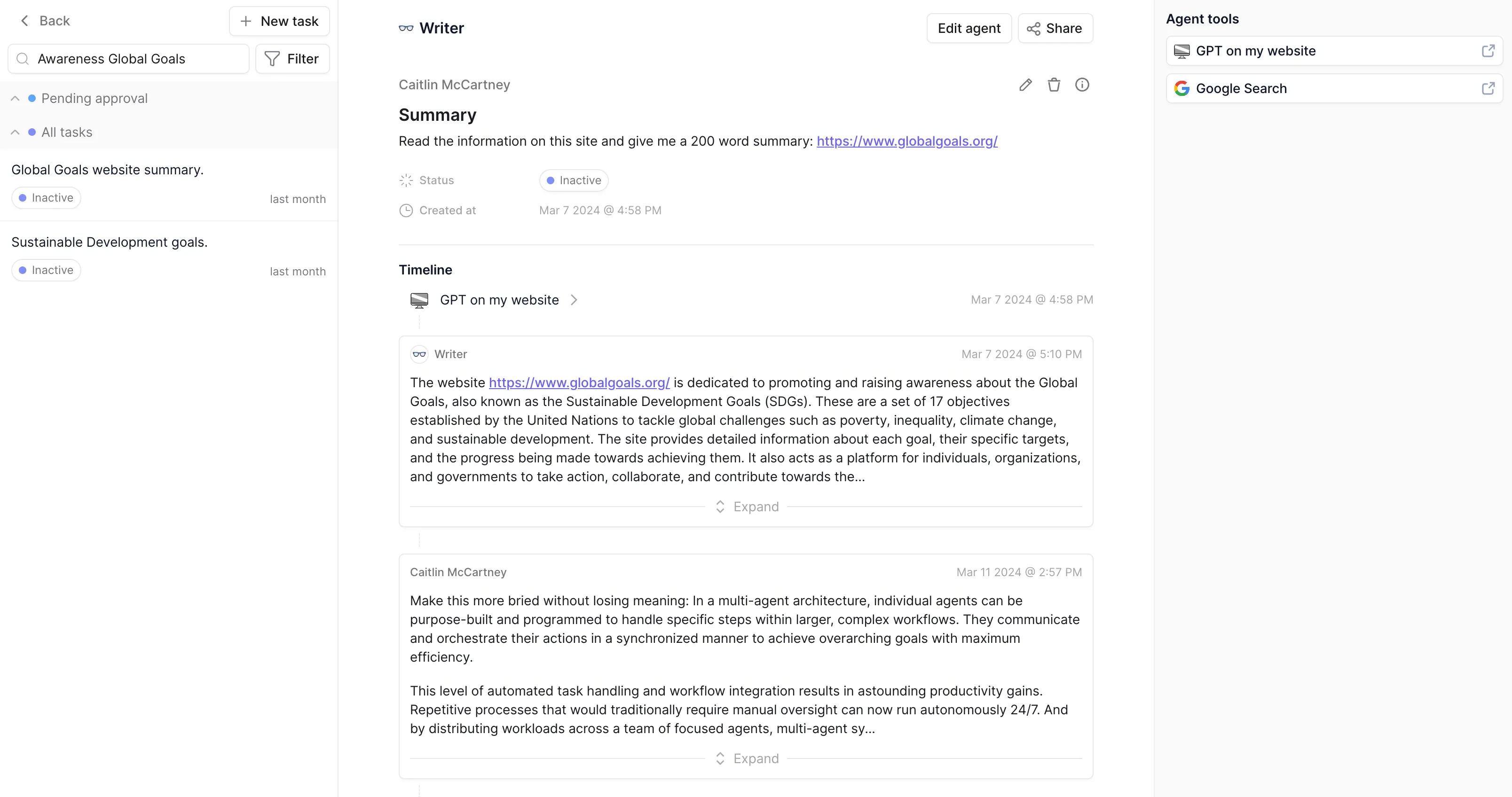
Improved agent task search for faster workflow
What: We’ve revamped the search engine for agent tasks.Why: We’ve implemented a fuzzy search text index on our database. This new system delivers an intuitive and flexible search experience so you can drill down and quickly locate the specific agent tasks you need, streamlining your workflow.Other improvements
Agent triggers now open to Pro and beyond users
What: We’ve opened up agent triggers to all Pro and beyond users.Why: This means you can now easily connect your agent to a wide range of platforms and services, including email, WhatsApp, Hubspot and more. Alternatively, you can use Webhooks to trigger your agent from any supporting platform.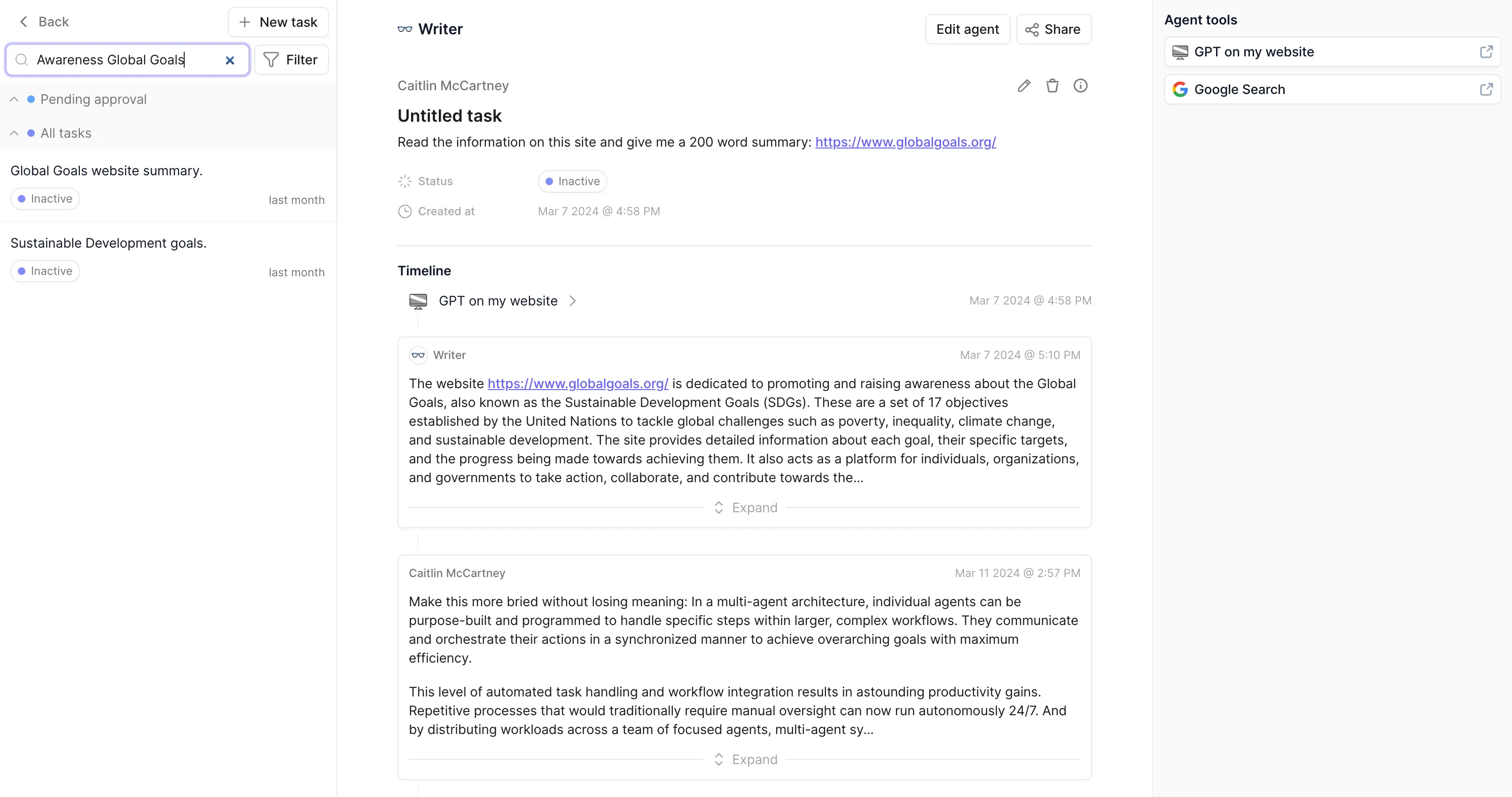
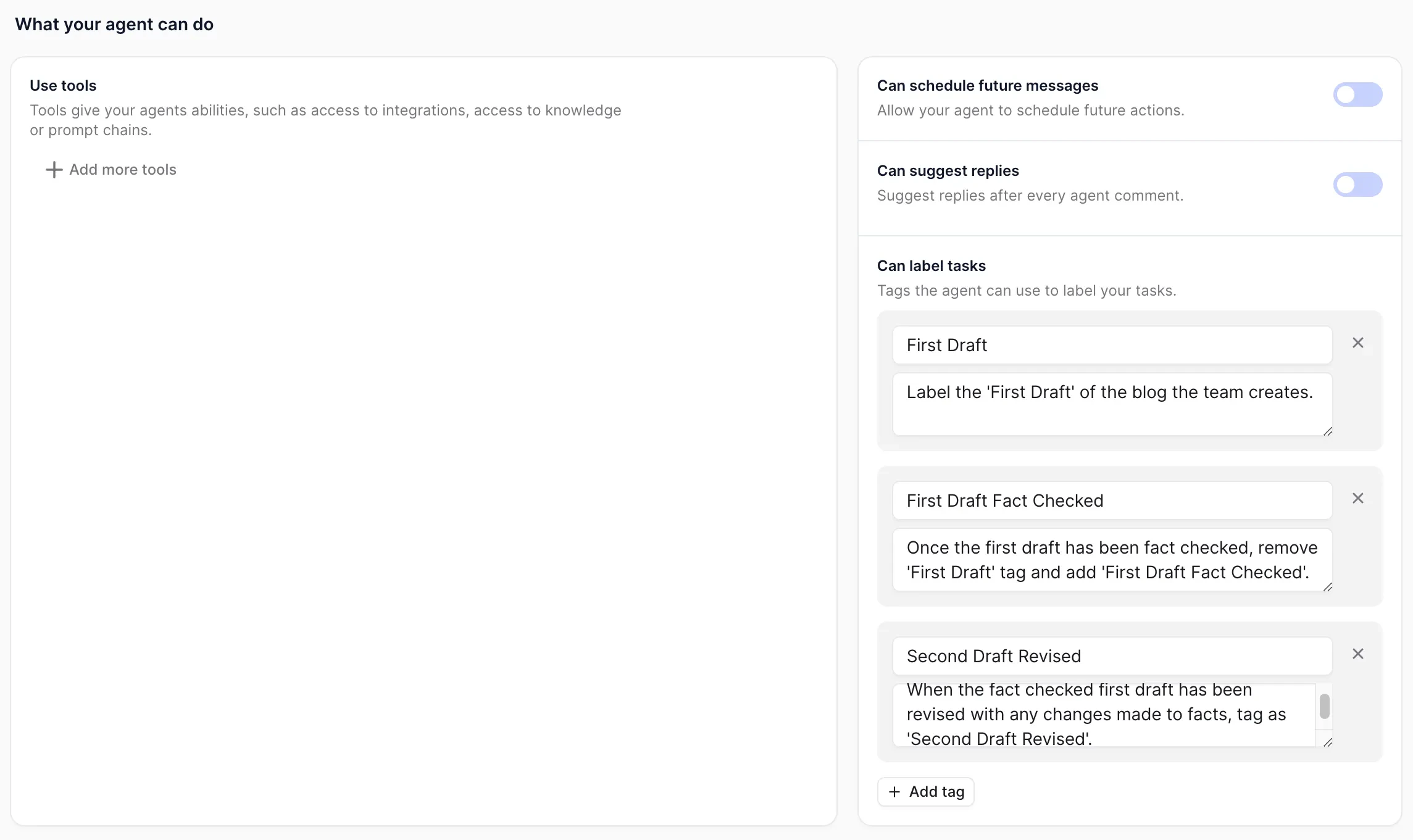
More reliable and flexible task labeling
What: You can now add rich descriptions to the the tags you provide to your agents for labeling tasks. This new feature gives you more flexibility and power in instructing your agents on how to use and interpret each tag. You can even set up rules and prompt for specific behaviors like mutual exclusivity, where, for example, using one tag automatically untags another related tag.Why: This depth of labeling opens up new possibilities for fine-grained task management.Other improvements
The Peak Menu: quick access in the Flow Builder
What: In the Flow Builder, we’ve introduced a convenient new “Peak Menu” functionality. When adding tools and subagents to your flow, you can now click on their pills to quickly see information about that tool or subagent. Even better, you can change their settings right from this peek menu, without having to break or reconfigure your existing flow.Why: This streamlines the builder experience considerably.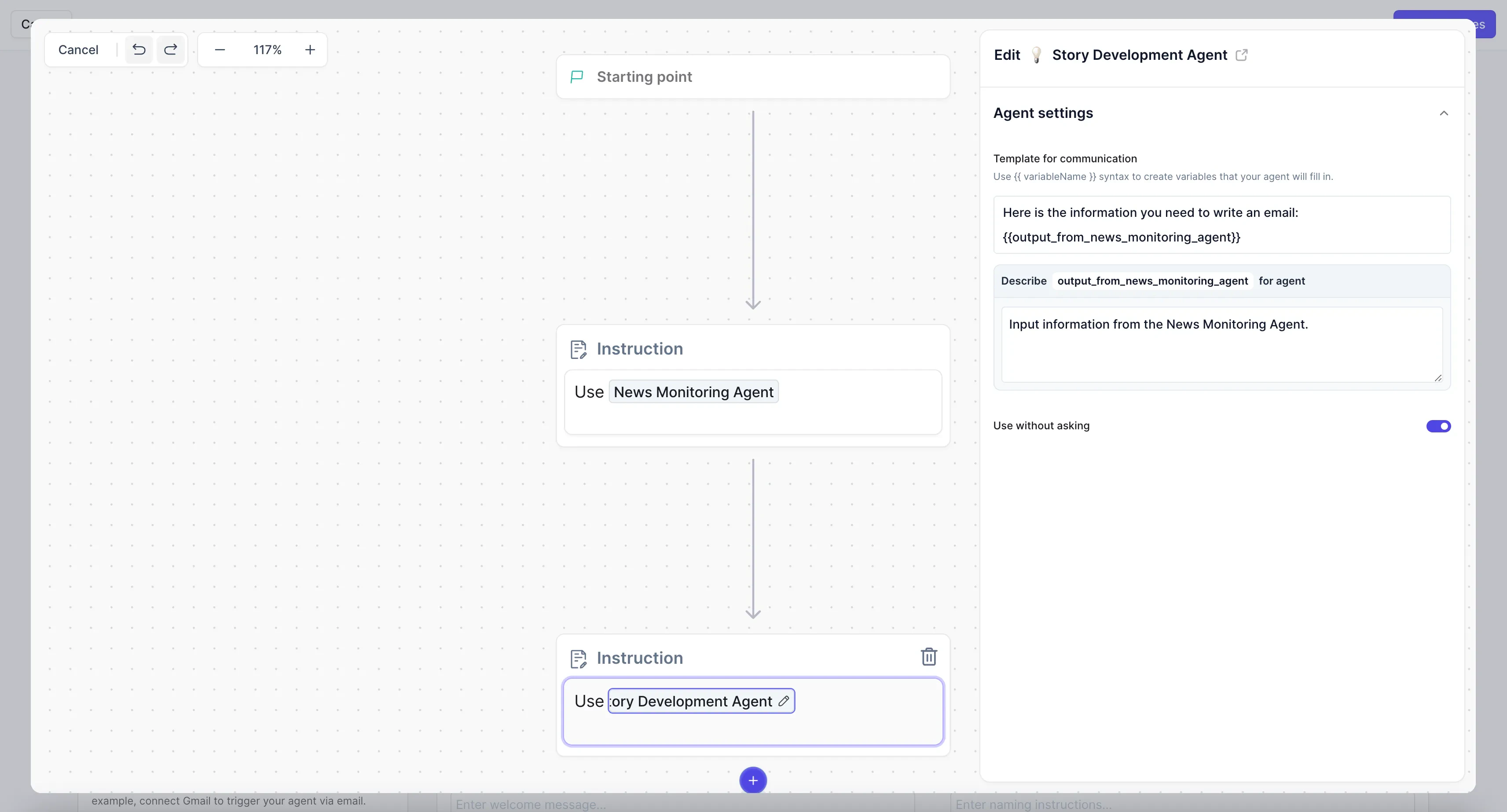
Task termination for 24-hour agents
What: for those running agents in our “24-hour mode,” you now have the ability to remotely terminate any of that agent’s currently active tasks and clear its entire task queue with one click.Why: This emergency “kill button” ensures you always maintain control, preventing scenarios where a rogue or malfunctioning agent could waste credits by operating unchecked.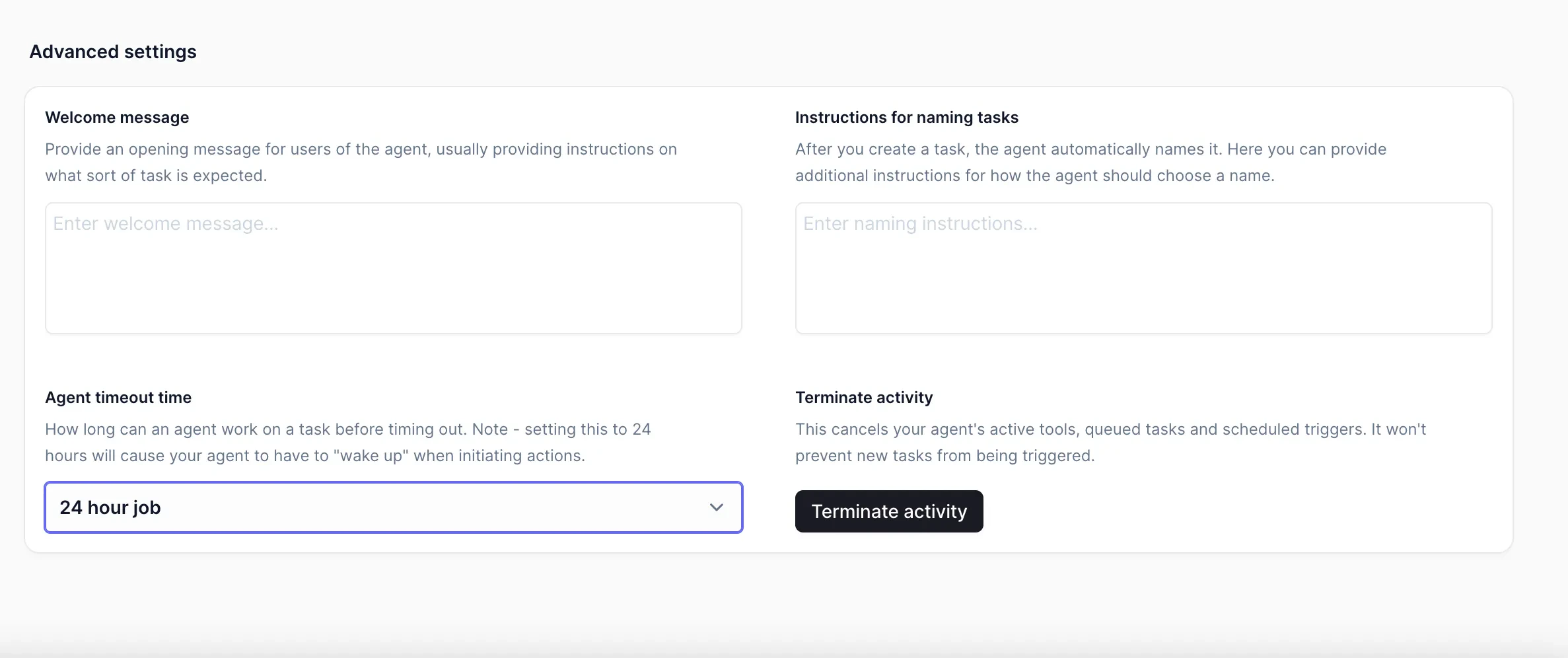
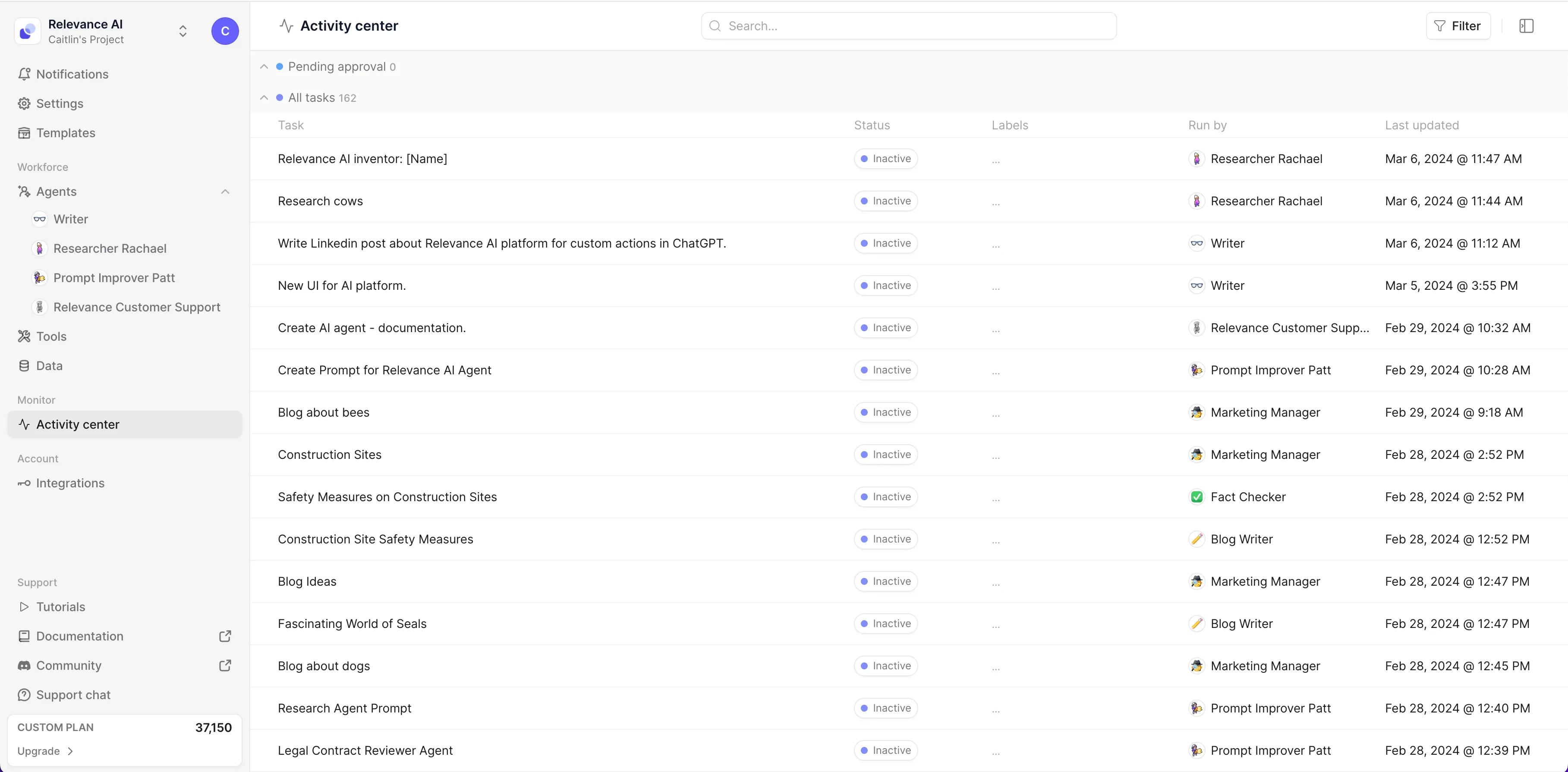
Project management for the AI workforce with the new Activity Centre
What: We’ve overhauled the Activity Centre in our platform, turning it into a centralized hub with real-time dashboards and robust filtering capabilities for all important information about your agents and tasks. This powerful command centre provides an unprecedented level of visibility and control over your AI workforce’s activities, making Relevance the world’s first project management platform for AI agent teams.Why: Managing a team of AI agents can be complex, with numerous tasks, projects, and status alerts to track. The new Activity Centre streamlines this process, letting you to monitor progress, identify bottlenecks, and optimize resource allocation for maximum productivity, all from a single, intuitive interface.*** This feature is available for business and above users.Other improvements
More control with Approval Mode
What: When an agent requires permission to run a tool, it will escalate that task request to a human. Approval Mode allows you to seamlessly rotate through all pending approval tasks within the Activity Center.Why: In a fast-paced environment with numerous tasks requiring approval, efficiency is paramount. Approval Mode enhances productivity by surfacing all pending tasks in one centralized location, eliminating the need to navigate between different pages and minimizing context switching for a smooth approval process.*** This feature is available for business and above users.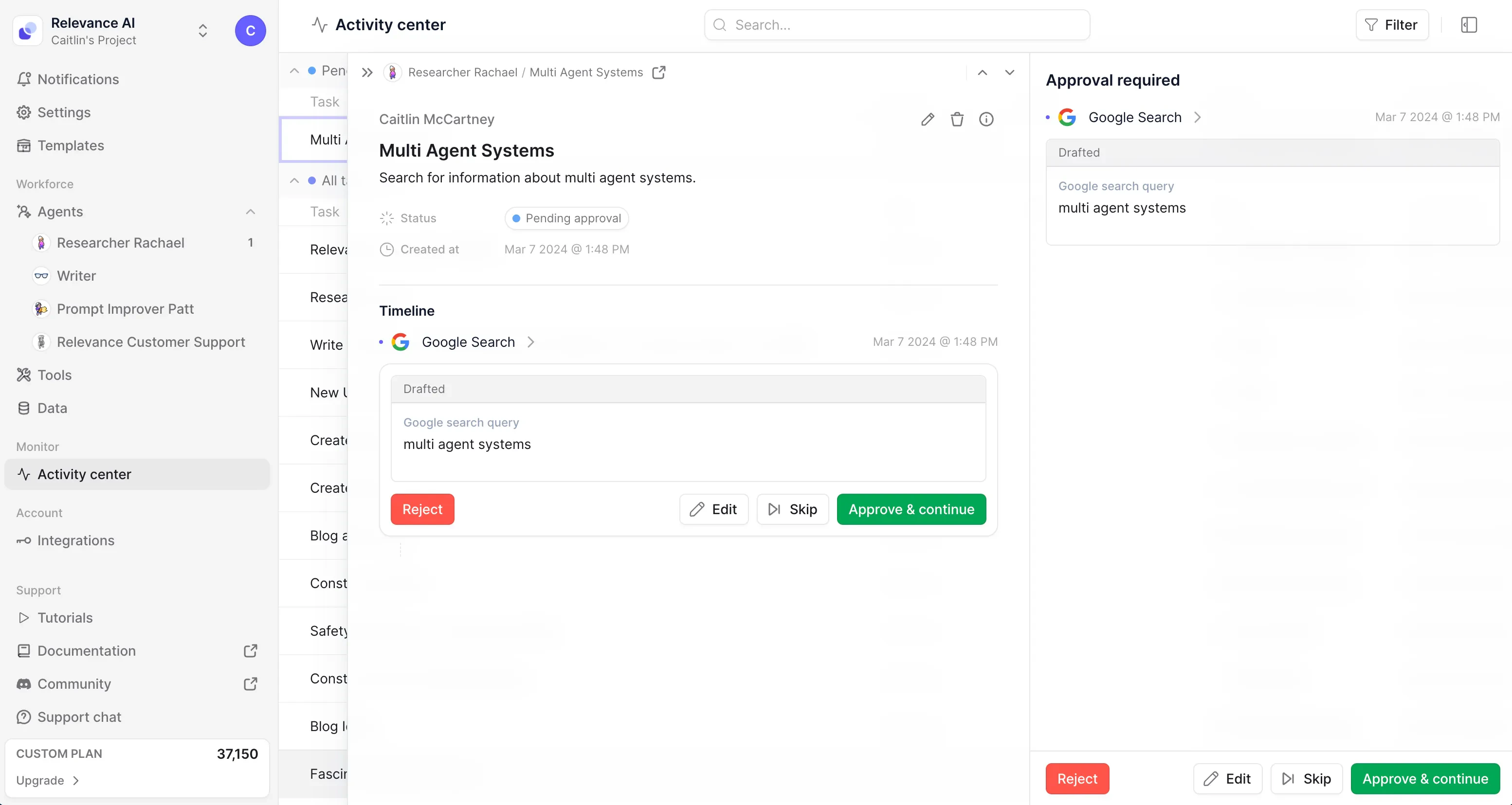
Easily reference tools and agents in your flow builder and base instructions
What: The new /Menu feature allows you to explicitly reference tools and subagents within the Flow Builder and base instructions. By using a simple slash command followed by the tool or agent name, you can effortlessly incorporate these resources into your workflows.Why: As your workflows become increasingly complex, efficient collaboration between agents, tools, and subagents is essential. The / menu allows you to effortlessly integrate the necessary resources into your instructions. Behind the scenes, we also optimize the agent’s understanding by swapping out tool IDs with exact names it recognizes, ensuring seamless communication and execution of instructions.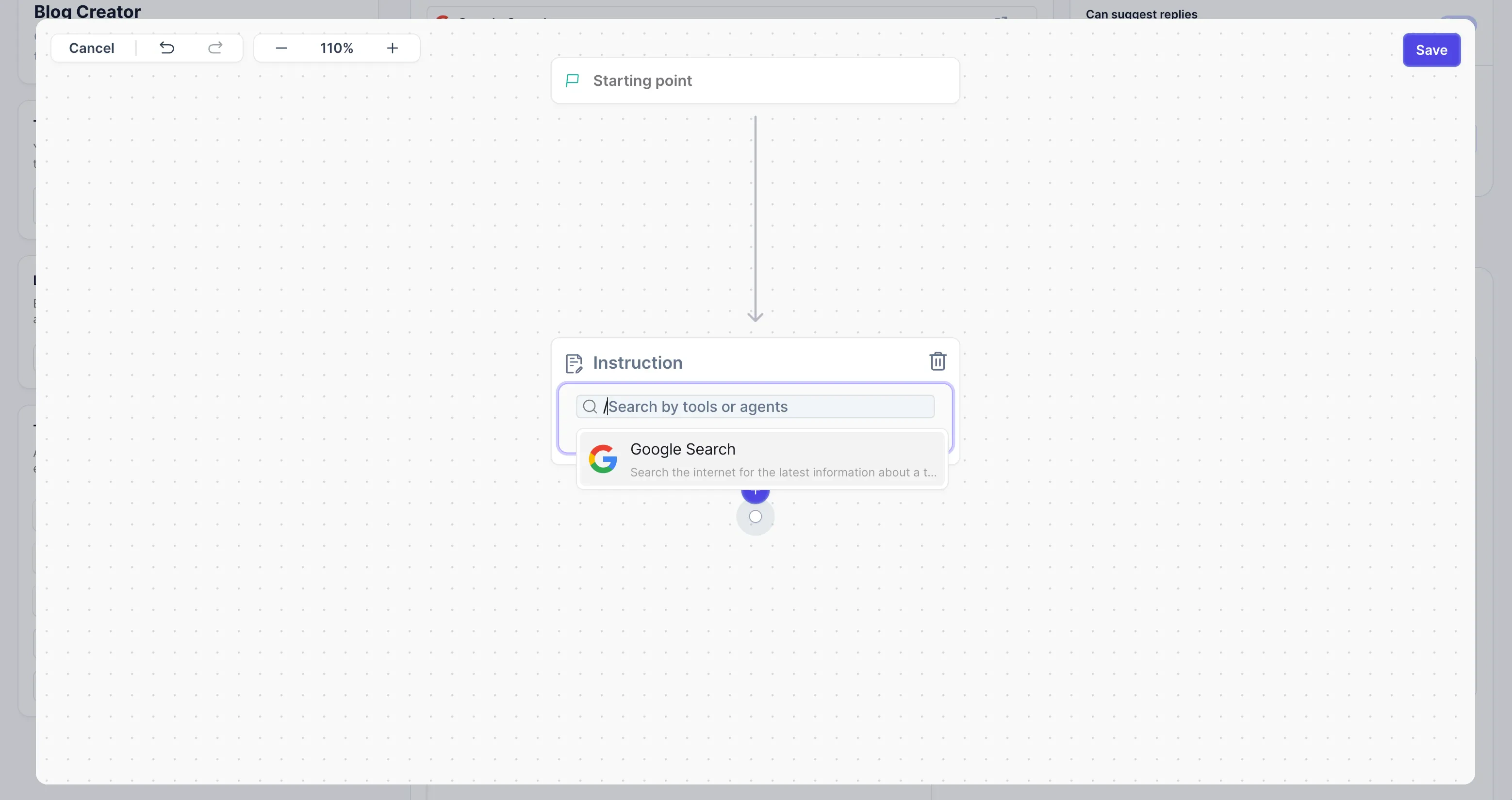
Resync your knowledge
What: We’ve added a new “Sync” button to your knowledge tables, allowing you to refresh the vector embeddings for new or updated data. Vector embeddings power our knowledge search functionality.Why: Users were adding or modifying data in their knowledge tables, but had no way to update the corresponding vector embeddings to reflect those changes. By introducing the “Sync” button, we’ve empowered users to keep their vector embeddings up-to-date with their data. Whether you’ve added new information to your tables or modified existing data, you can now easily trigger a resynchronization process to ensure that the vector embeddings accurately represent your knowledge base.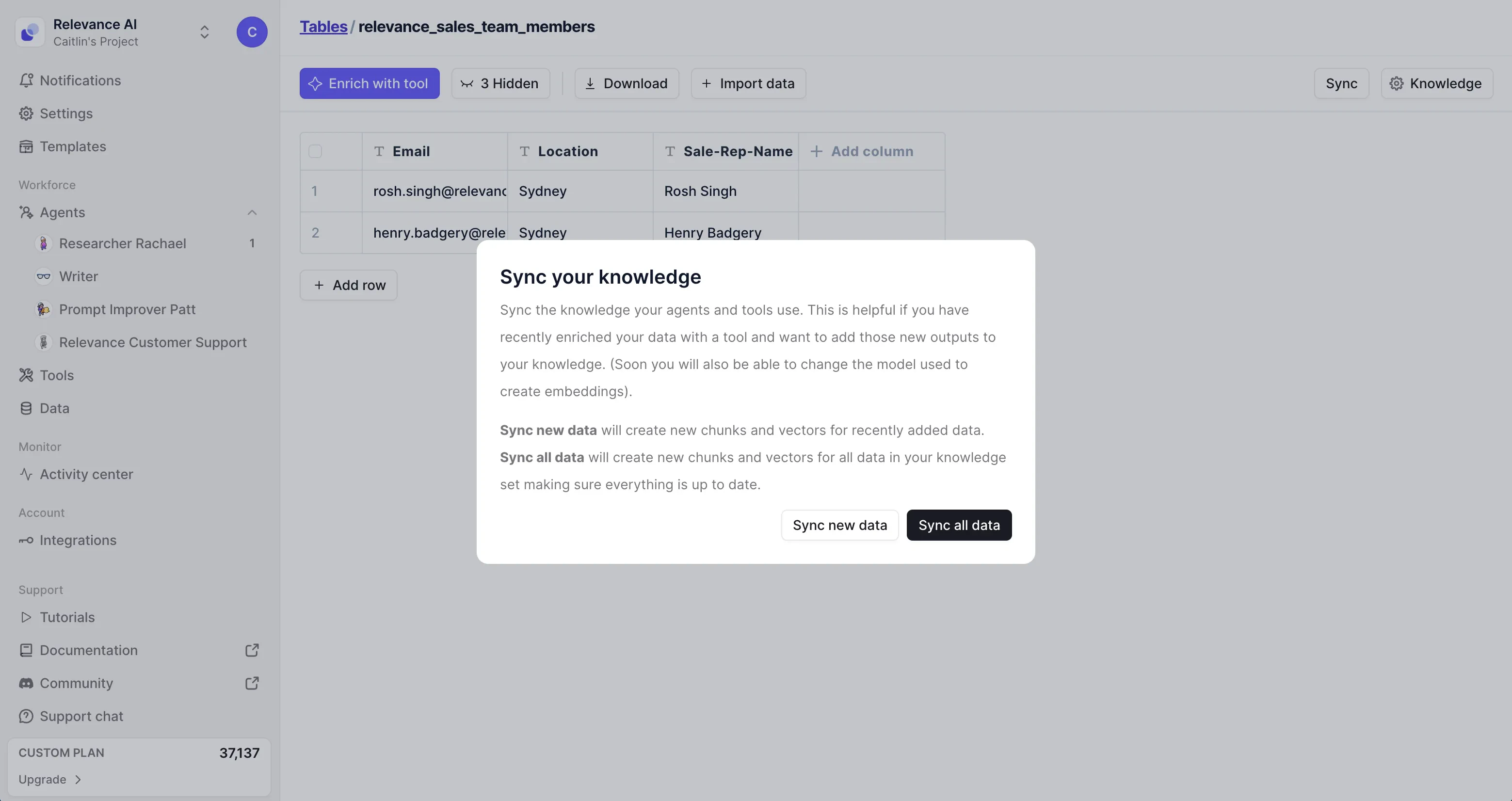
New integrations page: centralized account and API management
What: We’ve introduced a dedicated Integrations page that serves as a centralized hub for connecting all the accounts and API keys needed for various integrations within our platform. This new page provides an organized approach to managing your integration credentials and settings.Why: Before, there wasn’t a single place to connect accounts and add API keys for integrations. You had to connect your accounts from within individual tools, making the process fragmented and inconvenient. The new Integrations page solves this.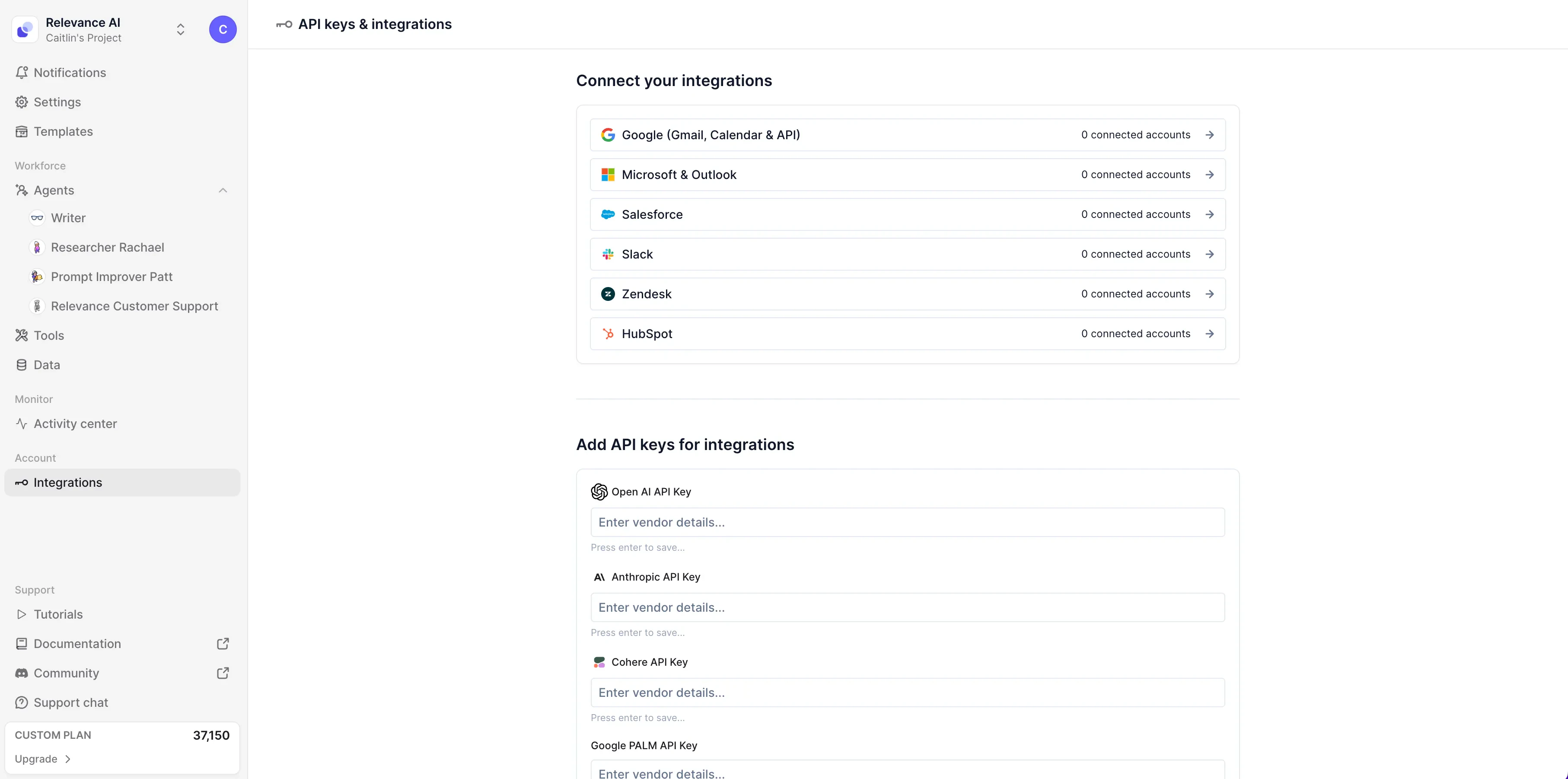
A new page for custom actions for GPTs
What: We’ve given the custom actions for GPTs section of our tools page a refresh, with more helpful visual guides and an an easier implementation process. You can also now share your custom actions with one-click to post social media buttons, and we’ll give you 1000 Relevance AI credits.Why: Users who want to leverage the powerful tools they’ve built in Relevance to extend their GPTs capabilities can now do so more easily.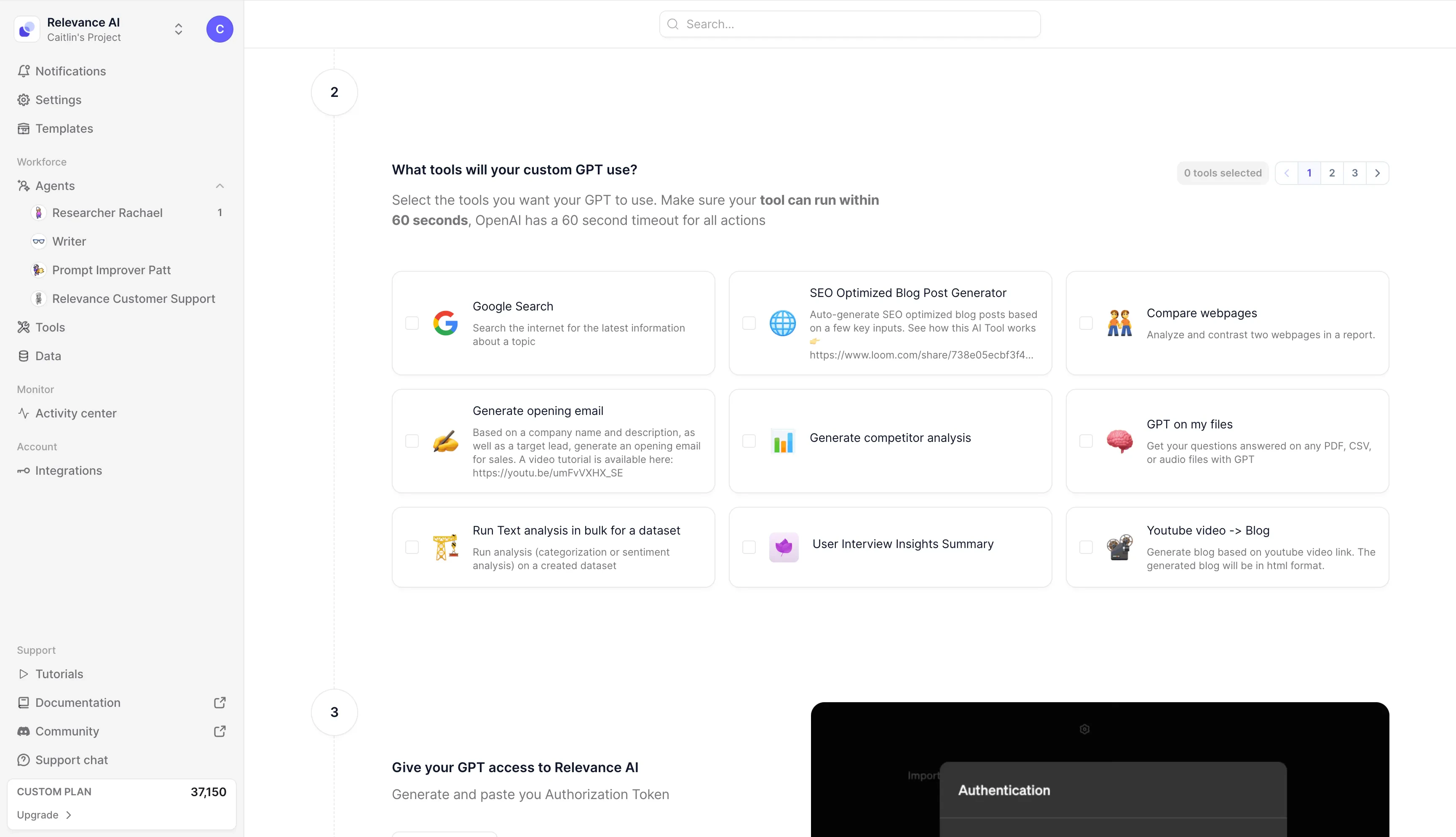
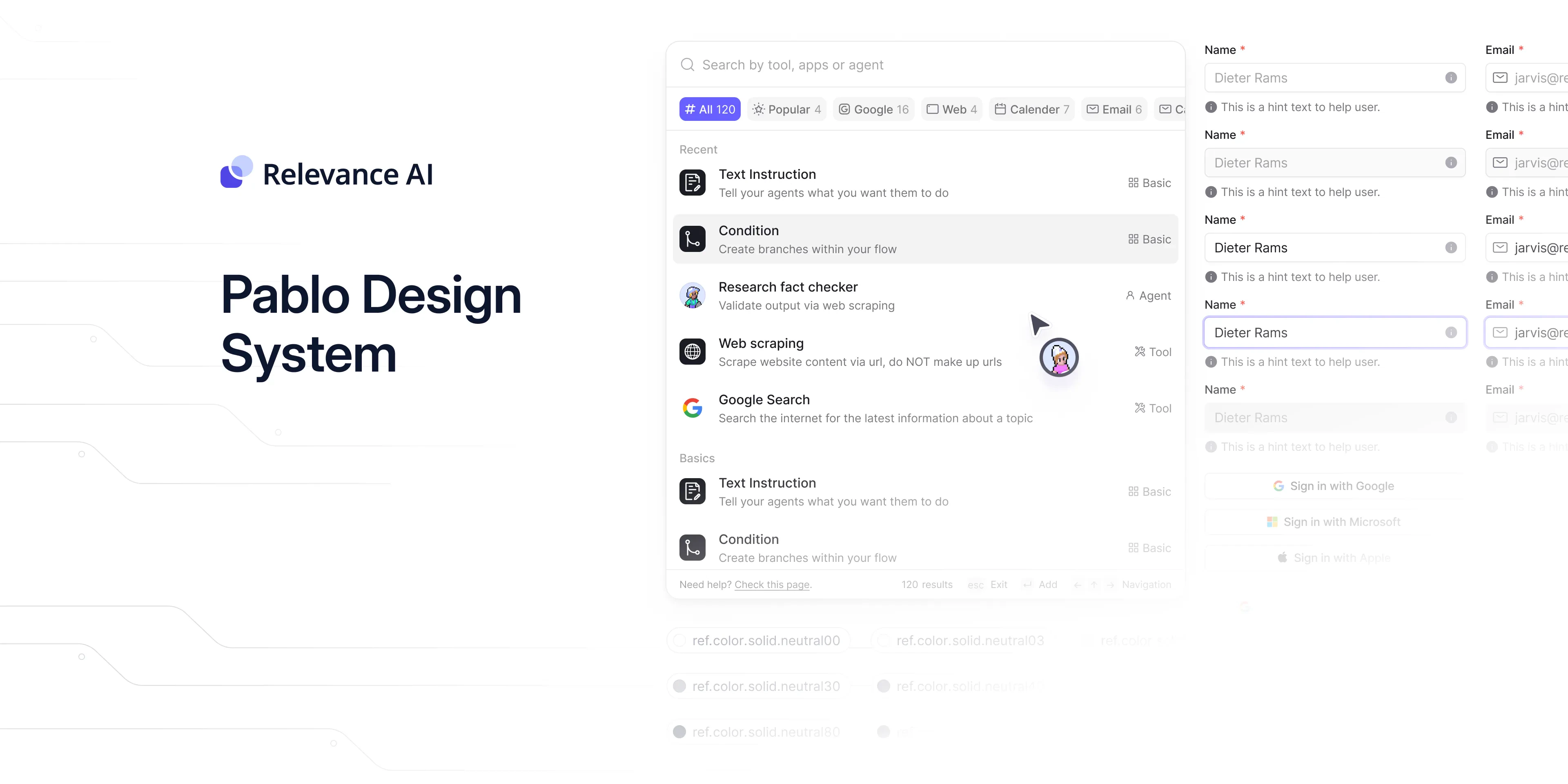
Introducing the “Pablo” design system
What: We’ve revamped the platform’s visual design with our new “Pablo” system. The sidebar and Agent Task UI have been refreshed with a modern, clean look and feel.Why: Enhancing user experience is a top priority. This visual overhaul aims to:- Improve usability and navigation.
- Foster better task management through a focused interface.
- Align with design best practices.
- Reinforce our professional brand identity.
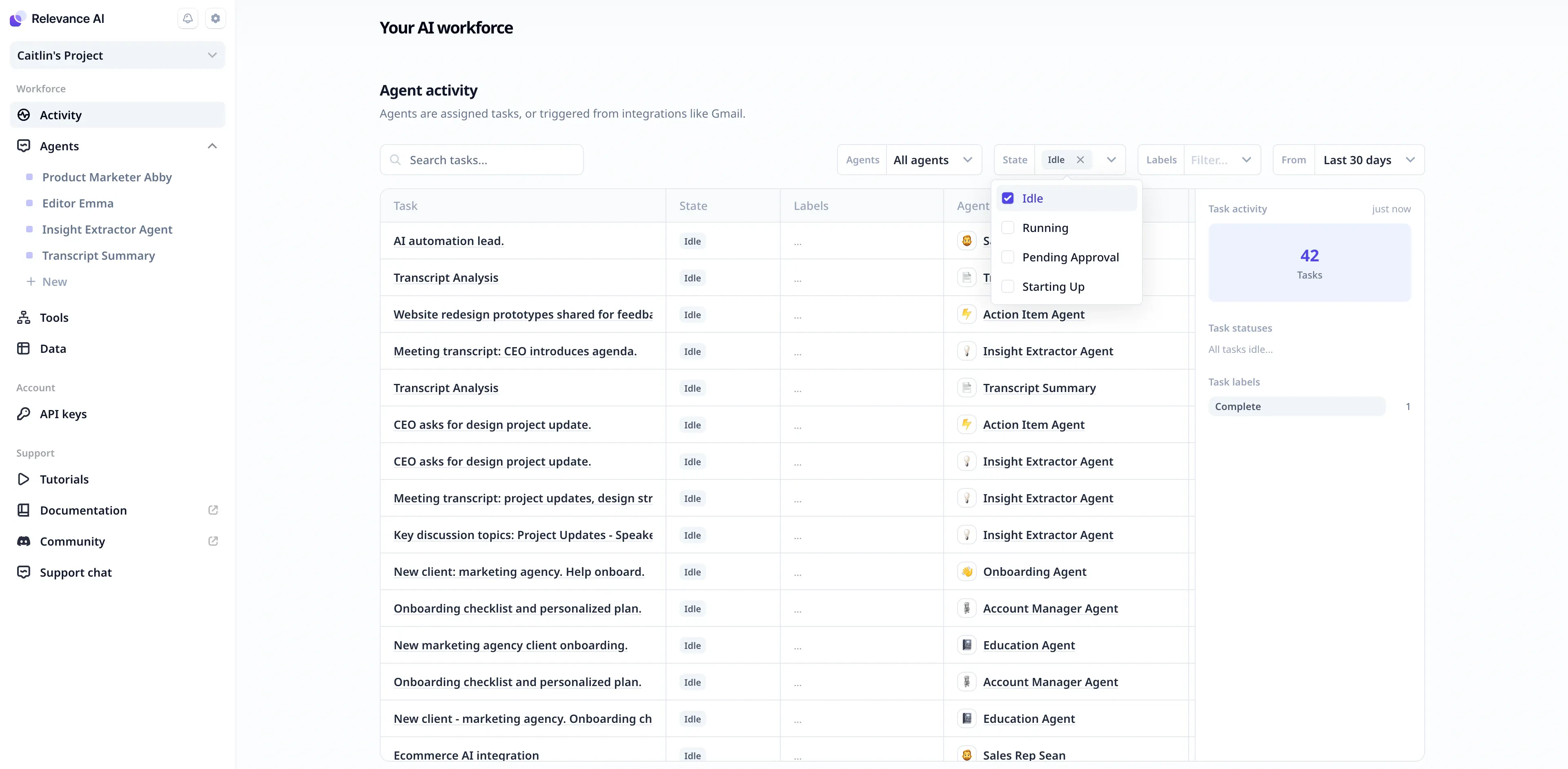
A new look for the activity page
We are excited to launch a brand new activity page dashboard that gives you visibility into all of the recent work your AI agents are doing. You can view the tasks in progress, pending approvals, and completed work over customizable time ranges - last hour, last week, last 30 days etc. You can also filter and segment the tasks by agent, label, or status to hone in on what’s most important. This marks the start of Relevance striving to help you better track, delegate to, and manage your AI workforce.Key activity page features:- See all recent tasks from your agents in one place
- Filter by status (in progress, pending approval etc)
- Filter by agent or label
- View aggregated totals of agent work over time
- Track tasks requiring your review and input
A reskinned activity sidebar
In addition to the new page, we’ve reskinned the activity sidebar. Your notifications and settings are now conveniently accessible here, and we’ve also added quick access to your most recently used agents, making delegate to them faster than ever.Other improvements
Find your way with search
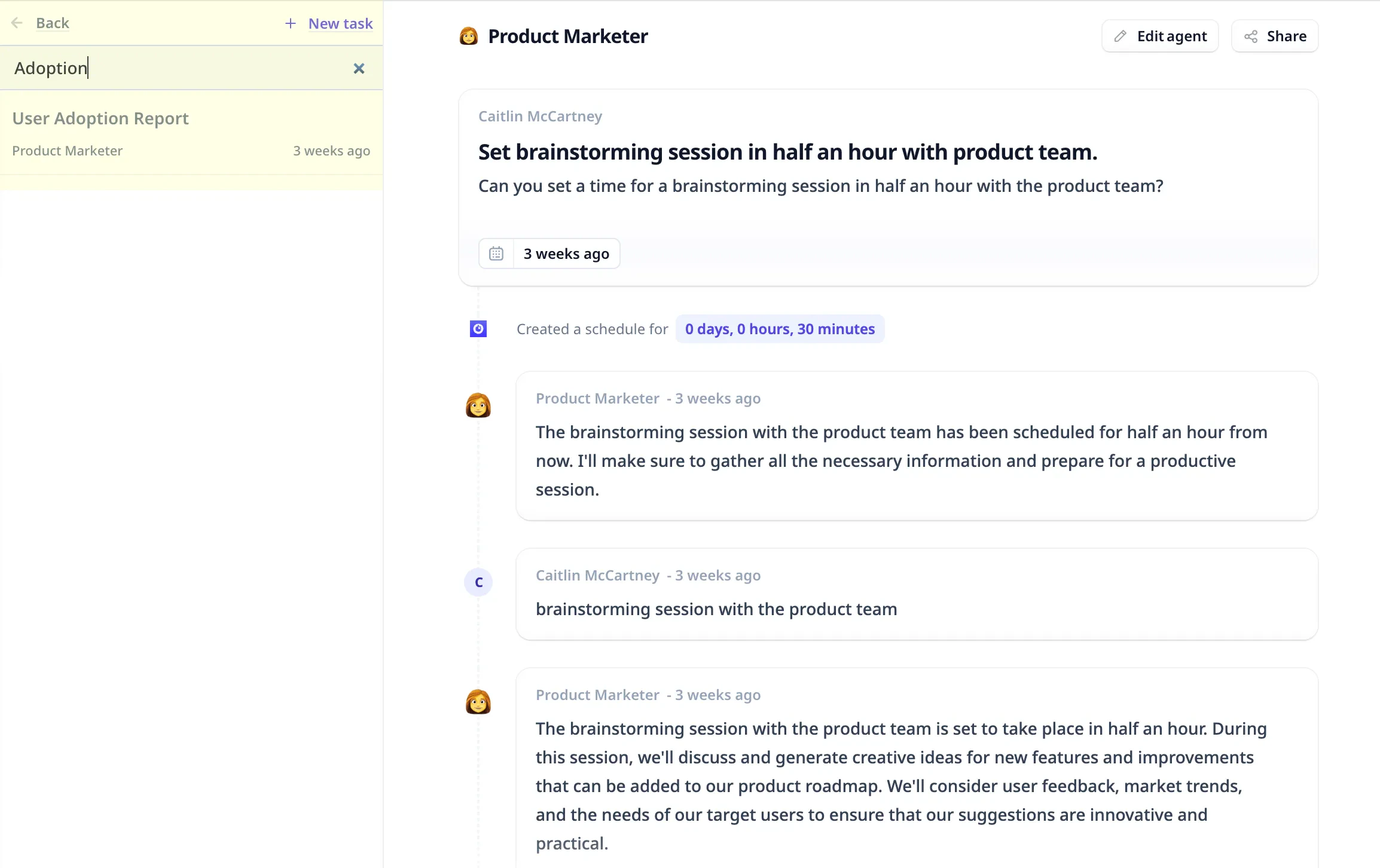
We’ve introduced a handy new search functionality that allows you to easily hunt down tasks in seconds, instead of embarking on a scrollventure to locate what you need.Whether you’re viewing your aggregated tasks in the activity dashboard or digging into a specific agent’s workflow, you can now search for tasks using keywords or task properties. Just enter a search query to see matching results.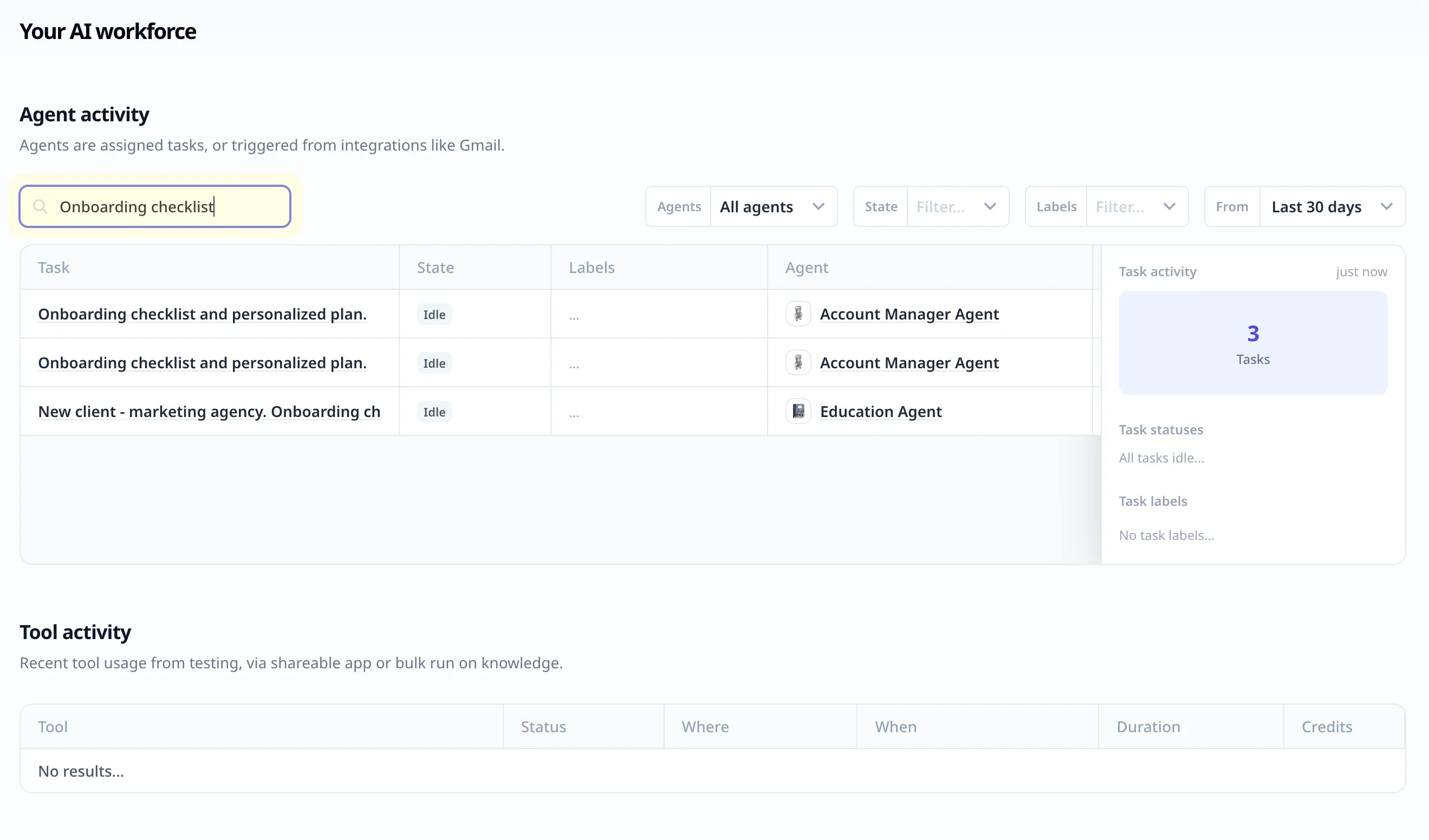
Introducing ‘Agent Settings’
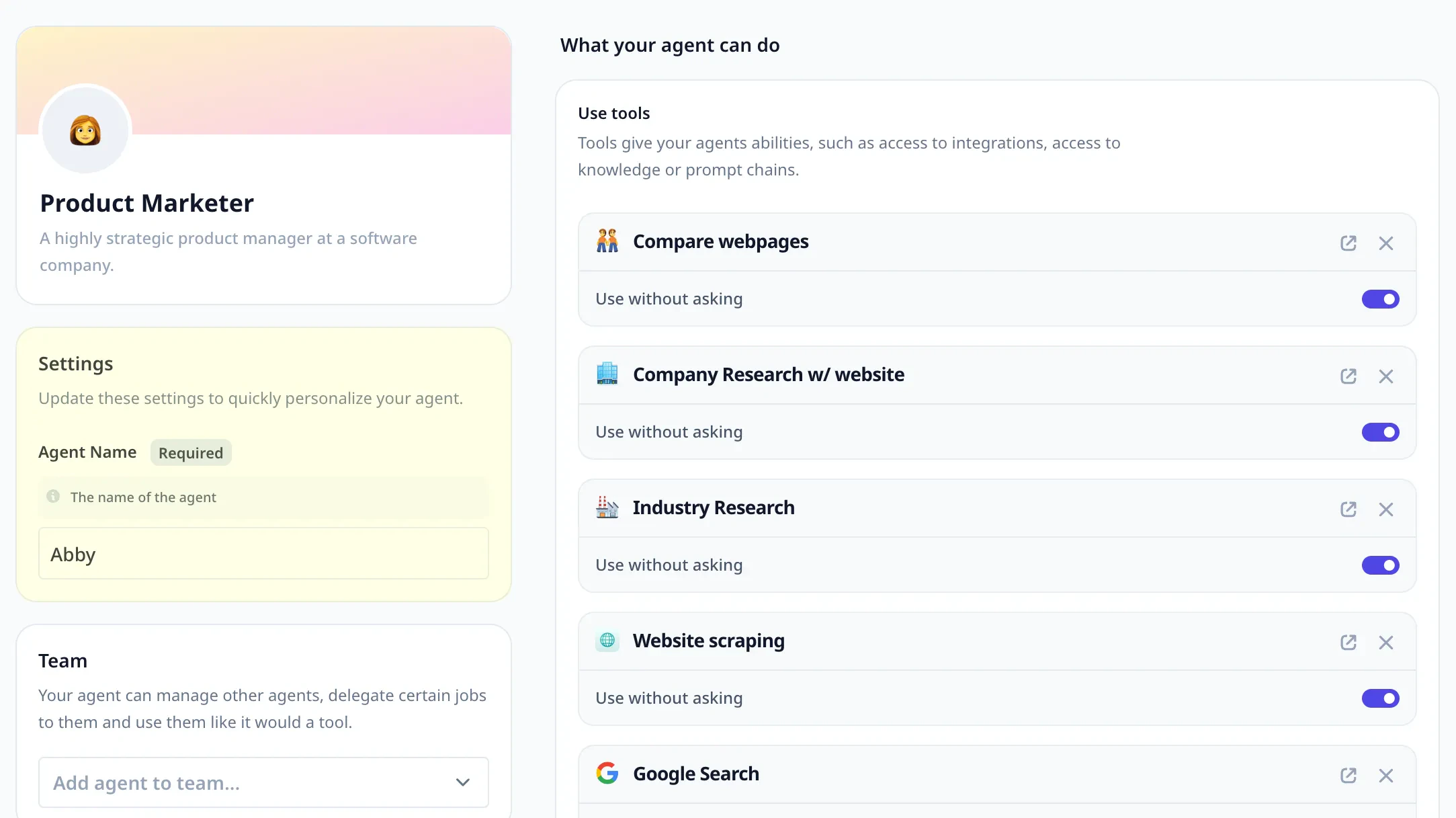
There’s new way to centralize your agent configurations for greater ease of management.You can now define customizable settings like agent names or any other parameter in your system prompt or flowbuilder using curly bracket sytax.When you save the flow or prompt, you’ll be asked to name that setting for later reuse.Now you can update values in one place instead of digging through prompts and flows to make changes.This creates a single source of truth for agent details, streamlining updates across templates.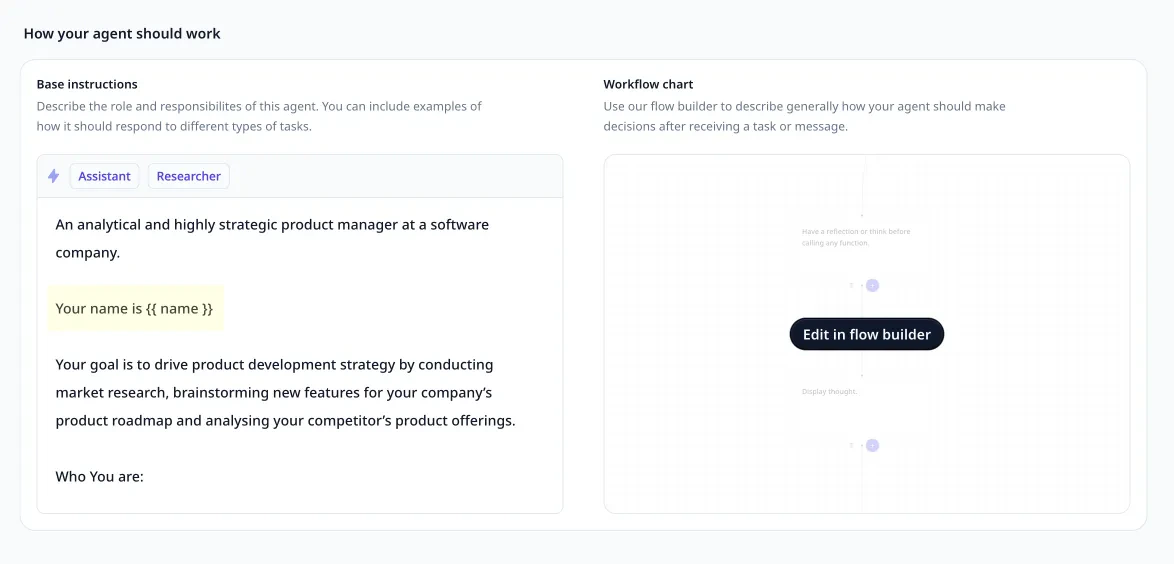
See tasks in context with better attribution
We’ve upgraded our activity tracking so when you check your agent’s tasks, you’ll see exactly where they came from - whether generated by a specific email, created by a teammate or (if you’re in a sub agent) triggered by a parent agent.For example, tasks from Gmail now display the originating email.You can follow the full trail of activity - super helpful for understanding complex automations involving multiple agents. We think this will really help you connect the dots and keep humans in the loop as your multi-AI systems get more advanced!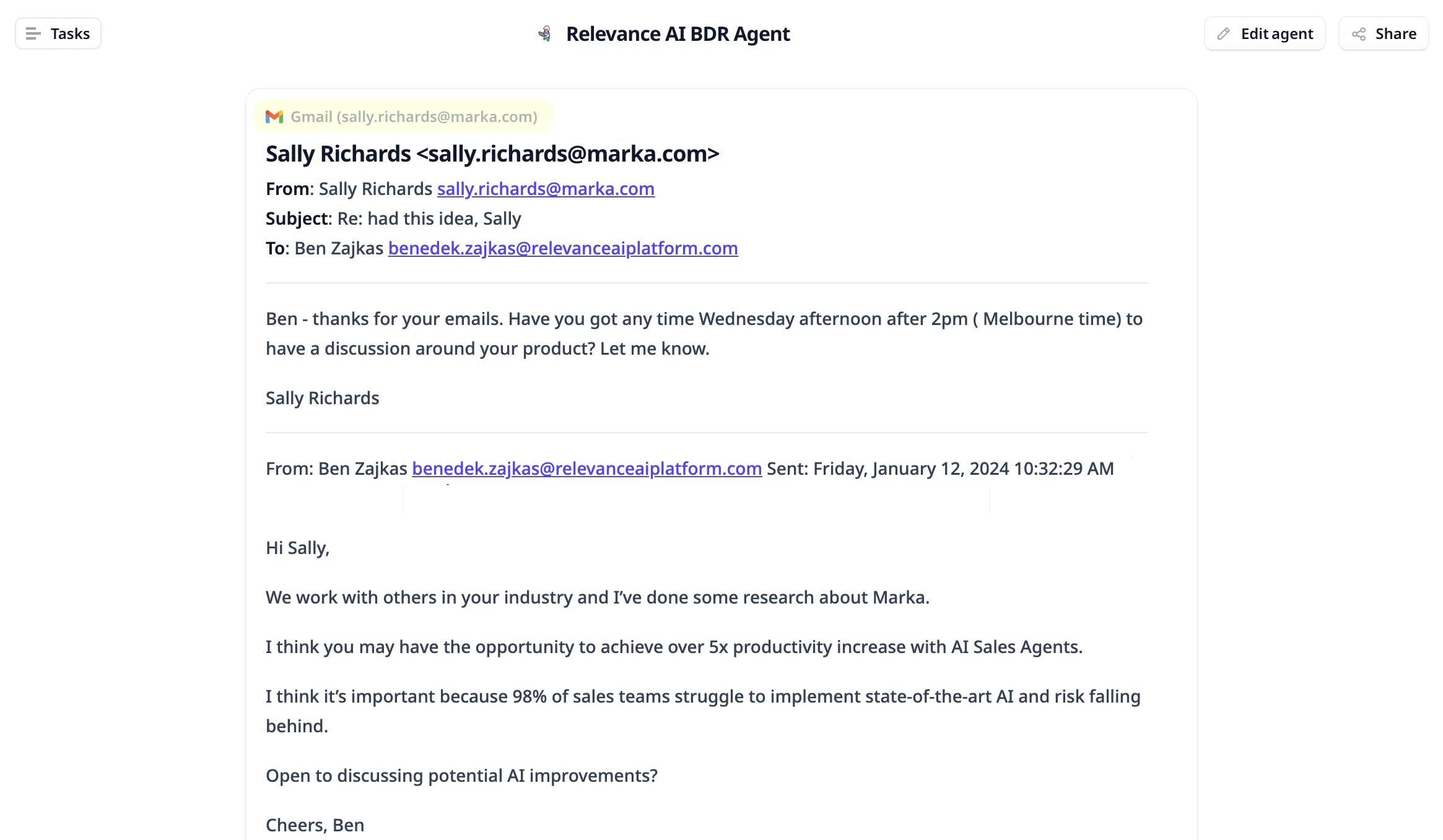
An update for our API users
We’re bringing API users a new enhancement that aims to make your experience smoother.Now, you can create aliases for fields in Knowledge tables - this means you can give your them more intuitive names.When you’re using field aliases, you need to stick to the original column names in your API calls. For instance, if you’ve dubbed a field “Gender details,” the API still recognizes it as “Gender” if that was the original name.For this reason, also we’ve added a hover tooltip to display the original field name.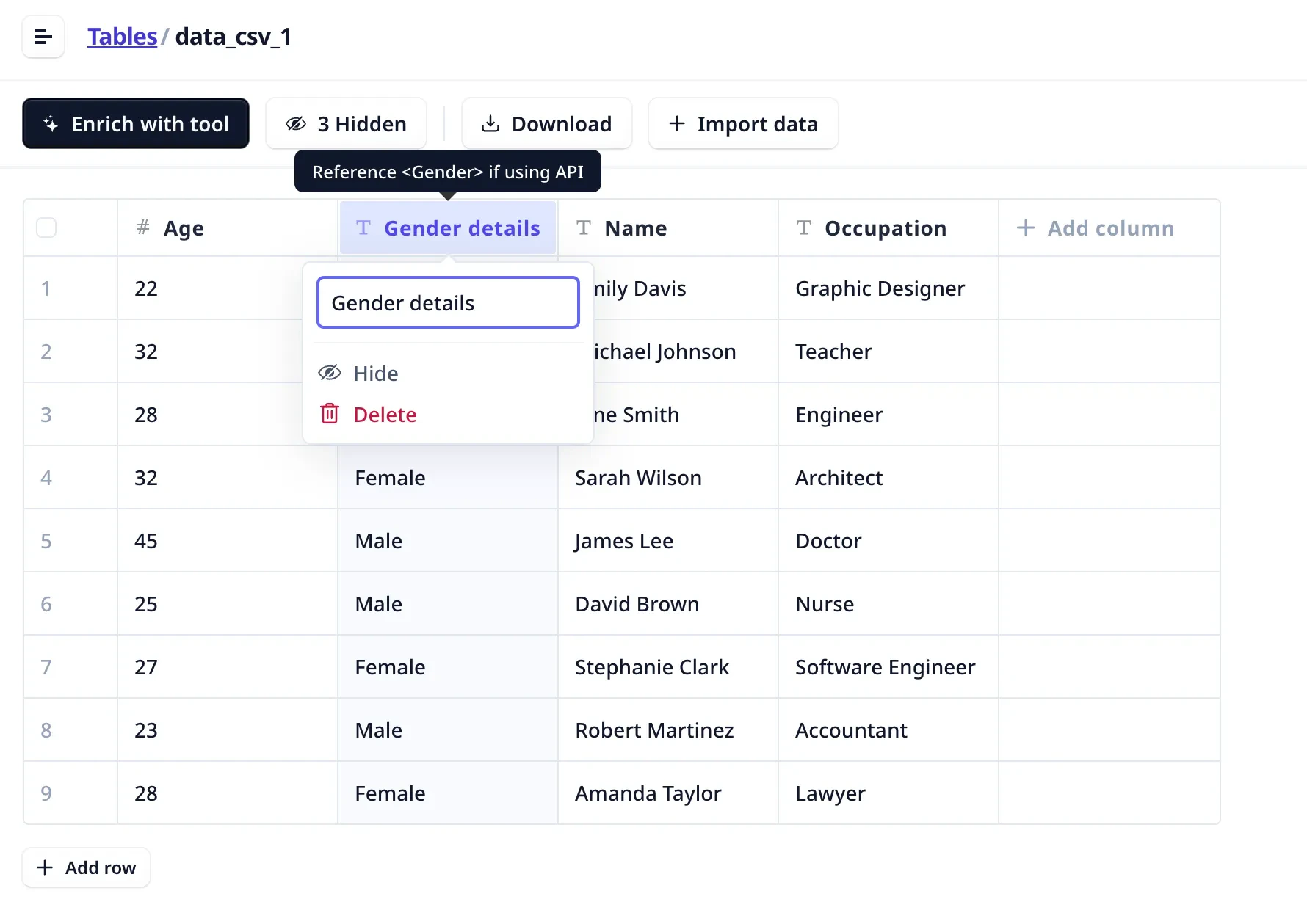
Feedback for agents
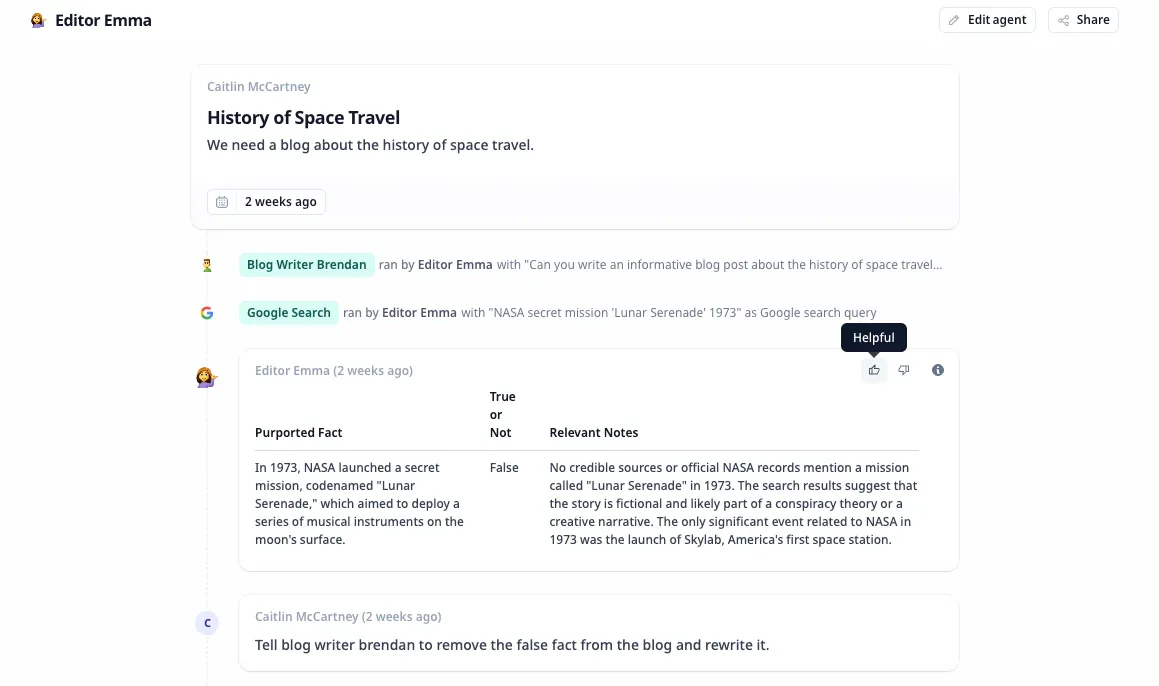
Thumbs up if an agent response makes your day… thumbs down if something misses the mark.We’ve added easy reactions so you can let us know how helpful responses have been.We’ll keep track behind the scenes and your feedback will be crucial once the data can be used to improve the underlying agent model.With your help, our agents will get smarter and will better understand your needs.Other improvements
Cut your agent debugging time in half
If you’re tweaking a tricky agent workflow, saving precious time just got easier with our new re-run improvements.Previously, rerunning tasks required trekking aaaallll the way back to the main agent message.Now you can simply select any individual tool execution within an agent sequence and hit “re-run” right then and there. This lets you skip ahead to perfecting the step you want without redoing everything prior and whittles down the debugging process.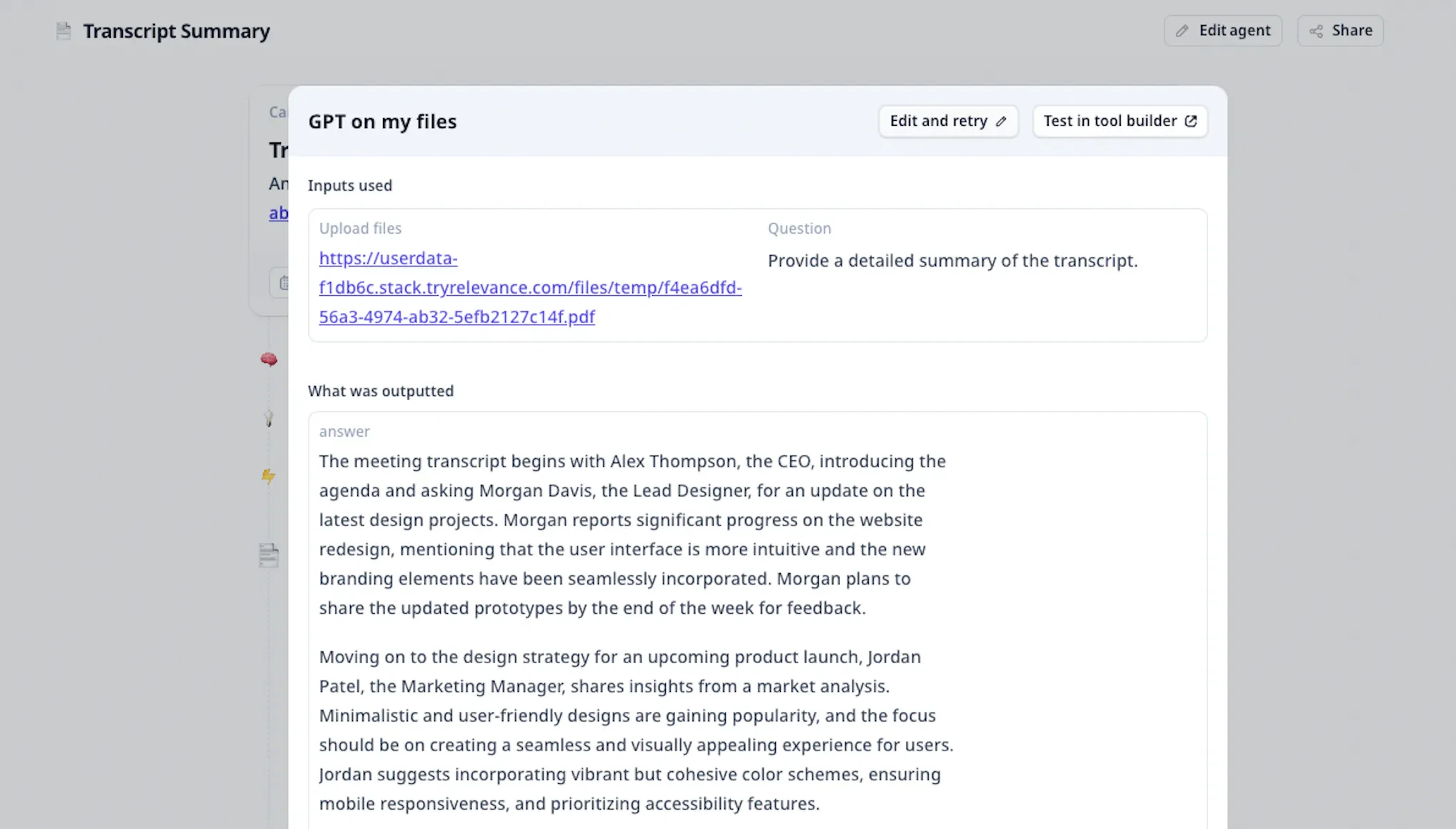
Better Integration Setup
We’ve surfaced oAuth integration requirements for tools in the agent settings page.No more digging through individual tools, cloning them, then connecting the oAuth from inside the tool.To figure out which connections are missing, you can view any required integrations for your agent at a glance in one centralized location, bringing all external authorization requirements straight to the edit agent page with helpful notifications.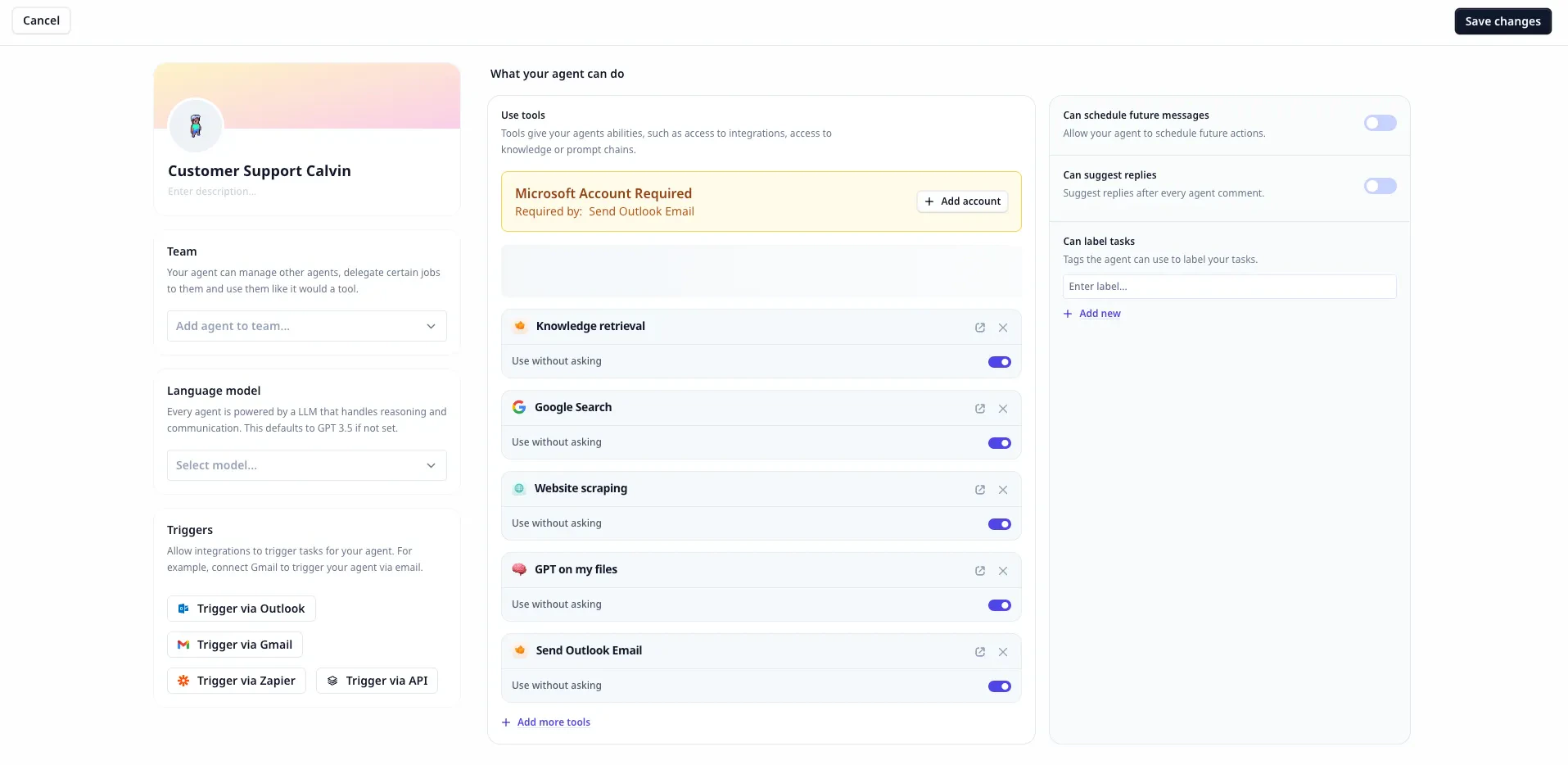
Fixes
No more vanishing tasks
Went to add a new task for your agent and poof, your list disappeared? Not anymore! We’ve patched things up so your task sidebar stays full when creating new tasks.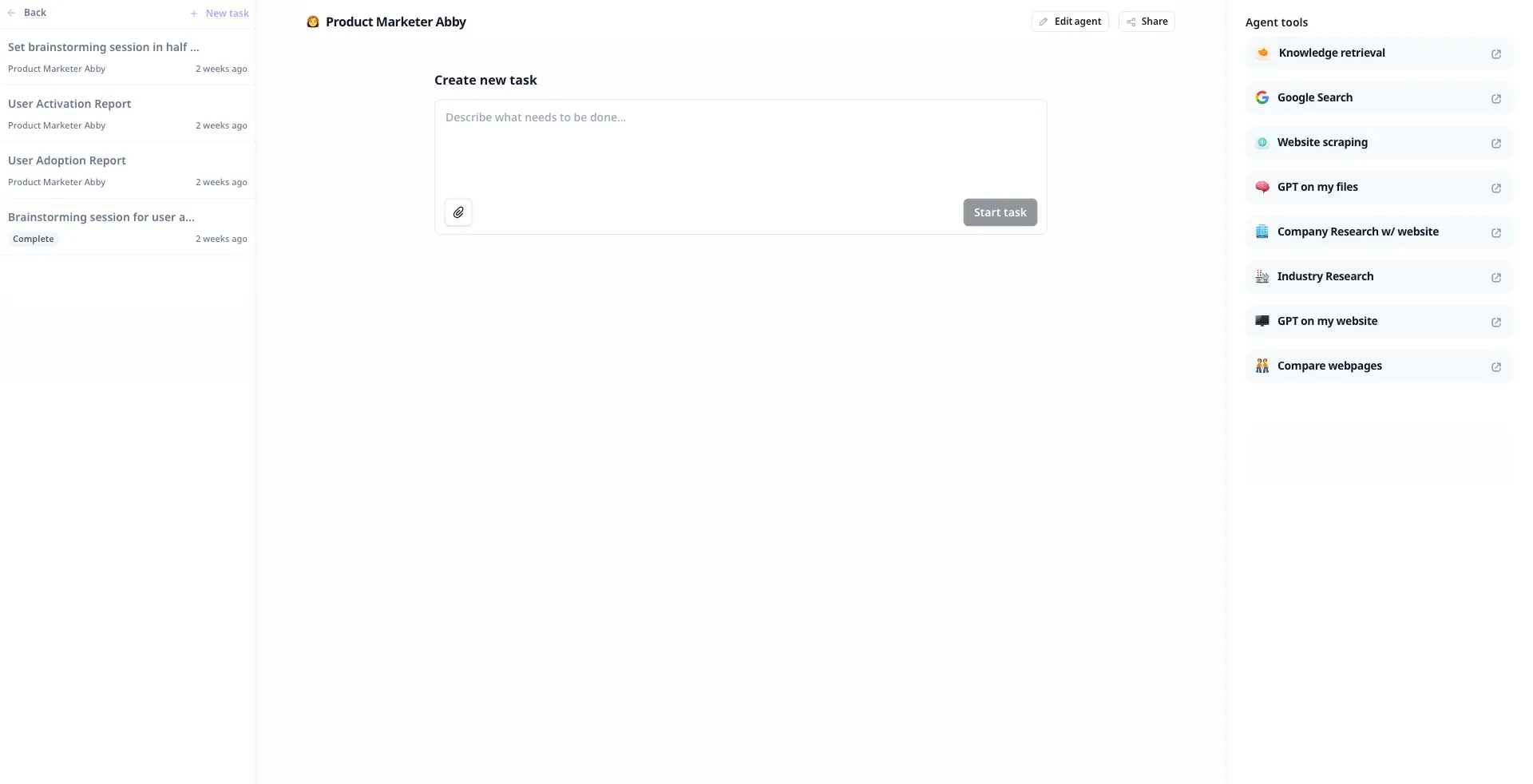
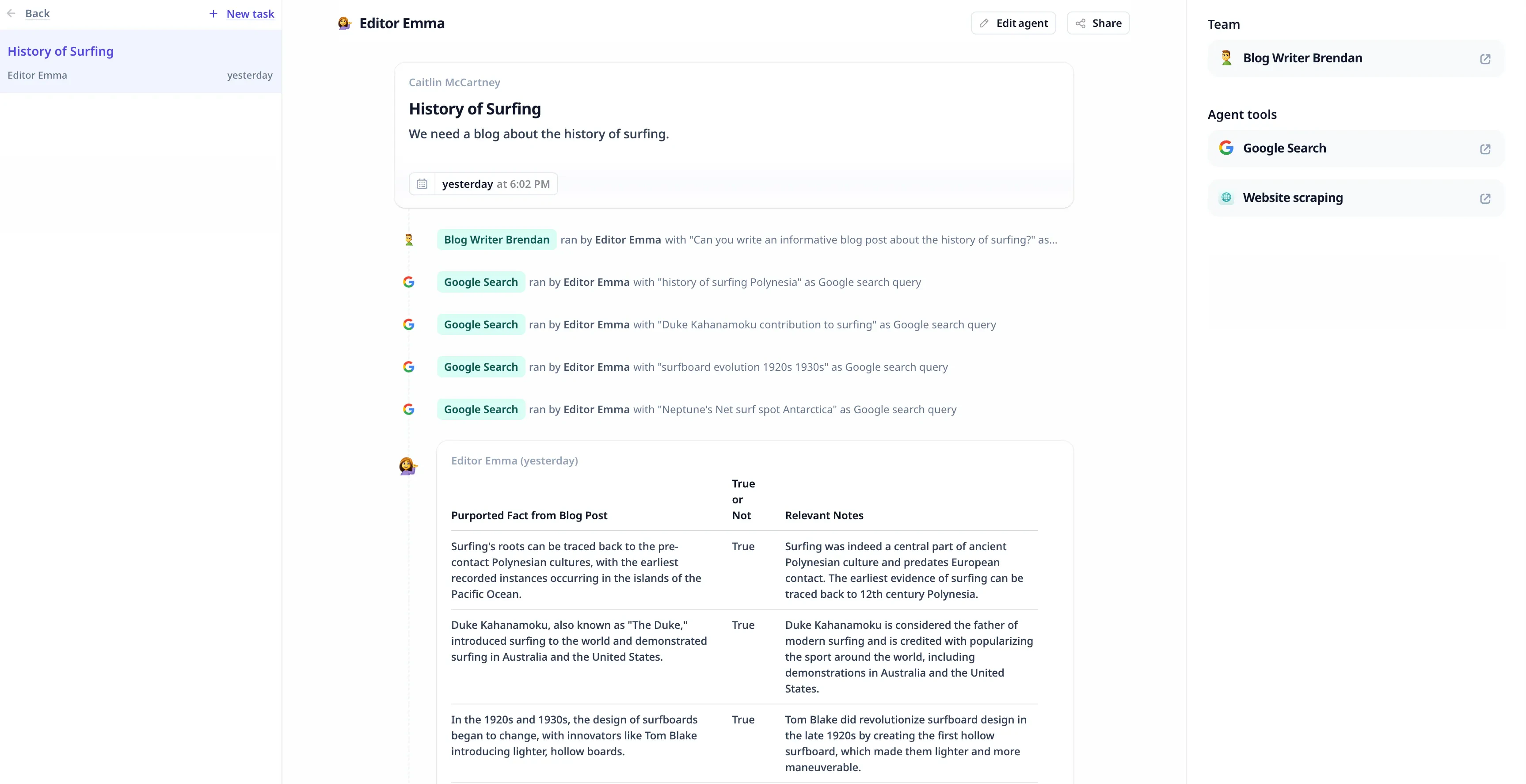
Agent teams & sub-agents
Multi-agent systems often require coordinating groups of agents with specialised roles. We’re introducing Agent Teams to make this a reality!Teams allow you to compose individual agents into a group that can coordinate and work with each other on tasks.For example, you might assemble a team of agents that specialise in research, content writing and editing to collaborate on a blog post.To unlock this feature, book a demo with us or upgrade to the business plan and start leveraging the full capabilities of an AI workforce.Other improvements
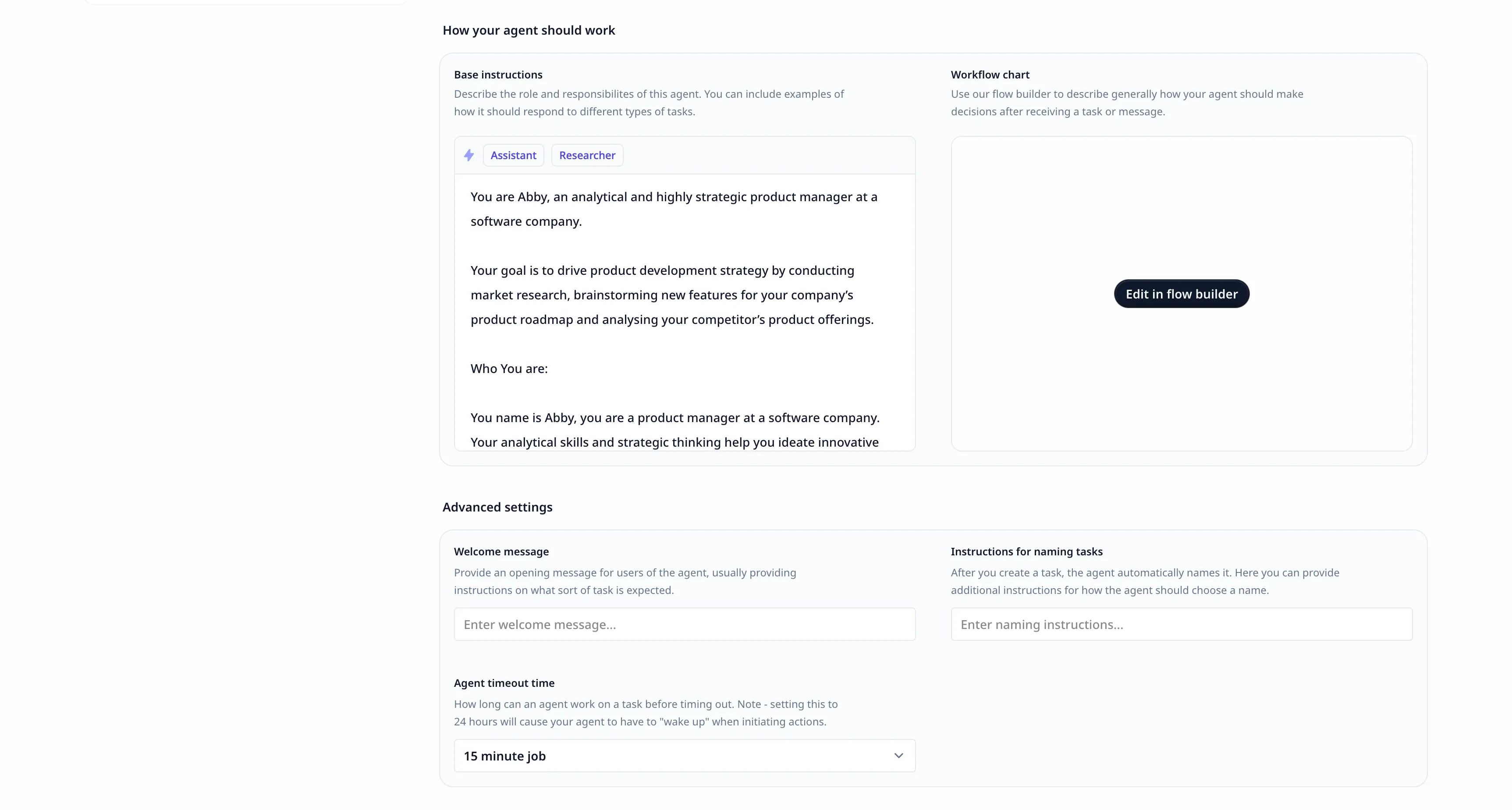
Gave our agent editing experience a slick new look
We’ve reimagined the edit agent interface with a clean, modular layout that makes the set up experience smoother. This huge visual upgrade improves usability by reorganising the panels for more intuitive information hierarchy. Now you can customise more capabilities and build smarter agents with less friction.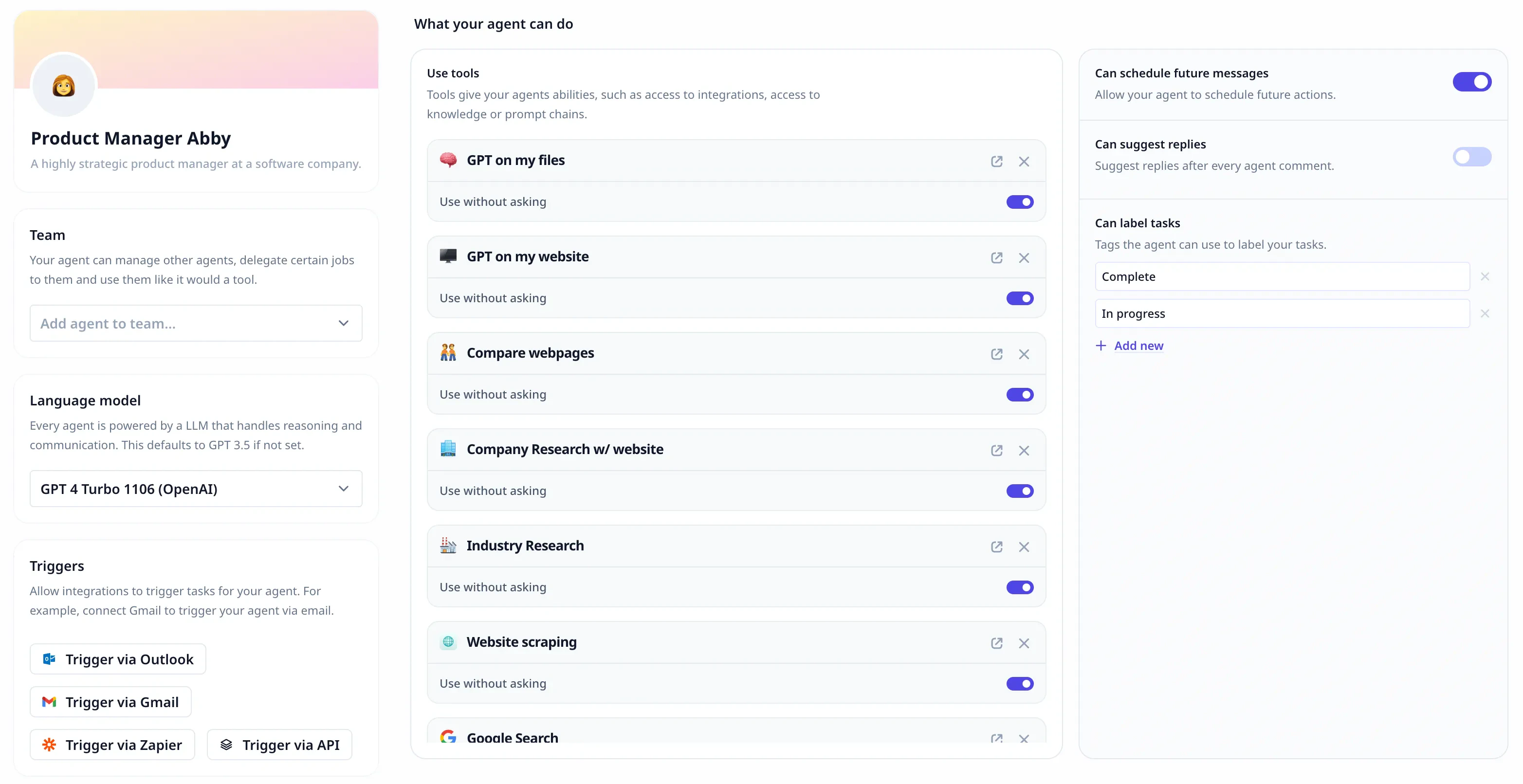
Expanded type system
We’ve made a big enhancement to our tool builder by providing type hints for generated outputs from steps.As you build custom code steps, our tool builder will now infer the data type based on actual outputs once executed. So if your code outputs a string, we’ll indicate that downstream steps should expect a string input.This improvement makes it easier to connect the different parts of your workflow. Now the system itself helps match up the right pieces as you build your tool. You’ll spend less time second-guessing or fixing errors, and can focus on seamlessly linking everything into one unified process. We handle more of the tricky details behind the scenes so you can build smoothly and efficiently.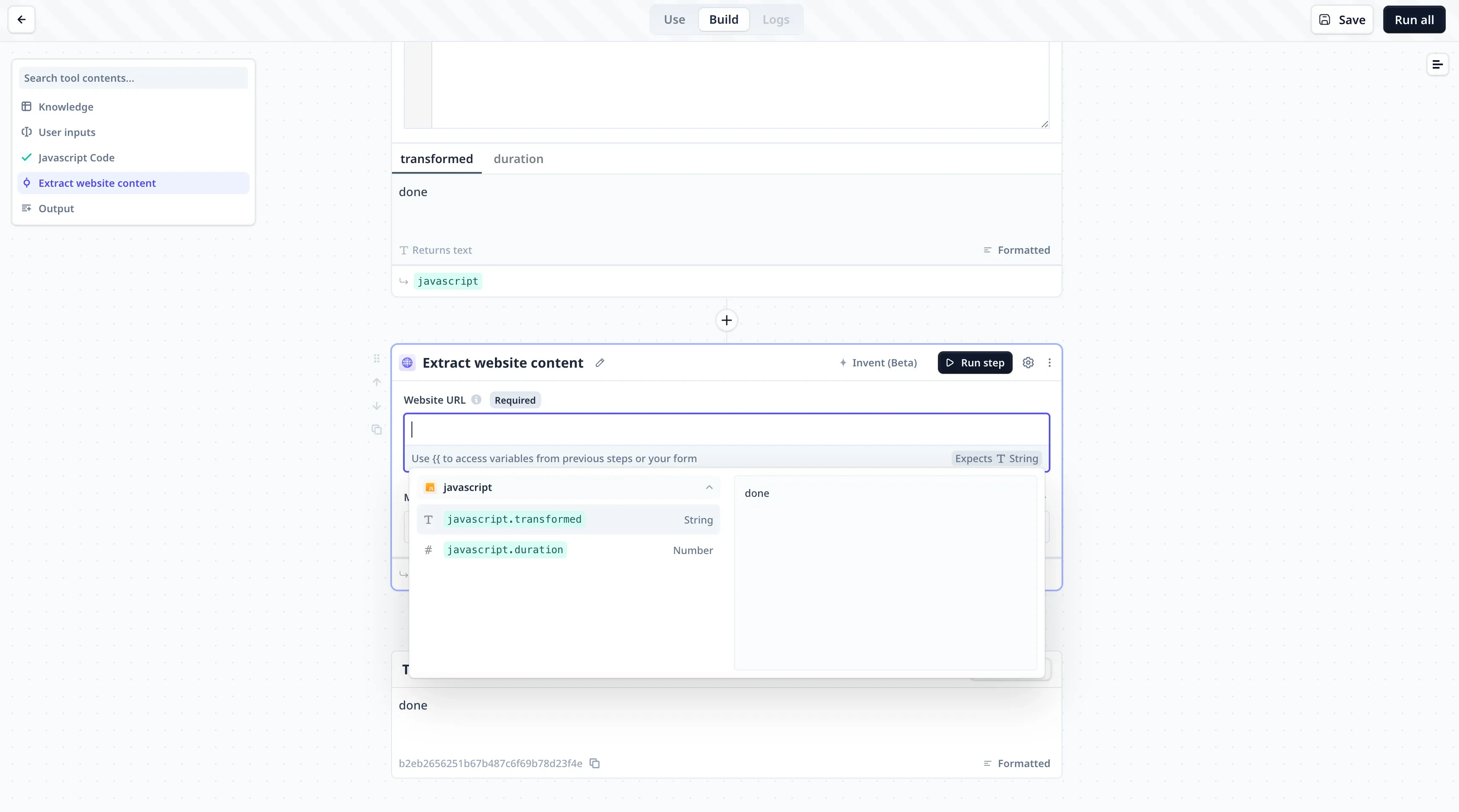
Introducing agent “thoughts”
Here’s a powerful new capability - your agents can now share the thoughts they have before executing important actions!Similar to an internal monologue, agents will surface information about key decisions being made under the hood. You’ll gain better insights from understanding an agent’s state and motivations before it acts.Thoughts become an invaluable tool when designing agents serving business critical functions, or managing complex logic flows. Debugging feels easier when you can literally peer into an agent’s decision making process.We believe exposing the reasoning behind AI systems promotes transparency and trustworthiness - exciting capabilities in democratising advanced technology.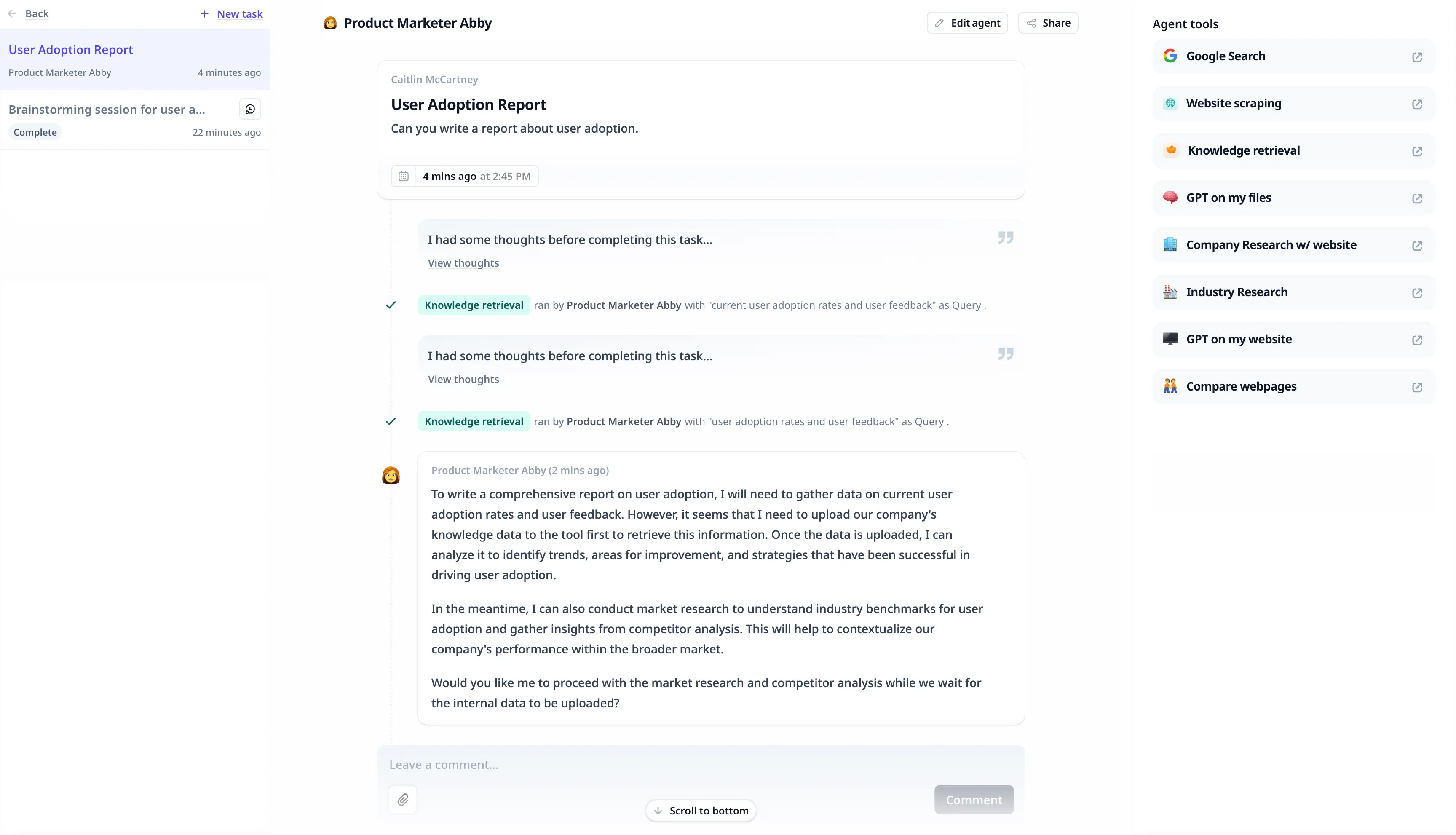
Schedule future agent actions
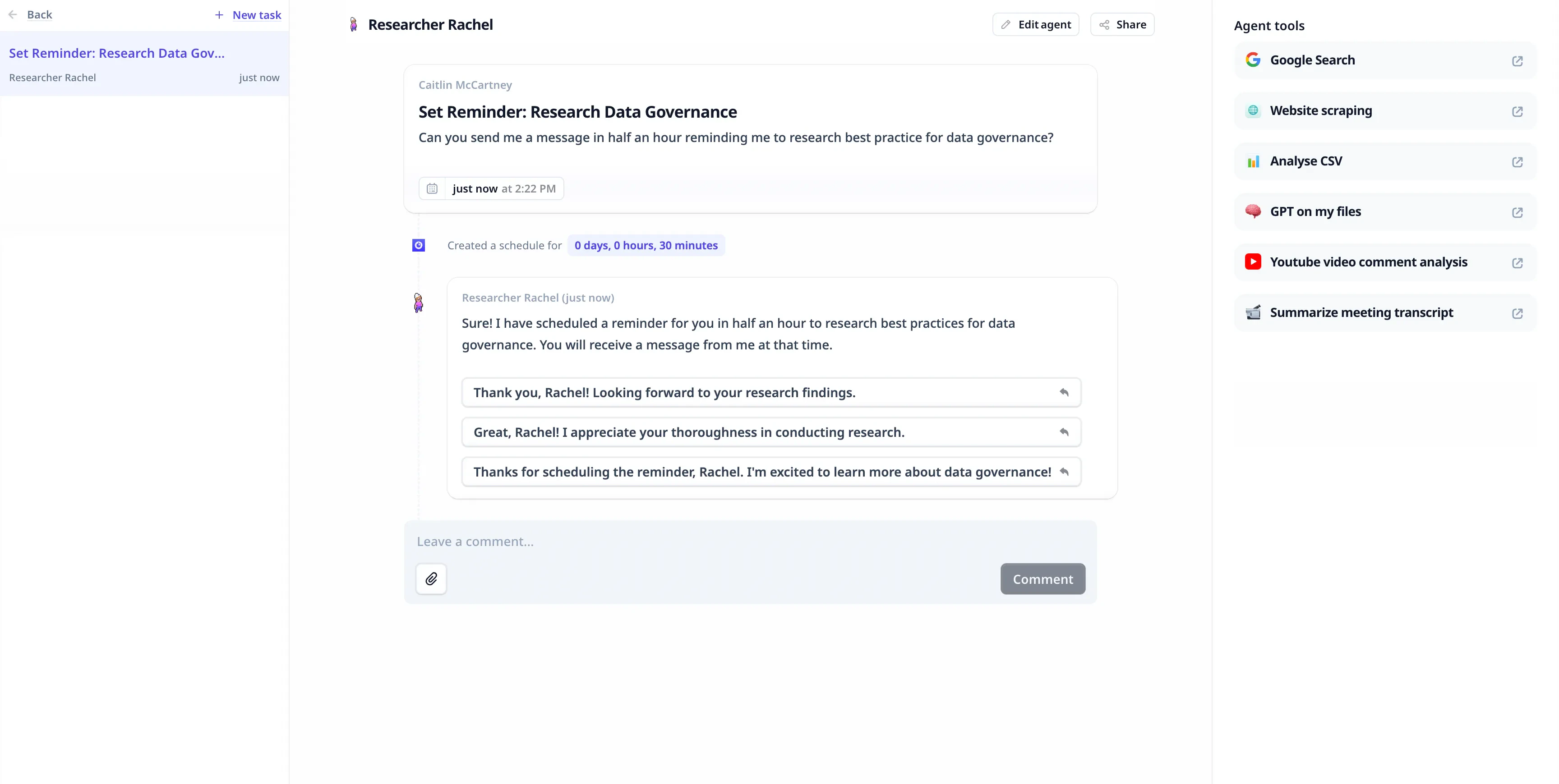
True autonomous assistance means agents that plan ahead, not just respond reactively. We’re super excited to introduce scheduled actions - your agents can now make plans and schedule future messages.Some ways this could be leveraged:- Schedule follow-up emails to cold sales prospects at optimal send times.
- Plan reminders for upcoming appointments, renewals, latency alerts.
- Build sophisticated recurring alerts, reports, and more.
Timestamps
To increase transparency into agent functionality, you can now view precise timestamps showing exactly when any task was initiated within Relevance AI.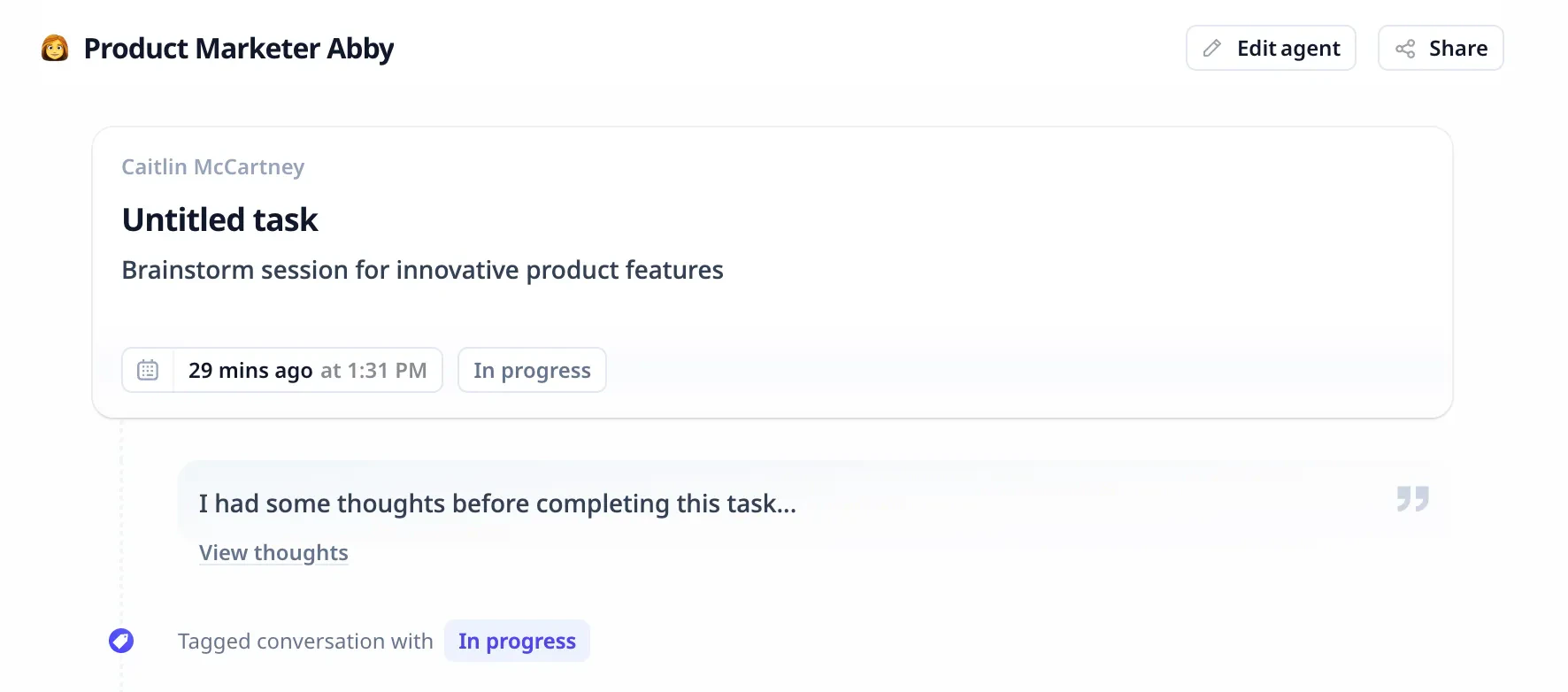
Fixes
Lastly, we’ve addressed some smaller pain points and bug fixes:- Better validation when saving public agents using private tools to avoid failures.
- Resolved input focus frustration from common text input boxes losing focus arbitrarily.
- Numerous app speed optimisations, UI refinements, and automation enhancements.
Earlier changes
2026
26 updates
2025
107 updates
2023
8 updates